
CONDITION: New
Item is brand new and factory sealed in original packaging. Contents have not been opened or used.
Returns Accepted
We accept returns under specific cicumstances.
See return policy for details
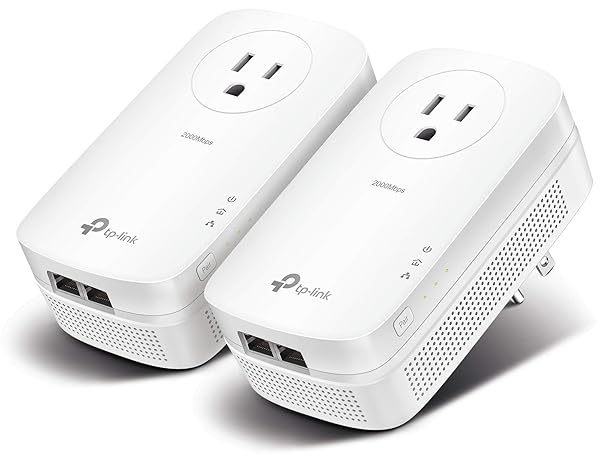
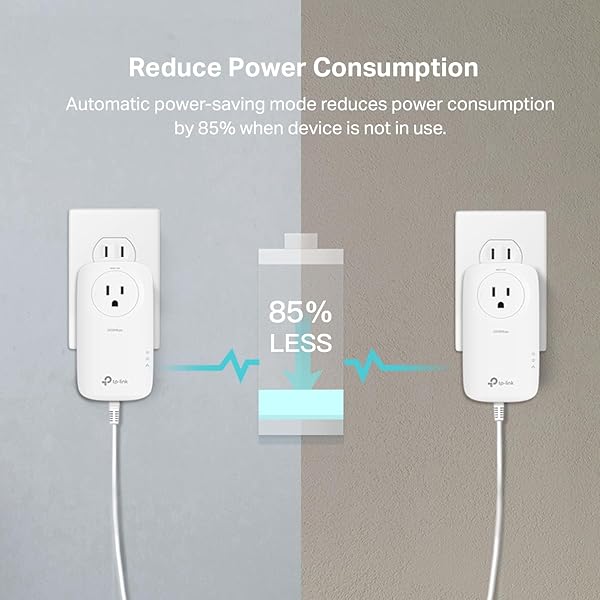
TP-LINK AV2000 POWERLINE ETHERNET ADAPTER TL-PA9020P KIT – POWERLINE NETWORK ADAPTER W/ PASSTHROUGH, NOISE FILTER, 2X2 MIMO, 2 GIGABIT PORTS, ETHERNET OVER POWER, PLUG PAIR & PLAY, POWER SAVING MODE
TP-LINK AV2000 POWER... see more >
 New
New  Returns Accepted
Bidding Starts At
$14.99
Create an account to place a pre-bid
Already have an account? Log in here
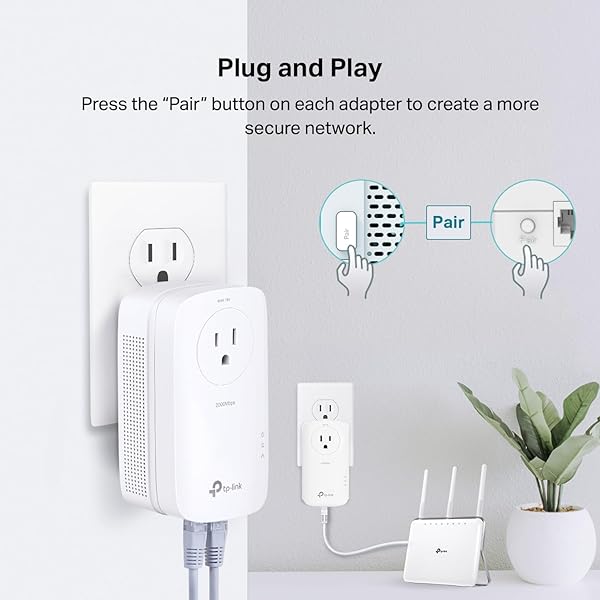
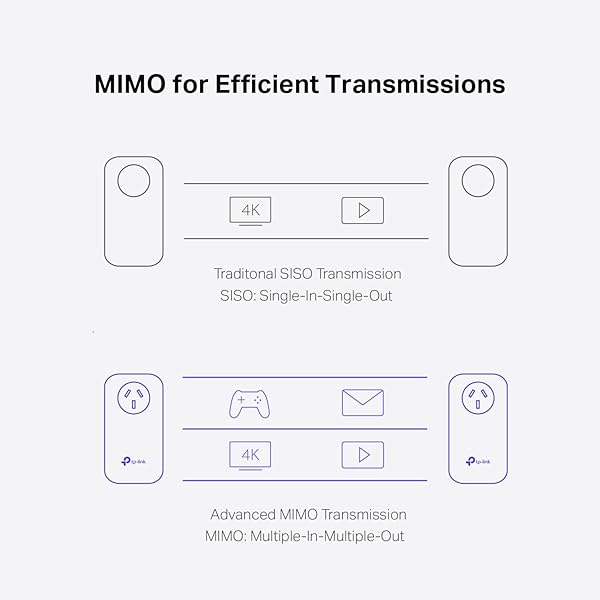
The TL-PA9020P Powerline Kit transforms your outlets into Ethernet ports for reliable wired connection to all of your devices. This product’s dimensions are 5.2 x 2.8 x 1.7 inches. With 2x2 MIMO, the adapters intelligently transfer data through two streams. The HomePlug AV2 then transfers your data through the electrical wiring within the walls of your home. Beamforming additionally boosts overall performance by strengthening your signal towards powerline devices. The terms “AV2000” and “2000Mbps” are derived from applicable specifications and refer to the theoretical maximum physical-layer data transfer rate. Those terms are used on this product solely to indicate its compatibility with other “AV2000” or “2000Mbps” PowerLine devices. Actual data speeds vary and are limited by the product’s Ethernet port and other network conditions such as data traffic, electrical noise, and wiring issues. If you are uncertain about your network conditions, you should consult an IT professional to assist in selecting a networking product." Make sure your computer’s IP address is in the same segment as your router’s. About power saving, actual power saved varies based on network conditions and environmental factors. Interface Available: 1 x Gigabit Ethernet Port Power Socket; Protocols Supported: HomePlug AV2 HomePlug AV IEEE1901 IEEE802.3 IEEE802.3u IEEE802.3ab; System Requirement: Windows 2000/XP/2003/Vista Windows 7/8/8.1/10 Mac Linux.Quality of Service:ToS,Supports up to 4-level type QoS, Support up to 8-level VLAN priority. Certification: RoHS, FCC, UL.
View more auctions

TITLEIST LOST GOLF BALLS, RECYCLED GOLF BALLS WHITE,...
TITLEIST LOST GOLF BALLS,...

SUN BUM ORIGINAL SPF 50 SUNSCREEN BODY LOTION...
SUN BUM ORIGINAL SPF...

KAMENSTEIN 16 JAR BAMBOO 3-IN-1 SPICE ORGANIZER FOR...
KAMENSTEIN 16 JAR BAMBOO...

AMAZON BASICS TRASH BAGS, TALL KITCHEN DRAWSTRING, UNSCENTED,...
AMAZON BASICS TRASH BAGS,...
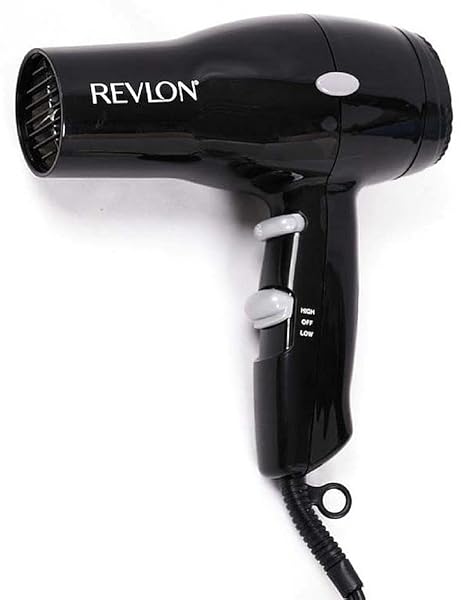
HAIRDRYER/STYLR 2SPD BLK
HAIRDRYER/STYLR 2SPD BLK

100% ORGANIC PADS FOR WOMEN 54CT, ULTRA THIN...
100% ORGANIC PADS FOR...
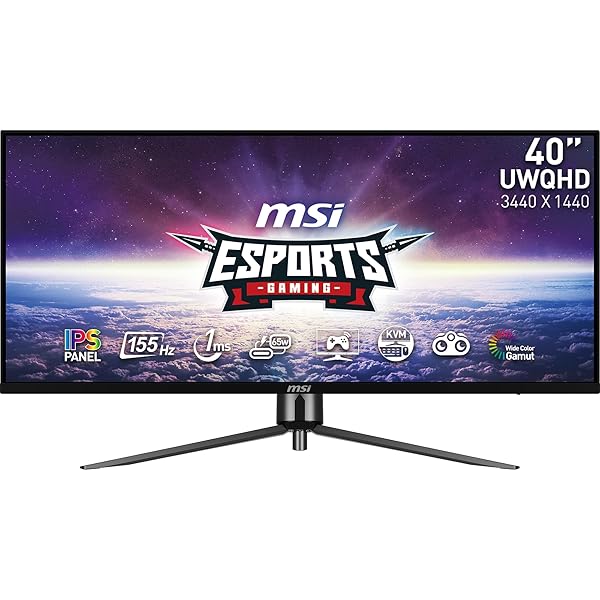
MSI MAG401QR, 40″ GAMING MONITOR, 3440 X 1440(UWQHD),...
MSI MAG401QR, 40″ GAMING...

PREMIUM SALTINE CRACKERS VARIETY PACK, 2 MINI AND...
PREMIUM SALTINE CRACKERS VARIETY...

FRITO-LAY TANGY FAVORITES MIX VARIETY PACK, 1 OUNCE...
FRITO-LAY TANGY FAVORITES MIX...
FRITO-LAY TANGY FAVORITES MIX VARIETY PACK, 1 OUNCE...
FRITO-LAY TANGY FAVORITES MIX...

PANOXYL 10% BENZOYL PEROXIDE ACNE FOAMING WASH, MAXIMUM...
PANOXYL 10% BENZOYL PEROXIDE...

CHIPS AHOY! COOKIES VARIETY PACK, ORIGINAL CHOCOLATE CHIP,...
CHIPS AHOY! COOKIES VARIETY...

NATIVE BODY WASH CONTAINS NATURALLY DERIVED INGREDIENTS |...
NATIVE BODY WASH CONTAINS...

ORGAIN ORGANIC VEGAN PROTEIN POWDER, VANILLA BEAN –...
ORGAIN ORGANIC VEGAN PROTEIN...

NEILMED SINUGATOR CORDLESS PULSATING NASAL WASH KIT WITH...
NEILMED SINUGATOR CORDLESS PULSATING...
NEILMED SINUGATOR CORDLESS PULSATING NASAL WASH KIT WITH...
NEILMED SINUGATOR CORDLESS PULSATING...

POISE INCONTINENCE & POSTPARTUM PADS FOR BLADDER LEAKS,...
POISE INCONTINENCE & POSTPARTUM...
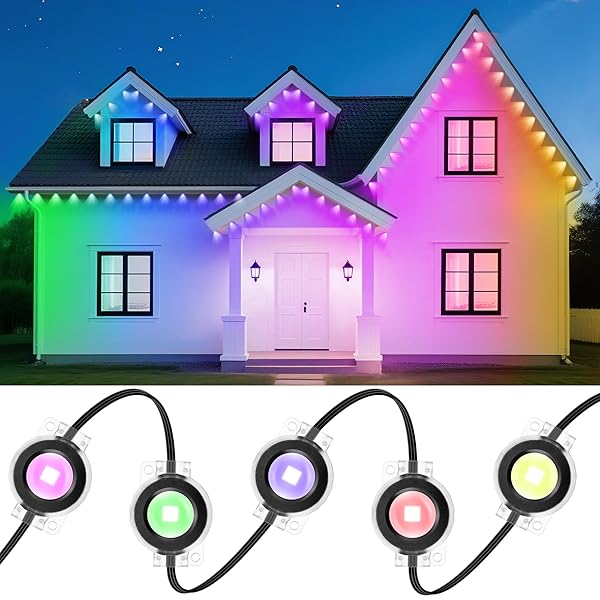
DELITOR PERMANENT OUTDOOR LIGHTS, 111FT SMART BLACK CHRISTMAS...
DELITOR PERMANENT OUTDOOR LIGHTS,...

SIMPLY SMYRNA 100% TURKISH COTTON ZERO TWIST HIGH...
SIMPLY SMYRNA 100% TURKISH...

CATCHMASTER-40 MOUSE & INSECT GLUE TRAPS, HEAVY-DUTY PESTICIDE-FREE...
CATCHMASTER-40 MOUSE & INSECT...
I purchased these powerline adapters after our development ditched DSL for AT&T Fiber. Now that I had 1 GB of speed, I wanted to improve the throughput of the older TP-Link powerline adapters I'd been using for over 12 years! They worked pretty well, but tose were limited to 200 Mbps (TP-Link AV200) and sometimes had to be reset to regain connectivity.The AV2000 is a major upgrade. They have a maximum speed of 2 Gbps, MIMO, an additional Ethernet port on the bottom of the unit and a passthrough AC in the unit itself. They have never disconnected from each other and provide a fast, stable way to distribute a signal to an area that can't receive wireless or that would benefit from the higher bandwidth of aa wired connection. As an example, I use them to connect a TV to an Apple TV 4K on our patio where wireless isn't strong enough for a reliable connection. The difference in performance over the AV200 is night and day.These are a major upgrade from what I was using, but then again, the ones I had were purchased in 2013. If I have a criticism, it's that they are twice as large as the AV200's I was using. If you plug a device into the AC passthrough, it becomes pretty bulky. It makes hiding the device a bit more challenging and requires at least a few inches of depth to hide it behind a piece of furniture. In exchange for the drawback, the performace of the AV2000 is sensational and makes extending your network a very simple chore!
Don’t let the name "AV2000" mislead you—while it implies gigabit or even 2-gigabit speeds, you won’t quite reach those numbers in real-world conditions. However, the Ethernet speeds are still very fast and more than capable of handling streaming, gaming, and general connectivity needs across your home.What makes these powerline adapters shine is their convenience. Running dedicated Ethernet cables through ceilings, floors, or multiple walls is often impractical. These devices let you set up a high-performance wired network without cutting drywall or making permanent changes to your home. It's a clean, non-invasive solution that just works.Setup is completely plug-and-play. You don’t need to install any software or configure settings. Simply plug one unit into a wall outlet near your router and connect it via Ethernet. Then, plug the other unit into an outlet near the device you want to connect—whether that’s a smart TV, game console, or printer—and you’re done. It's that easy.There is a basic utility provided that lets you monitor the adapters, check firmware versions, and update them if needed, but it’s not required for setup or everyday use.Overall, I’m very pleased with the TP-Link AV2000 kit. It’s reliable, fast, and makes extending wired connections in your home incredibly easy. I’d absolutely recommend it to anyone who needs better connectivity without the hassle of physical network cabling.
Purchased product to provide internet access to devices in remote areas without fishing ethernet lines through walls by utilizing electrical outlets. Internet will still work if one adapter is on the 1st floor and the 2nd adapter is plugged in the 2nd floor on separate circuits, just remember to press the pair button on both devices (one adapter must ethernet cable to device providing internet). Adapter speed is limited by buyers internet plan and has max speed cap of 2000mbps i.e. adapter will not magically provide 2k speed if internet plan is only for 300mbps. Personally only got around 100+ mbps steadily (which mirrors other reviewers' results) which is much better than 20 mbps wireless and 1000 latency. Downloads, home and security devices function surprisingly well at 100mbps. Tried shielded and unshielded cable with no speed change. Despite product marketing, it's unlikely adapter will ever reach max advertised speed based on testing info found online. Even with ideal conditions the experiment was unable to reach highr speeds. An "explanation of powerline rate" and how to calculate "actual speed" to expect is on TP-Link's website with some digging (copypaste support/faq/2928/ in address field at main webpage). Device is just tall enough to make the 2nd receptacle in an electrical outlet unusable for standard 3 prong plugs (obstructs ground port) but skinny/slim 3 prong type plugs will fit. 15 amp outlet is built into the adapter's face but prefer not using it because the device is hot to the touch. Be aware the two included ethernet cables are only 6ft.Tl;dr - 100mbps avg, easy plug and use adapter. Those who want to fully utilize their high speed internet plan should look into different technology like MOCA otherwise commit to opening up the walls and fish ethernet cables properly or be okay with looking at cables running along the walls/floor.Update: If you want to know what warranty replacement is like, 1 of 2 adapters abruptly stopped working after about 7 months of use. There was a low whining sound when plugged in but none of the led lights lit up. TpLink customer service is helpful, once you connect with a human, but it's a waste of time. They'll ask for your info, device details, and device issue then send you an email to submit a ticket online with all the info you told the agent, again. So skip the phone call and go straight to writing a ticket online. I shouldered cost of shipping the rma to them but they paid to ship the replacement to me. If it's a kit, you must send back both devices to recieve a replacement. Paid $11 x2 at usps due to this mistake. The agent kept me updated on the status of the rma the whole time.
Our Internet connection comes into an upstairs bedroom on one corner of the house, which didn't get us the best wireless coverage. I also wanted to have wired connections for some of our older devices that will never get updated to patch the new wireless security vulnerabilities. We looked into having Ethernet cables run throughout the house, but that was and expensive solution, and we couldn't agree where we needed the outlets (we just moved in and are still arranging things).I got this and the TP-Link AV2000 / AC1200 Gigabit Powerline AC Wi-Fi Kit | HomePlug AV2 Technology | Plug, Pair, and Play (TL-WPA9610 KIT), and we've been very happy with the performance.This kit includes a pass-through AC outlet, but the adapter is large enough to block the ground pin of the outlet above it, while the cheaper TL-PA9020 KIT without the pass-through outlet does not block the outlet above it. So you only end up with a single 3 prong outlet either way. Had I known that beforehand I would have saved ten bucks and got the cheaper non-pass-through kit. With this kit you should be able to squeeze a 2 prong plug into the top outlet, so I suppose it does have an advantage over the cheaper kit (but I'd still have saved the ten bucks).With one adapter connected to an outlet on the second floor in one corner of the house (where our router is) and another in an outlet on the far corner of the house downstairs, we still get full 100/100 Internet speed, and over 500Mbps on local networking (currently showing 706Mbps, but it varies). The 2 others we have in the upstairs server room, and downstairs behind the entertainment center get near gigabit performance. So not as fast as having Ethernet cables run throughout the house, but we installed it ourselves, and if we decide to rearrange the furniture and need an Ethernet port elsewhere, we can simply move the powerline adapter to another outlet.Keep in mind that powerline network kits will only deliver 25% to 50% of their advertised (theoretical maximum) speed. So these AV2000 (2Gbps) kits will typically have between 500Mbps and 1Gbps performance. Use that as a ballpark to decide of you need the speed of an AV2000 kit, or if you can get away with less expensive AV1000 or slower kits.By combining this kit with the TP-Link AV2000 / AC1200 Gigabit Powerline AC Wi-Fi Kit | HomePlug AV2 Technology | Plug, Pair, and Play (TL-WPA9610 KIT) we were able to improve wireless coverage as well. We put the WPA9610 powerline adapter with the wireless AC1200 access point downstairs and now we have great wireless signal everywhere in the house. This arrangement is superior to a wireless repeater, since the access point connects through the wired network.We've been using the powerline network for several months now and it has performed flawlessly. No odd drops or disconnects. It's a great product with solid performance, at least in our home (the quality of your electrical wiring can affect performance, so YMMV).
I was a real latecomer to the powerline party. Until a couple weeks ago I had no idea there was an alternative to fishing Cat5 (or Cat anything) cable through the walls and ceiling if you wanted to improve the internet connectivity in another room of the house. So I've been spending many frustrating hours trying to get wifi signals to go through walls and around corners just so I could steam a movie or watch a live ballgame. And the results have been pretty bleak. Dropped connections, buffering and a lot of swearing have been par for the course. But then I discovered powerline (using your home's electrical wiring to carry ethernet signals throughout your entire home) and I'm elated with the results. The tp-link AV2000 starter kit has totally eliminated my wifi issues and my streaming is now fully "up to speed" so to speak. And I didn't have to chop a single hole in the wall or ceiling or run unsightly wire from room to room. These buggers really work.Both modules in my system are on the same main house circuit but the outlets are on different fuses. This was a concern I had before installation but it doesn't seem to create any problem to be on different fuses. The installation was a breeze and the instructions are well written and easy to follow. The two units need to be "paired" which is accomplished by plugging the two units into the closest two outlets you can find and pressing the marked button on each unit. The units can then be moved to any outlets in the house. One unit is plugged into a receptacle as close as possible to your router and is connected to the router with a CAT 5 or newer cable. The other unit is plugged into a receptacle as close as possible to your computer and also connected with a CAT 5 cable. The units come with two 6 foot CAT cables, but these were two short for my setup and I had to use some longer spare cables I had on hand. You should be aware that the two plug in modules are quite large and need to be plugged into the lower section of an outlet. Even then, it may be difficult to plug something into the upper socket of the outlet. The AV2000's come with a "pass-through" outlet so even if you can't access the upper socket of the outlet you will still be able to plug another appliance into the pass through socket.Yes, the powerline starter kit may sound a bit pricey at $90, but it is far far cheaper than hiring an electrician to run CAT cable and is far less aggravating than trying to fish cable yourself. And if you want to expand your ethernet coverage even further, just purchase another module or two and plug them into your existing system. No fuss, no bother. And yes, there are some less expensive powerline units that might get the job done but they offer less than gigabit speed and/or no pass through plug outlet. If you do an internet search you will find the Av2000 units at the top of nearly every "ten best" list available.
(updated review) 2nd day ownership update:These powerline adaptors completely wiped out my TP-Link Archer C9 router. No joke.I've owned the C9 since Sept 2015 (two months shy of three years), and it has been near perfect. Throughout all of this powerlined adaptor testing I haven't touched my C9 one bit (acting as a simple AP). About an hour after plugging the pair of these powerline adaptors in (one a floor below C9, one a floor above it), slowly but surely all my 2.4, then 5.0G devices drop out. My smart plugs stop responding, Alexa's stop responding, my nest looses its connection... I just noticed my freaking nest rebooted a minute ago for no reason. All the while the powerline adaptors chug along while I perform testing throughout the house. After I unplug the powerline adaptors I have to cold cycle the C9 - it will last anywhere from a few hours to a day at best now before doing the same thing, dropping all my devices. During this if I jack into the ethernet port on the back of the C9 (essentially acting as a switch), I can ping it, get an IP address from my other DHCP server, and connect outbound through my gateway, but NO WIFI. SSIDs are being broadcast, but even if I manually assign an IP I cannot seemingly get any packet movement through the router (have not verified with wireshark). The powerline adaptors seem to directly affect the radios, or power supplies (see below) in this router. I've been setting up and debugging home, corporate and industrial networks as an EE for 15 years, so this is not new to me.If I had messed with the C9's cabling, configuration, power cycled the C9, even moved it prior to testing these adaptors, well I would give these the benefit of doubt and say I inadvertently did something to screw it up. But it was working 100% for months up until now (installed after a move) - and going on three years prior. If it's a coincidence, well I'm sorry to make assumtions, but I'm just putting it out there.I load tested my original C9 12V power adaptor at 3amps for 15-20minutes, and it works as expected. Out of curiousity I plugged a powerline adaptor in and scoped the loaded adaptor 12V output: as expected the powerline adaptors are injecting nearly 800mV of high frequency noise *through* the AC adaptor. This noise shows up at the output of the AC adaptor, every 35mS, for about 400uS in duration and yep, directly into the router. This wasn't even transmitting between adaptors, just an apparent preamble and payload, likely broadcasting for other node discovery. Granted this is the case with any powerline adaptor, however this noise, depending on the frequency, could easily throw switching mode regulator out of whack... If not the AC adaptor itself (I didn't note if this was a linear or switching, but I have to assume switching to get 3.3A@12V), then quite easily any downstream electronics (the C9 no exception) will face issues (with any powerline adaptor).After seeing and experiencing this first hand I am absolutely avoiding powerline adaptors. Do yourself a favor and make due with WiFi.(original review) 1st day ownership:My setup is as follows:1st floor: internet and gateway/router, NAS.2nd floor: cat5 from 1st floor to Archer C9 acting as access point.3rd floor: needed hardwired connection for various office devices (printers, etc).Speed results:1)with units biggybacked, (one plugged into the other):-TPlinkUtil showed 997Mbps (124MBps). File transfer from NAS 328Mbps (41MBps)-wifi NAS transfer 376Mbps (47MBps)2)with one unit on 1st floor, the other on 2nd floor at three different sockets (kitchen/dining/living):-TplinkUtil showed 150-229Mbps (19-29MBps). File transfer from NAS 120-146Mbps (15-17MBps)-wifi NAS transfer (5G AC) 528Mbps (66MBps)3)with one unit on 1st floor, the other on 3rd floor at various sockets (office, bedroom):-TplinkUtil showed 34-79Mbps (4-10MBps). File transfer from NAS up to 96Mbps (12MBps)-wifi NAS transfer 184Mbps (23MBps).Clearly there is very little benefit over a wifi adaptor for using these adaptors, in my setup anyway. A cheap no-name 300N USB adaptor was able to get me the same speeds.Lastly, if browsing the web and doing speedtest tests are all you need, maybe you'll be fine.One note: realize that in most US households the 220 service is broken into two separate 120 "legs". Where the circuit breaker is physically installed inside the electrical panel dictates which leg it's on (often it alternates between one leg and the other when viewing the breakers vertically). To get full performance out of a (any) powerline adapter you *must* be on the same leg as the other adapter(s). Yes they share a neutral and ground but to get the benefit of the "MIMO" you need the other leg also.
Used the adapter to help with more coverage throughout the home, as our router isn’t in the center. Easy to install, and it actually works great. We are able to hook up our TV with the Ethernet cable to the adapter and it functions as if it was directly connected to the router!Biggest issue we have run into is lack of longevity. One of them died only after a handful of months, which we originally thought was because our rambunctious puppy ran into it with the fake plant. But the other adapter in the same package just recently died. Although they’re easy to replace, the price may not be worth it over time if this is a common issue that requires continuous replacement.
My apartment has cable service, but the router for my unit was placed in a really odd spot, and the wireless service is pretty bad. SO I remembered powerline units were available, got these as they were highly rated overly on various sites.I was able to turn off wireless on my unit's router, ran a cable from the router to the first unit, set up the second unit on an outlet that appears to be one of the last stops in the electrical circuit, then ran a cable to my own router, which let me run ethernet cables to various devices -- laptops, gaming consoles-- in my office. Definitely beefed up the speed, so little to no buffering.I've reconfigured the networks at times in the apartment, has always worked just fine.Because of one of these rearrangements, I discovered just how bad one of my gaming consoles was running over wireless. My roommate uses that one mainly, doesn't really seem to care. Anyway, I wanted to see if I could use another set of adapters to hook that console up to my personal network through the electrical circuit, too.One set would go from the unit router to my personal router, and the other set would go from my personal router to that gaming console and a couple other devices in the same area.It initially didn't work because the new adapters hooked up to the network for my unit. What I had to do was isolate each network and set them up separately. I unplugged the unit adapters, reset my network's adapters, then set them up on my personal network. Then I plugged the unit's adapters back in, and the two networks both used the electrical circuit individually as desired. Hopefully that saves someone some hassle for that particular scenario.And the target gaming console runs great now.
First, I bought this for a unique situation, where a garage has been converted to a living space. It had been rewired professionally, which means...it's not on the same mast/circuit as the one where the modem is connected in the house. So this did not work for that scenario. But fast forward a few months...Different location, big house, modem is in a room upstairs for a work from home situation, and that is a significant distance from 4 other bedrooms, tvs in each one, 9 wifi security cameras, multiple phones, etc. The main adapter is connected next to the modem, directly in the outlet (cannot be installed in power bars or extension cords, MUST be in the outlet). The 2nd one is on the other side of the house, downstairs, quite a ways off, behind a brick fireplace where wifi was a challenge. It connected without ANY issues whatsover. And it works great!Don't expect to get gig speeds out of it but it's definitely handling the demand for streaming, phones, tvs, cameras, etc. And it's hardwired to a laptop in addition to wifi output, which is a difficult combination to find, it seems. Most comparable products are hardwire only, NO wifi. There's a good possibility that we could add a few more of these to the arsenal to fill in gaps for the cameras on the opposite side of the house, too. They ARE large, but the pass thru outlet on these makes that less of an issue, too. I have used other brands that disconnected...yet these have been connected since December and do not appear to have dropped at all. Good quality and reliable product, I would not hesitate to recommend!
I bought this pair to add onto my existing pair that has been working effortlessly, seamlessly for over 2 years.The new units connected to the LAN easily, without a hitch and the best part is that I can take any of the units and connect it to where I need the fast connection most, like in my detached garage which I converted into a home gym to endure the continuing COVID-19 lock-down period. Having this fast connection in my home gym meant that I can watch my favorite online shows whilst walking on my treadmill for an hour or so.It's all good.
أنصحكم فيه بشدة بشدة بشدة بشدة بعدالنت أسطوري الحمد لله بس المشكلة لازم تشترواإذا كنتوا في الدولة خليج او شي كذا نفس الإماراتلازم تشترون محول جهد بس بدال هذا أنصحكم فيه بشدة بشدة كنت تعاني من النت بس الحين الحمد لله ما أعاني أنصحكم فيه أنصحكم
This product works with 220v even though the device label indicated that the input is 100-120v. I have checked with TP-Link support and confirmed that i can be used with 220v. I also checked with Amazon Support and they assure me that should there be issue on 220v, I can still have it returned without charges.So if you are looking for a US plug powerline that can be used on 220v, this one does!
Ya había tenido antes unos Powerline, y ahora me anime a cambiarlos porque mi conexión es de 200Mb, y los anteriores solo me daban 100Mb, en general llevo más de 1 año y sin ningún fallo. Son excelentes para pasar la red entre cuartos y no he notado degradación considerable (me entrega 190MB) en una distancia de 15m.Obviamente no sirven si vives en departamento y tampoco debes de ponerlos cerca de electrodomésticos que consumen mucha energía (microondas,refrigerados).De igual forma tienes que cuidar conectarlo directo al enchufe y no en algún regulador o regleta.Todo eso viene especificado claramente en el manual y si lo sigues al pie de la letra y tienes en cuenta estas consideraciones son un elemento perfecto para no tener que andar pasando metros de cable por toda la casa
-
Brand
TP-Link -
Hardware Interface
Ethernet -
Color
White -
Compatible Devices
Powerline adapters -
Product Dimensions
2.8"L x 1.7"W x 5.2"H -
Data Link Protocol
Gigabit Ethernet -
Data Transfer Rate
2000 Megabits Per Second -
Number of Packs
2 -
UPC
840460604741 845973094805 -
Compatible Operating System Family
Linux, Windows -
Item Dimensions L x W x H
2.8"L x 1.7"W x 5.2"H -
Global Trade Identification Number
00845973094805 -
Manufacturer
TP-LINK -
Mfr Part Number
TL-PA9020P KIT -
Model Number
TL-PA9020P KIT -
External Testing Certification
CE -
Warranty Description
2-Year Warranty -
Built-In Media
2-meter RJ-45 Ethernet Cable * 2, AV2000 2-port Gigabit Passthrough Powerline Adapter, TL-PA9020P * 2, Quick Installation Guide -
Best Sellers Rank
#3 in Powerline Network Adapters -
ASIN
B01H74VKZU -
GTIN
840460604741 845973094805 -
Recent Sales
1K+ bought in past month
Buyer’s Premium
A 15% buyer’s premium will be added to the sale price of all purchases.
Store Auction Lots Condition
All items are uninspected and the condition is unknown unless otherwise explicitly stated. Items labeled as “New” are believed to be unused and in original manufacturer packaging; however, packaging may show signs of storage or handling, and items are not tested unless specifically noted. Individual items are available for inspection at Korting Outlet located at 159 1st Court, Grand Rapids, Michigan 49534 during store hours.
The highest bids serve as legally binding contracts, and all sales are considered final. Items are sold on an “as is” basis, without any guarantees, warranties, or the possibility of refunds, whether written, expressed, or implied. The operational condition of an item may not be known or listed in the item description. While we may provide information on the condition of some items, including items marked as “New,” such information is not guaranteed.
All items are sold with all faults and without any warranty, whether expressed or implied, regarding merchantability or fitness for a particular purpose. The sale is conducted on an “as is, where is” basis with all faults. Buyers are strongly encouraged to physically inspect items before placing bids during the inspection period. Once submitted, bids cannot be withdrawn before, during, or after the auction for any reason.
The buyer acknowledges that these terms, along with other terms outlined below, can only be amended or revised in writing, signed by the auctioneer. Any representations made by Korting or its agents do not alter these “as is, where is with all faults” terms. Descriptions provided on products or through advertising, including condition labels such as “New,” are not guaranteed, and buyers rely solely on their own inspection. While information in sale advertising is believed to be accurate, Korting assumes no responsibility for errors or omissions.
Auction Closing Times
Posted closing times are in Eastern Time and may be extended through dynamic bidding. Dynamic bidding extends the auction close time until there are five minutes without bidding activity. Korting reserves the right to close early or extend auctions at its discretion.
Payment
Payments will be processed through Stripe.
Refund Policy
Due to the nature of liquidation merchandise, returns are accepted only under the following circumstances:
- Wrong item received
- Major undisclosed damage that significantly affects functionality or value
- Item arrives nonfunctional or dead on arrival (unless listed as untested, for parts, or salvage)
- Missing critical components necessary for basic operation that were not disclosed in the listing
- Counterfeit items or items materially different from the listing description
The following conditions are not eligible for return or refund:
- Buyer’s remorse or accidental purchases
- Minor cosmetic wear, scratches, dents, scuffs, or signs of prior handling
- Damaged, worn, or missing retail packaging
- Compatibility issues with buyer equipment, software, or intended use
- Missing non-essential accessories, manuals, inserts, cables, or packaging materials unless specifically stated in the listing
All return requests must be submitted within 72 hours of delivery and include clear photos and/or video documentation of the issue. We reserve the right to deny returns that do not meet the above criteria.
Sales Tax
All orders are subject to the 6% Michigan sales tax. Tax-exempt buyers must have a current tax-exempt certificate on file before sales tax can be removed from an invoice.
Failure to Pay or Remove Items
Korting reserves the right to charge a 15% non-refundable restocking fee for items not paid for and picked up within seven days of the auction closing. Such items will be considered abandoned and forfeited to Korting. Korting may resell any abandoned or forfeited items.