
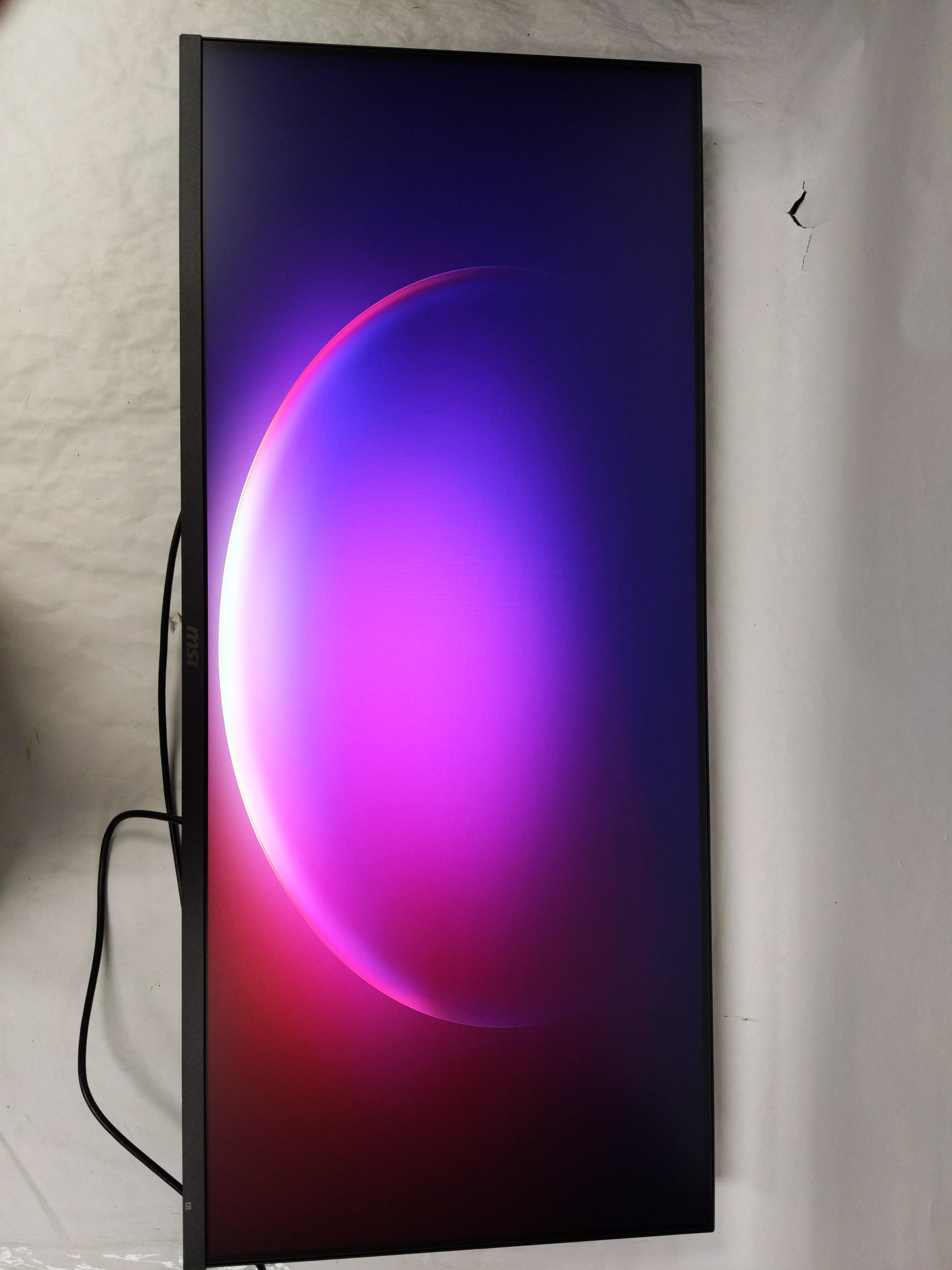
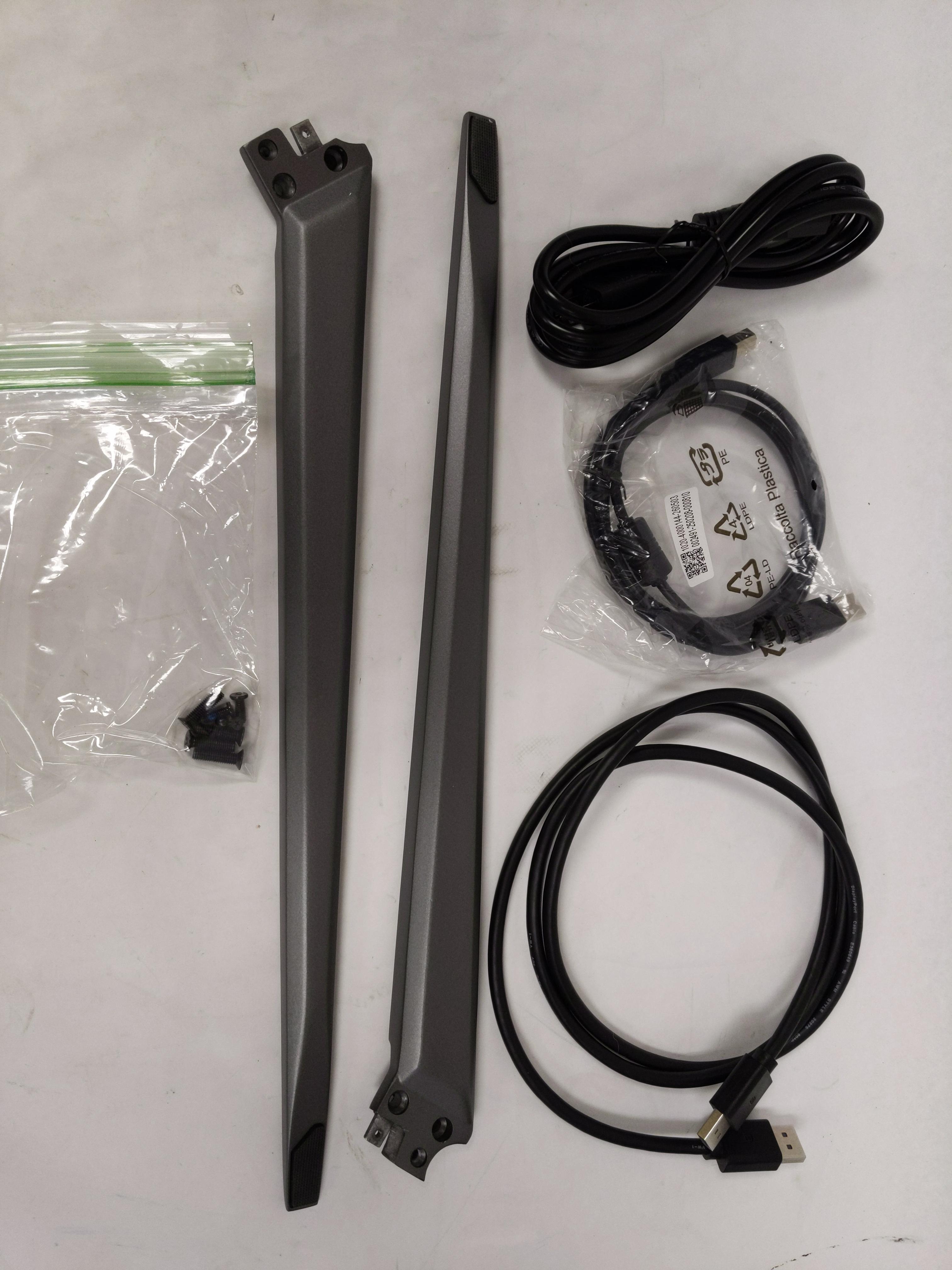
CONDITION: Tested Working
Item has been tested and confirmed working for its main function. Packaging may be open or missing and item may have minor cosmetic wear.
Returns Accepted
We accept returns under specific cicumstances.
See return policy for details
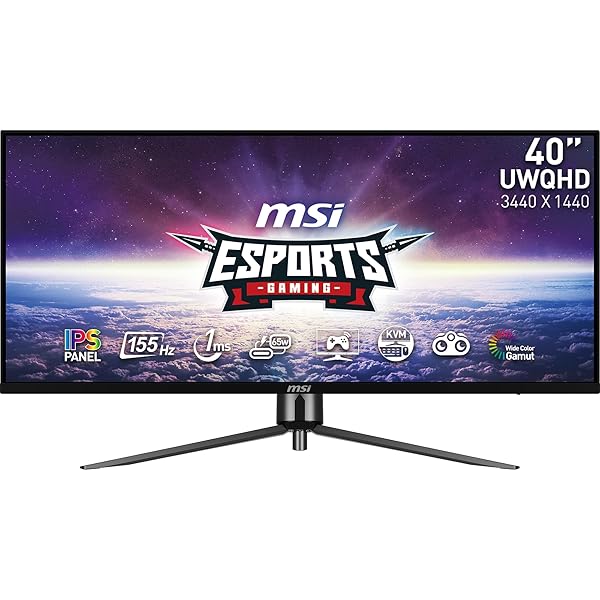
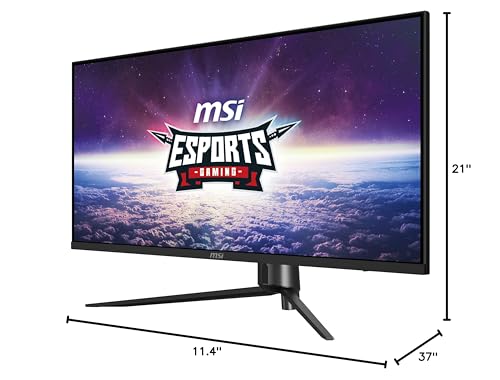
MSI MAG401QR, 40″ GAMING MONITOR, 3440 X 1440(UWQHD), IPS, 155HZ, FREESYNC PREMIUM, HDR400, HDMI, DISPLAYPORT, USB C, TILT,BLACK
MSI MAG401QR, 40R... see more >
 Tested Working
  Returns Accepted
This auction has ended.
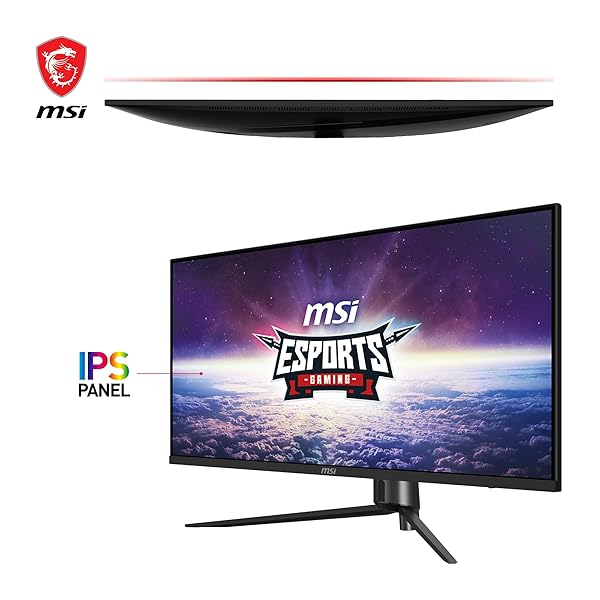
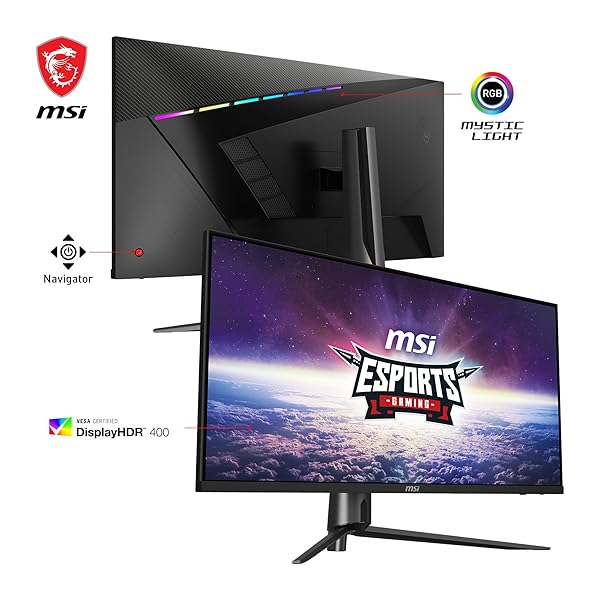
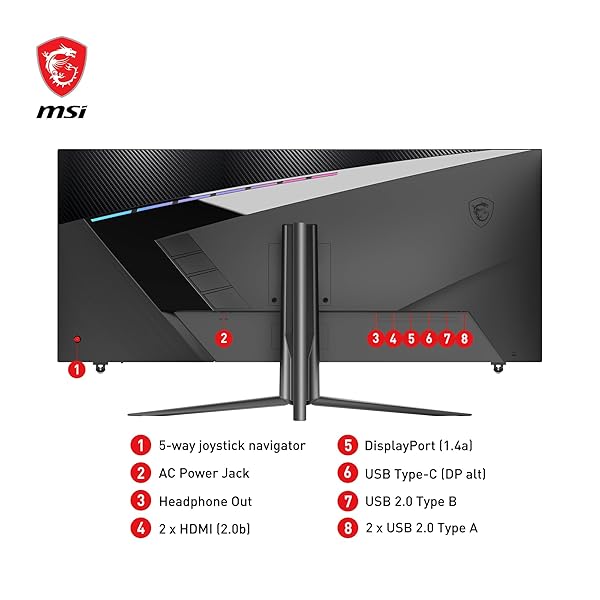
MSI’s MAG401QR gaming monitor delivers you an elevated gaming experience. The monitor comes equipped with a 40" IPS display that supports up to 3440 x 1440 (UWQHD) resolution. The MAG401QR can operate at up to a 155Hz refresh rate and 1ms (MPRT) response time. The MAG401QR is FreeSync Premium compatible and allows for a more seamless experience when operating at high performance modes or when you’re multitasking. With 1x DP and 2x HDMI ports, you can connect any way you want to play.
View more auctions
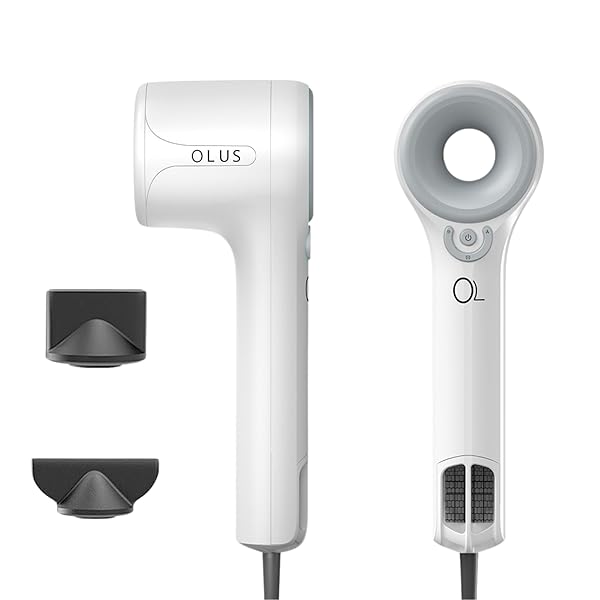
HIGH SPEED 1500W IONIC HAIRDRYER FOR PERSONAL CARE...
HIGH SPEED 1500W IONIC...
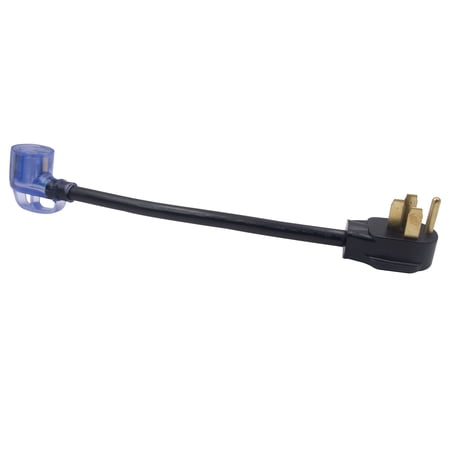
AUTO DRIVE VEHICLE ADRVCD30F50M, BLACK PVC 1.5′ RV...
AUTO DRIVE VEHICLE ADRVCD30F50M,...
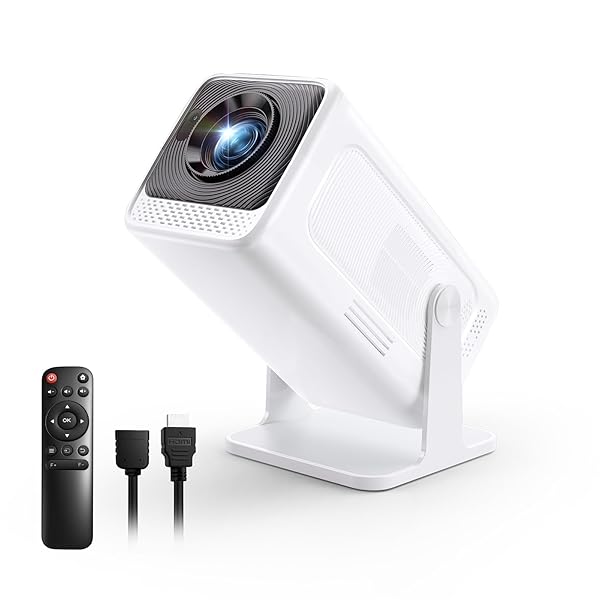
MINI PROJECTOR WITH WIFI AND BLUETOOTH, NATIVE 1080P...
MINI PROJECTOR WITH WIFI...
VIBRANT LIFE 73″ LARGE MULTI-FUNCTIONAL CAT TREE WITH...
VIBRANT LIFE 73″ LARGE...
![M MCIRCO [5-PACK, 36 OZ] GLASS MEAL PREP...](https://images-na.ssl-images-amazon.com/images/I/71P6JxHSP0L._SL600_.jpg)
M MCIRCO [5-PACK, 36 OZ] GLASS MEAL PREP...
M MCIRCO [5-PACK, 36...
SMEAD FASTENER FILE FOLDER, 2 FASTENERS, REINFORCED 1/3-...
SMEAD FASTENER FILE FOLDER,...
HQAPR 4 BOLT MOWER DECK SPINDLE ASSEMBLY REPLACES...
HQAPR 4 BOLT MOWER...
SCOTCH MATTE THERMAL LAMINATING POUCHES, ULTRA CLEAR WITH...
SCOTCH MATTE THERMAL LAMINATING...
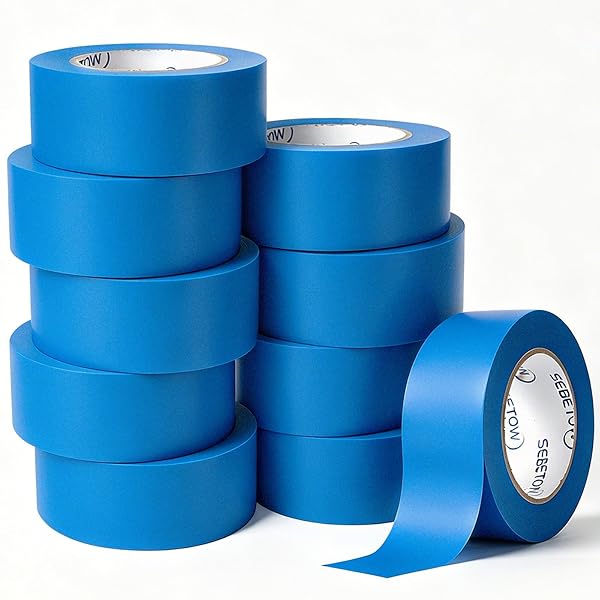
SEBETOW 10 ROLLS PAINTERS TAPE 2 INCH BULK...
SEBETOW 10 ROLLS PAINTERS...

SPARTAN INDUSTRIAL – 7” X 8” (1000 COUNT)...
SPARTAN INDUSTRIAL – 7”...

PURINA® SYSTEMIQ™ PROBIOTIC HORSE SUPPLEMENT | 2 POUNDS...
PURINA® SYSTEMIQ™ PROBIOTIC HORSE...
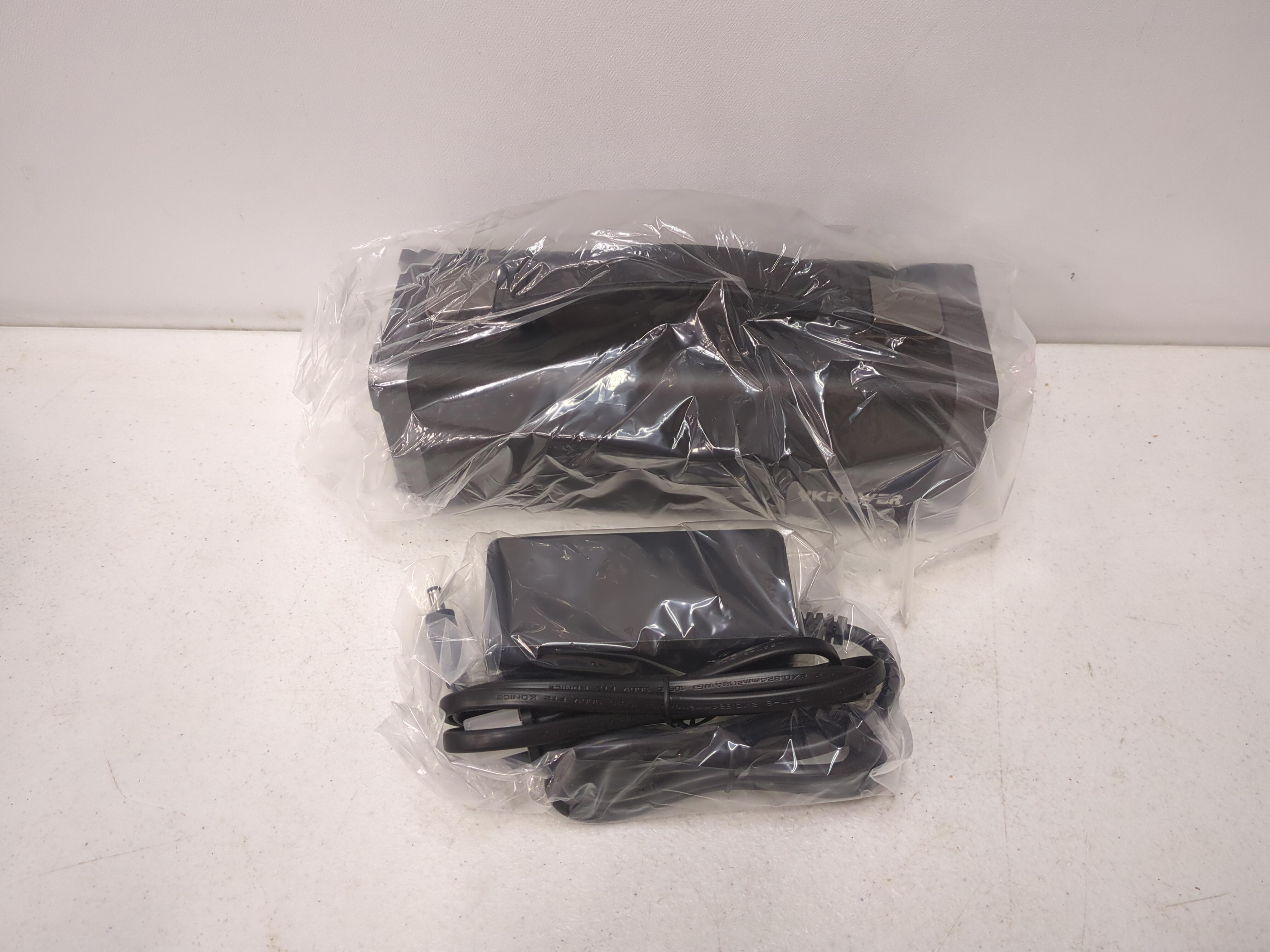
YKPOWER PORTABLE POWER STATION
YKPOWER PORTABLE POWER STATION

TIDE FREE & GENTLE LIQUID LAUNDRY DETERGENT, 84...
TIDE FREE & GENTLE...
TIDE FREE & GENTLE LIQUID LAUNDRY DETERGENT, 84...
TIDE FREE & GENTLE...
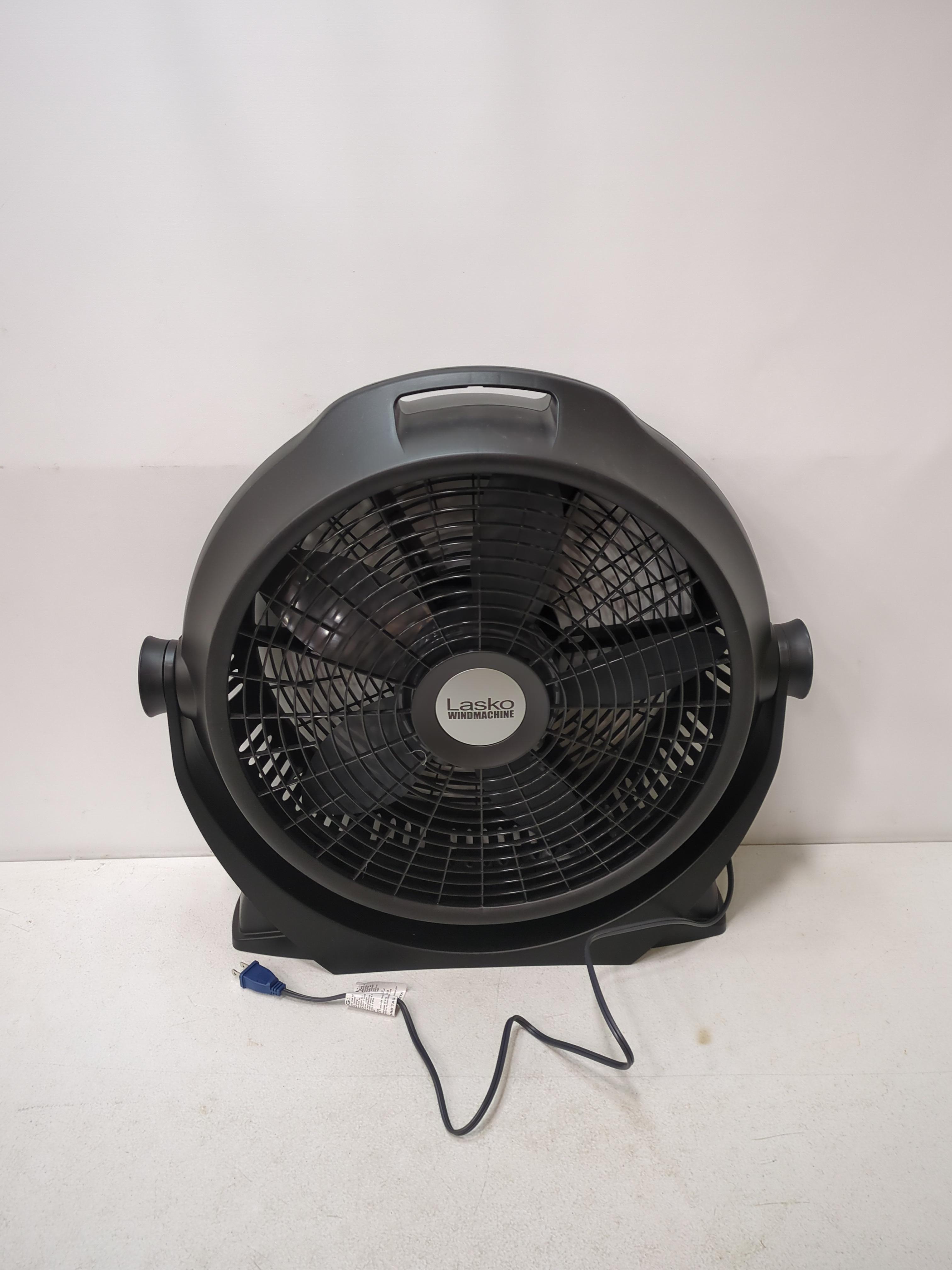
LASKO WIND MACHINE® 20″ AIR CIRCULATOR FAN WITH...
LASKO WIND MACHINE® 20″...
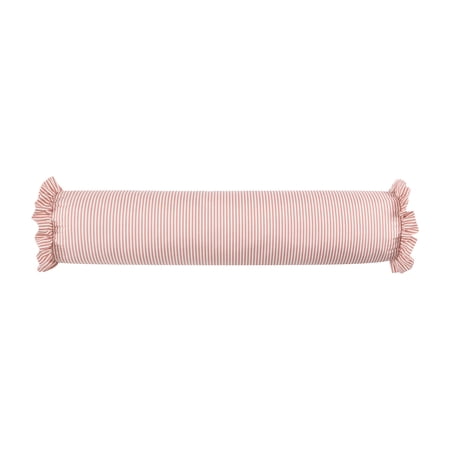
HOME DECOR COLLECTION 8″ X 36″ PINK STRIPED...
HOME DECOR COLLECTION 8″...

MAINSTAYS 20″ 3-SPEED HIGH VELOCITY TILTABLE BLACK STEEL...
MAINSTAYS 20″ 3-SPEED HIGH...
BLACKSTONE 5483 GRIDDLE COVER FITS 28 INCHES GRIDDLE...
BLACKSTONE 5483 GRIDDLE COVER...
ALTEC LANSING HYDRAMINI 2.0 EVERYTHINGPROOF® SPEAKER
ALTEC LANSING HYDRAMINI 2.0...

BEATS STUDIO PRO – WIRELESS BLUETOOTH NOISE CANCELLING...
BEATS STUDIO PRO –...
This monitor is seriously great. I was torn between a handful of ultrawides but opted for this one as going to larger panels (49" and above) results in less vertical space and more horizontal space. Transitioning from my previous 32" 1440p panel to this was a breeze as they essentially share the same height. I like this monitor enough that I have a second one on the way to stack them up for work.Only glaring downside to be found is the stand is abysmal. Seriously. Don't buy this unless you also plan to grab a mount or have one that can support this panel, but a serviceable one can be had for $30-$50.Side note: I'd avoid any monitor mount that has a quick disconnect feature where the monitor connects to the arm via the slide and thumbscrew design, as the weight and size of this monitor will most likely cause a small amount of droop at the connection that is hard to alleviate.There are a lot of these out there, so reading assembly instructions or looking at customer photos/product photos first will save a lot of headache. I would opt for a simpler design that directly connects to the back of the panel via screws or go premo and get an Ergotron or similar quality arm. I'm currently using VIVO mounts, specifically the ones that mount the monitor to the plate w/ 4 screws and have had no issues with droop or sagging. (STAND-V001T for reference)OSD menus are fine, if a little slow to navigate, but you're going to most likely set it up once or twice, and then rarely, if ever, dive back in.Picture looks great in SDR and has almost eye searing brightness at 100%. IPS panel is actually an IPS-ADS panel made by a company called BOE. There are some alleged refinements over a traditional IPS and while I'm not at liberty of being able to make a direct comparison, I will say colors, viewing angle, and motion on the panel look great. No perceived ghosting for myself, personally. No backlight bleed whatsoever and that's highly impressive to me as I had a few years run with VA panels instead because I got sick of playing the IPS lottery.I can't make any claims about HDR as it's not important to me for gaming or work. If you're looking for an HDR monitor, based on the HDR400 spec alone this probably will not satisfy, but it's more of an extra feature than the main event and while Win11 brings lots of autoHDR goodness, I'm still not convinced about leaping fully into HDR.USB-PD and KVM switch is super neat to have onboard, and while I haven't needed either just yet, I have plans to utilize these soon.Overall, it's an exceptional panel with a wealth of functional, full-baked features. I think it strikes a great balance of price/performance. While it may not have the most bleeding edge panel tech like QD-OLED, and it's no HDR beast, and the stand is absolute nonsense, I think there's a lot to like here for $400, and even more when it's priced at its current $350.
I've had this since release, I bought mine on Amazon though. I was on an LG C1 48" OLED, but 4K was really starting to kill my performance in newer games. I also have LG 32" 165Hz IPS and VA monitors as well as a similar spec Dell.Coming from that I'm very happy with this monitor. It's obviously not to the level of detail, clarity, darks or colors of my OLED, but I'm daily use and gaming I've come to find that besides darks, it's not that much of a difference. My biggest concern was pixel density, but I honestly can't see pixels unless I stick my face right up to the monitor. I sit a bit further back so it looks great.It's a 144Hz monitor that overclocks to 155Hz. IPS looks great, colors are ok, my AMD GPU definitely adds vibrance to the colors, but you can also do adjustments on the monitor.Performance is great, no smearing, no ghosting, I haven't had screen tearing either, but I'm also running everything well above 60fps with my 6950XT.The stand is good and fairly sturdy.Overall I'm recommend this monitor to anyone looking for something bigger than a 32" or 34". It's size can be an issue on a smaller desk, but you can also just mount it on an arm to get it off the desk.
i guess i can try to rate this.prosmonitor it great jammed with a lot of features. and yes this is worth the money i love the fact that the software that you download for this lets you control all the monitor settings and presets and overclock.i got mine overclocked for my gaming. and my 9700xt sync right up with this. with no problem. even has settings for watching movies. a lot of people do not like the stand. but i guess they have a micro desk not sure why its in the way. unless they changed it. also this is a wide screen. it is 40" from top left to bottom right. but the screen it self height wise you could say a 34"cons 1no info on how to set this up. no videos that i could find on this model to help you out. the button on the bottom right corner is not the power button. i first thought it was a d.o.d i am not sure what that button does yet. the button on the back is the power button and the menu.2 on mine the usb B would not work. into i replaced the cord. and then it just keeps making the disconnect sound. it finally took thank god but not sure why this was going on. as i have a lot of usb stuff and everything else was working fine.3 shipping. was slow. 2 weeks but i did get it on the 12th instead of the 15th/23ed was just a bit aggravated cause i am a prime user and this is a amazon sold product. but it was packed good and taken care of.4. the lights on the back change and all. look cool. but there not bright at all. at least from what i see. there running now and i cant see them reflex off the wall or nothing. so it is kind of pointless. unless i am missing something. i dont look behind my desk so. i well never see them lights in action.over all it really is worth the money. i do like it. once you learn the settings you well not regret this at all.
I adore this monitor! This is the best price-to-quality display on the market. There's no arguing that! I spent about 6+ months keeping my eye on it, and I was fortunate to buy one in mid-October. I wasn't able to set it up until last week. I'm blown away with how rich the colors are for games. I've been playing WoW, The Last of Us Part I, Forza Horizon 5, Oblivion Remastered. They all make FULL use of the 20:9, and it's just incredible how rich the colors are.I just have one TEENY WEENY problem. I have what looks to be a stuck red pixel. I want to know from an expert, someone who has this monitor, or preferably, from MSI, what you'd recommend doing to bring this pixel to life! I believe it is stuck, not dead. It could just be one, or it could be a few in a tight, singular region.Any help would be great!P.S. The screen size finally makes use of my desk's real estate. It's an older wooden desk, and it's large enough to watch movies, from 10-15 feet away! The refresh rate makes video and games look naturally smooth, unlike some screens that tend to make movies look cheaper, less cinematic (at higher Hz).Setting it up was little trouble. The stand is good, though my monitor is slightly tilted, given the off placement of the holes-to-screws.
The size and picture quality of this monitor are pretty decent, super good enough for the price. I really really want to like it, but I just cannot recommend it.I got this because it had built-in KVM and Thunderbolt, and I wanted to be able to switch between my work and personal computer without an additional KVM or dock. Sadly it's kind of poorly executed on both fronts. The Thunderbolt connection to a laptop works fine (with an important caveat), but the interface for KVM is *bad*. There's no way to control which interfaces are active to cycle through, and the whole operation is just clunky. Some of it is helped if you have the MSI software, but that's Windows only, and plenty of people can't install software on their work computers.Now that caveat. The biggest problem with it both as a Thunderbolt dock and a KVM switch is that the USB port it provides for peripherals is USB 2 ... in 2024 they built a monitor with a USB 2 hub in it. I have a fancy webcam that won't even work through it. How much did this save per monitor? A couple dollars? So cheap of them.Also the backlight is now intermittently not working on almost half the screen when it's 9 months old. So I'm not feeling optimistic about its build quality or durability. Having read some other reviews here I'm also not optimistic about MSI's support and warranty process.Stay away.
Still running this as a daily + gaming with 155hz, over my secondary 27" mini-led 180hz. Love the size, great for gaming and productivity- pretty heavy so I used a tv wall mount above my 27" so I can look up a little and correct my neck posture. I rarely even turn on my second monitor anymore, good colors, 3440x1440 make sure your GPU can handle it, and some games may need an ultra wide mod to utilize the full screen. Chrome also has extensions for ultra wides as well that I use for YouTube and any websites with videos.
I really hoped this monitor would work out. Unfortunately mine has flickering vertical lines on the left side. At first it was very infrequent, but after about a week, it's gotten worse to the point that it's unusable. Tried it with multiple cables, a different PC, same problem.Aside from the flickering lines, it has pretty terrible backlight bleed in the corners, with the top right being the worst. I've used many IPS's over the years and this is the worst I've seen, it's bad enough to be distracting even on light images.The included stand is hilariously useless. At first I thought I was somehow putting it together wrong, but no, pictures online are the same. My desk is about 2 feet deep and with the stand all the way to the back edge, it holds the screen closer to the front of the desk than the back. It holds this 3 foot wide display about 10 inches from my face in a normal seating position. The space where the keyboard and mouse should go is also occupied by the long legs of the stand. Get a different stand if you plan to buy this monitor.If you luck out with the QC gamble, this could be a decent monitor. One other thing to note is that the advertised 155hz refresh rate is only available after enabling displayport overclocking in the OSD, and then it switches to a low bitrate mode that looks grainy and terrible. So it's effectively 144hz max. Not a big deal, but frustratingly false advertising.
EDIT: (9/23) Still going strong. Gaming, movies, multi screen shenanigans, nothing fazes this thing. Still can't find a competitor in this price bracket. Thought of getting a second one. Its been great for cyberpunk path tracing at 120fps. 144 in easier to run games. PPI doesn't detract from it either. I was looking at a curved only, but because it's so big, the flat is perfect. Viewing angles also seem to be pretty impressive. My wife can game split screen with me on this pretty easily Seems to be identical to the innocn 40" panel, HDR looks great. Colors are vibrant, brightness is very useable in bright rooms during daytime or night. So far, it's been great for high fps use as well as Ray traced newer games like RE4r. The menu controls work well, and are the typical MSI navigation setup. If it goes on sale, I might buy another one or two and use it for an amazing racing setup. I'm impressed. Exactly the monitor I wanted from Innocn, without the packaging problems leading to delivery damage.Pros- Performance, color, brightness, menu, price($420) IPS, hdr400 144hz, reputable brand, I don't feel like it makes me want a curve because it's so large, super immersive.Cons-only seems to be 144hz instead of advertised 155hz. I'm not sure if it's a mistake on their side, or just hidden in the menu?
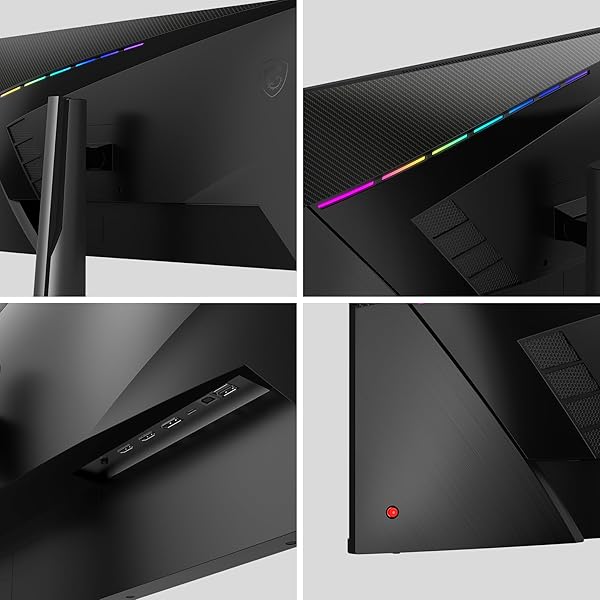
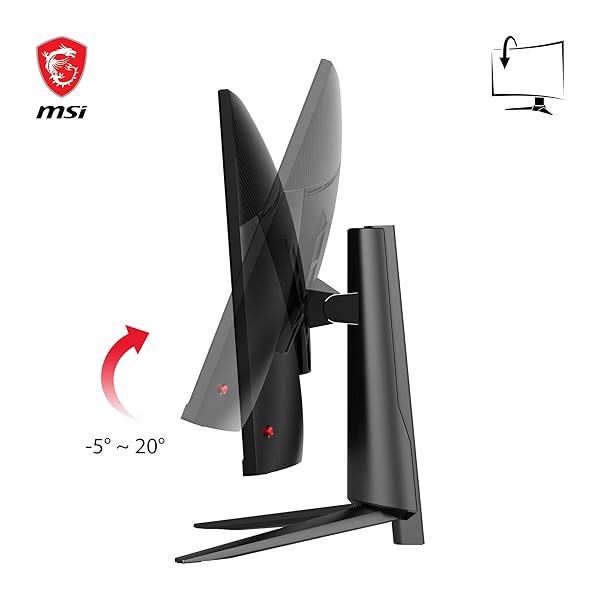
This monitor is kind of a stealth deal. A 40 inch, IPS ultrawide for less than half of most of its competitors. Almost all of which are VA panels.Whether it's flatness is a pro or con to you, it depends. I don't mind it. But I've never used a curved monitor.There isn't much difference between this IPS and my old 1080p Asus Designo 27in in terms of colour accuracy and it has the benefit of higher refresh rate.I play a lot of Driving/Flying/Train sim games and some other genres as well and this monitor is perfect. Very immersive experience at the distance it sits from me. The contrast ratio is really good for an IPS without crushing the blacks and the light bleed is fairly uniform and unobtrusive. I didn't notice any ghosting, though I'm sure it exists. The stand is well-engineered, perhaps even overengineered. It's very solid, but requires eight screws in total to assemble. The tilt....works but it's extremely tight and does not tilt down. Also my panel had absolutely no dead pixels!Cons:Mystic Light LEDS are so dim they might as well not exist.The navi button broke within an hour of owning the monitor and I somehow shoved the whole thing into its hole with not much force, making the OSD useless. Luckily, this monitor will accept MSI's gaming OSD software which has all the onboard OSD functions anyway. So this is really largely a non-issue and I didn't want to RMA a 40 inch widescreen, that'd be a headache.sRGB mode looks fantastic, the other modes tend to lean towards heavier saturation. If you LIKE saturation-forward stuff, this monitor is great. However if you're going to stick in sRGB mode for artwork for the accuracy, the nits are somewhere between 300-350ish and that's a little dim. You can get closer to 400 by cranking the brightness but that'll start washing stuff out and balancing it with contrast and such will heavily saturate. I like heavy saturation while gaming and the lower brightness doesn't bother me too much in this space. But in a bright room, it could be annoying. However for the cost, expecting a 400+ nits display is a little ambitious.
Para el precio, 40 pulgadas uwqhd (3440x1440) está muy bien, es un IPS a 144hz que se puede hacer OC a 155hz (120hz con cable USBC) personalmente no lo hago ya que la diferencia no de nota y te bloquea algunos settings del monitor, HDR también es bastante bueno. El monitor es GRANDE, no lo aparenta en las fotos pero lo es, así que necesitas un escritorio o un área grande para disfrutarlo. Totalmente recomendable ponerlo en un brazo al escritorio o a la pared ya que la altura es estatica. Cómo opinión personal, si tienes una tarjeta de video que soporta resolución dinámica, pon una resolución mayor y creo que se le saca mejor provecho , yo lo tengo en una PC con una amd 7900xt y lo tengo a una resolución de 5120x2160 y me da la impresión que se disfruta mucho más el tamaño real del monitor. Si fuera curvo sería un plus bastante interesante pero no es necesario. Ciertamente se calienta un poco pero nada de que preocuparse100% recomendable
When I first powered on the MSI MAG401QR, I was genuinely disappointed. My desktop background looked pixelated and unimpressive for a monitor boasting UWQHD resolution. But here’s the trick: search for a proper 4K theme. Once I swapped in a high-res wallpaper, the transformation was instant—crisp, vibrant, and beautifully sharp. The IPS panel truly comes alive with the right content.Now, for desktop office use, brace yourself: the ultra-wide 40" screen can feel overwhelming at first. I actually had a bit of neck strain from constantly turning my head left and right to take it all in. It’s like sitting front row at a cinema. But after a few days, your posture adapts naturally, and it becomes second nature. You start appreciating the extra real estate—multiple windows side by side, immersive spreadsheets, and a workspace that feels expansive and efficient.Gaming is where this monitor really flexes: 155Hz refresh rate, FreeSync Premium, and HDR400 deliver smooth, immersive visuals. But even for productivity, once you settle in, it’s hard to go back to anything smaller.And one last tip: take the time to adjust the monitor’s settings. Tweak the brightness, contrast, color profile, and sharpness to your liking. Once dialed in, the display quality becomes truly impressive, rich colors, deep blacks, and razor-sharp text. It’s a game-changer.
lo compre para hacer Home Office, me encanto, pero tenia que mover la cabeza demaciado por el tamaño, tuve que devolverlo por que no era funcional y comprar uno curvo mas pequeño 34'', pero por el precio que lo agarre y la calidad, lo volveria a comprar
This is a very good monitor for the price, the only complaint is computability with something on windows had to set power to never turn off and no screen saver or it would randomly shut off. Other than that it is very impressive, good contrast, great color, just play with your setting out of the box wasn't quite right but almost perfect after adjusting the settings. I had a ROG Strix curved screen and bought this for a replacement and it is just as good, better for light bleed but I payed $1600 for the ROG, this was almost only 1/3 the cost but same quality just no curve which I do not like anyway. For the price you will not find anything better.
-
Brand
msi -
Screen Size
40 Inches -
Resolution
3440 x1440 UWQHD -
Aspect Ratio
21:9 -
Screen Surface Description
Glossy -
Screen Finish
Glossy -
Contrast Ratio
1200:1 -
Refresh Rate
155 Hz -
Display Type
LCD -
Display Technology
LCD -
Viewing Angle
178 Degrees -
Brightness
400 candela_per_square_meter -
Color Gamut
90 -
Has Color Screen
Yes -
Picture Quality Enhancement Technology
Night Vision, Wide Color Gamut -
Item Dimensions D x W x H
37"D x 11.4"W x 21"H -
Item Weight
12.4 Kilograms -
Display Resolution Maximum
3440 x 1440 -
Native Resolution
3440x1440 -
Connectivity Technology
DisplayPort, HDMI, usb -
Hardware Connectivity
DisplayPort, HDMI, USB Type C -
Adaptive Sync
FreeSync Premium -
Additional Features
Anti Glare Screen -
Color
Black -
Mounting Type
Wall Mount -
Shape
Rectangular -
Model Number
MAG 401QR -
Model Name
MAG401QR -
Warranty Description
2 year manufacturer -
UPC
824142292709 -
Manufacturer
MSI -
Built-In Media
HDMI, Displayport, USB C -
Best Sellers Rank
#24,495 in Electronics (See Top 100 in Electronics) #589 in Computer Monitors -
ASIN
B0BX2CLB9D -
Power Consumption
52 Watts -
Response Time
1 Milliseconds -
Total Number of HDMI Ports
2 -
Total Usb Ports
1 -
Number of Component Outputs
4 -
Total USB 2.0 Ports
3 -
Total USB 3.0 Ports
1 -
GTIN
824142292709 -
Recent Sales
50+ bought in past month
Buyer’s Premium
A 15% buyer’s premium will be added to the sale price of all purchases.
Store Auction Lots Condition
All items are uninspected and the condition is unknown unless otherwise explicitly stated. Items labeled as “Tested Working” have been tested by Korting and confirmed to function for their primary intended purpose at the time of testing. Packaging may be open, damaged, or missing, and items may show signs of handling or cosmetic wear. Testing does not guarantee long-term performance or completeness of accessories. Individual items are available for inspection at Korting Outlet located at 159 1st Court, Grand Rapids, Michigan 49534 during store hours.
The highest bids serve as legally binding contracts, and all sales are considered final. Items are sold on an “as is” basis, without any guarantees, warranties, or the possibility of refunds, whether written, expressed, or implied. The operational condition of an item may not be known or listed in the item description. While we may provide information on the condition of some items, including items marked as “New,” such information is not guaranteed.
All items are sold with all faults and without any warranty, whether expressed or implied, regarding merchantability or fitness for a particular purpose. The sale is conducted on an “as is, where is” basis with all faults. Buyers are strongly encouraged to physically inspect items before placing bids during the inspection period. Once submitted, bids cannot be withdrawn before, during, or after the auction for any reason.
The buyer acknowledges that these terms, along with other terms outlined below, can only be amended or revised in writing, signed by the auctioneer. Any representations made by Korting or its agents do not alter these “as is, where is with all faults” terms. Descriptions provided on products or through advertising, including condition labels such as “New,” are not guaranteed, and buyers rely solely on their own inspection. While information in sale advertising is believed to be accurate, Korting assumes no responsibility for errors or omissions.
Auction Closing Times
Posted closing times are in Eastern Time and may be extended through dynamic bidding. Dynamic bidding extends the auction close time until there are five minutes without bidding activity. Korting reserves the right to close early or extend auctions at its discretion.
Payment
Payments will be processed through Stripe.
Refund Policy
Due to the nature of liquidation merchandise, returns are accepted only under the following circumstances:
- Wrong item received
- Major undisclosed damage that significantly affects functionality or value
- Item arrives nonfunctional or dead on arrival (unless listed as untested, for parts, or salvage)
- Missing critical components necessary for basic operation that were not disclosed in the listing
- Counterfeit items or items materially different from the listing description
The following conditions are not eligible for return or refund:
- Buyer’s remorse or accidental purchases
- Minor cosmetic wear, scratches, dents, scuffs, or signs of prior handling
- Damaged, worn, or missing retail packaging
- Compatibility issues with buyer equipment, software, or intended use
- Missing non-essential accessories, manuals, inserts, cables, or packaging materials unless specifically stated in the listing
All return requests must be submitted within 72 hours of delivery and include clear photos and/or video documentation of the issue. We reserve the right to deny returns that do not meet the above criteria.
Sales Tax
All orders are subject to the 6% Michigan sales tax. Tax-exempt buyers must have a current tax-exempt certificate on file before sales tax can be removed from an invoice.
Failure to Pay or Remove Items
Korting reserves the right to charge a 15% non-refundable restocking fee for items not paid for and picked up within seven days of the auction closing. Such items will be considered abandoned and forfeited to Korting. Korting may resell any abandoned or forfeited items.