
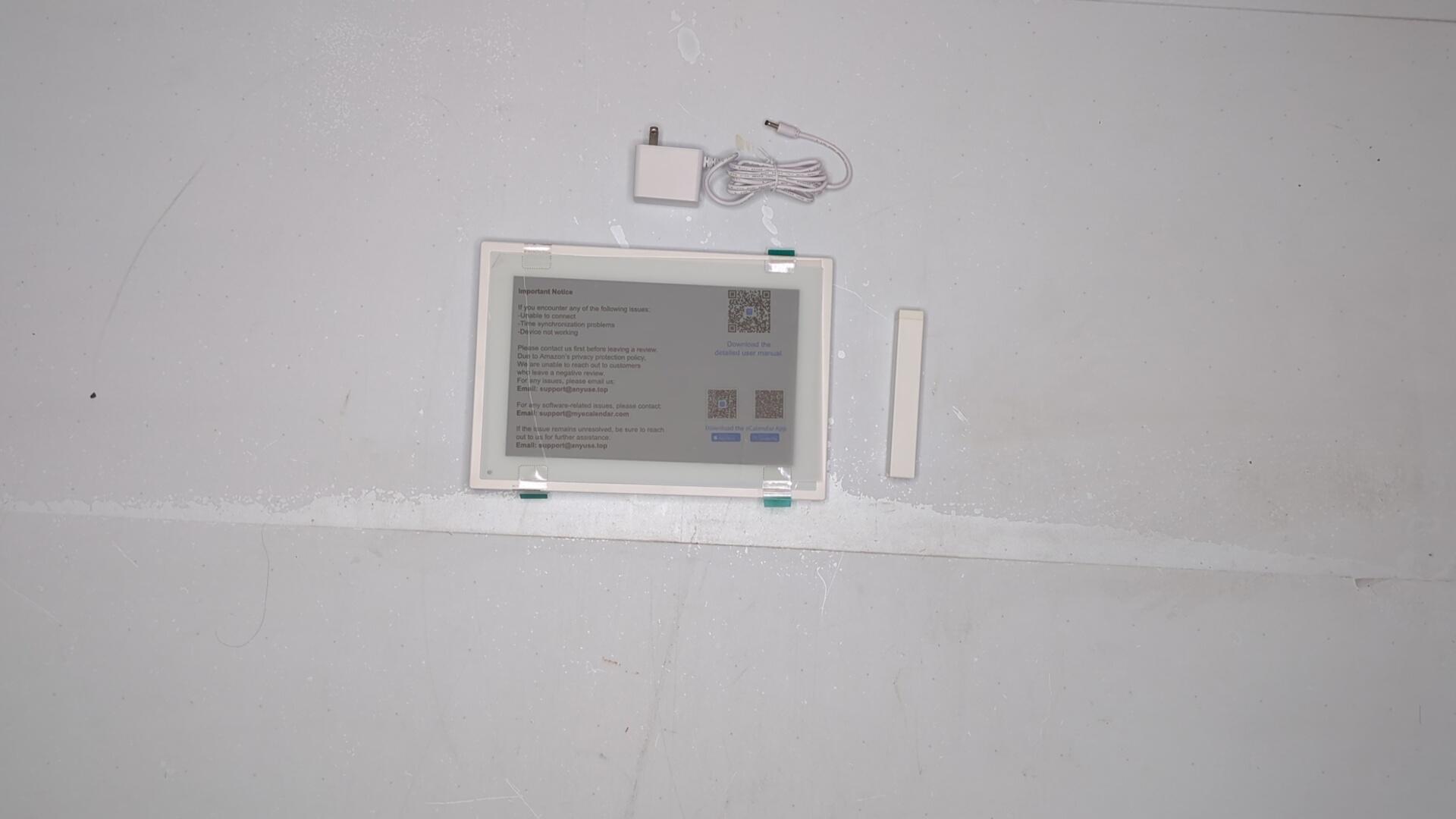
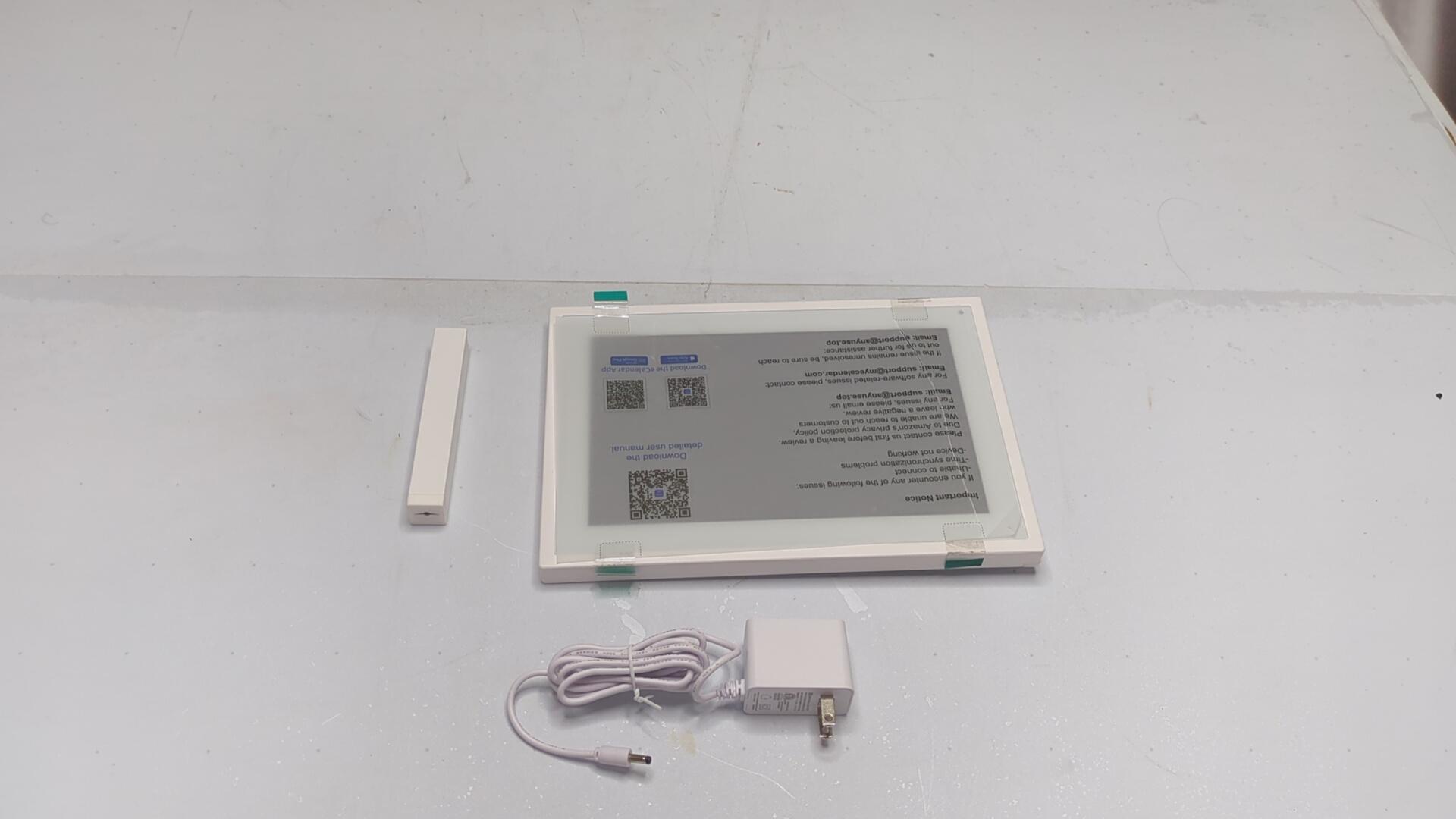

CONDITION: Tested Working
Item has been tested and confirmed working for its main function. Packaging may be open or missing and item may have minor cosmetic wear.
Returns Accepted
We accept returns under specific cicumstances.
See return policy for details
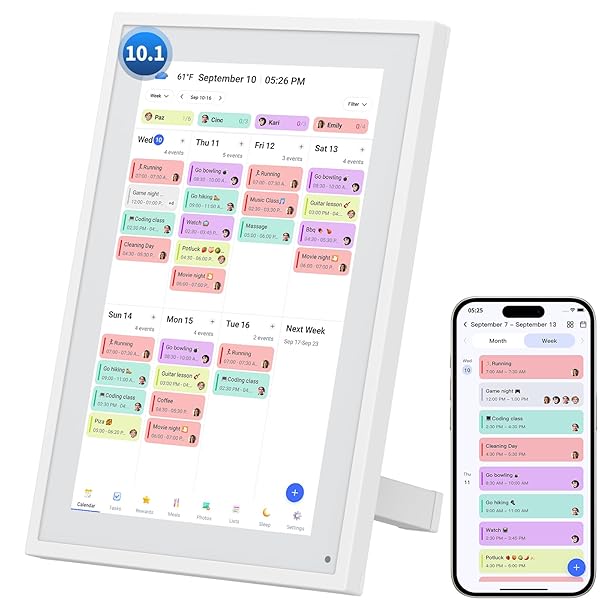
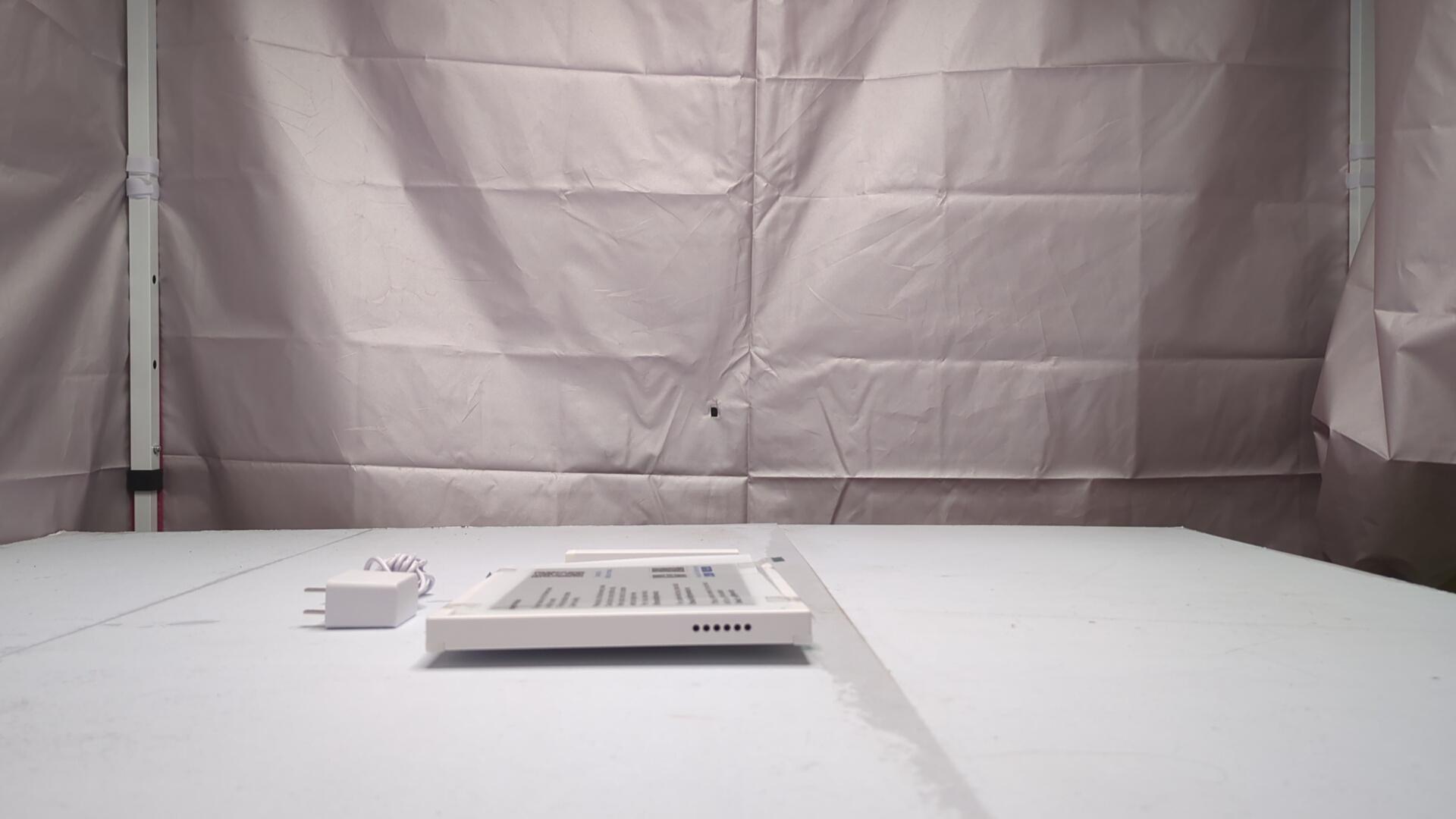
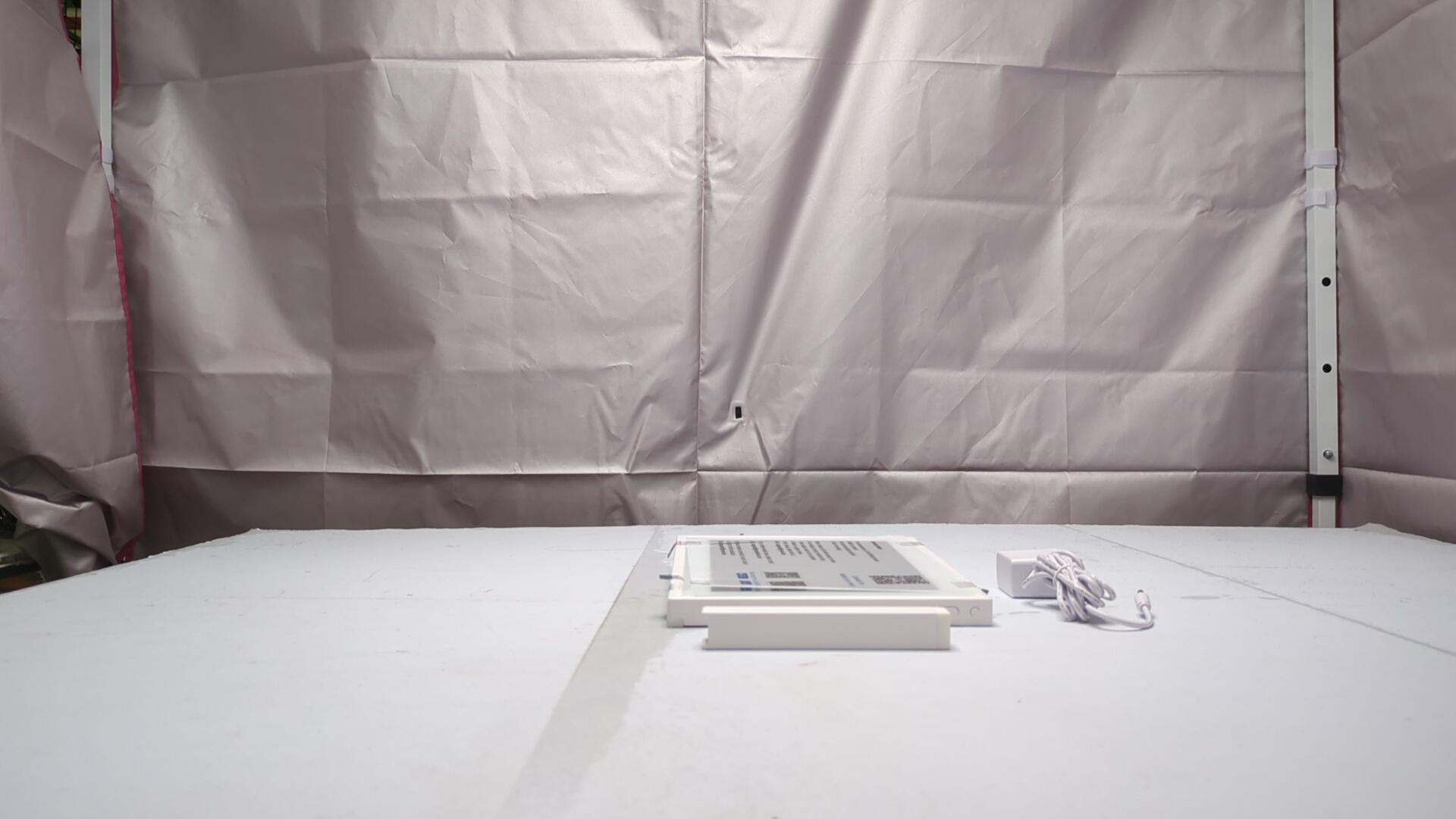
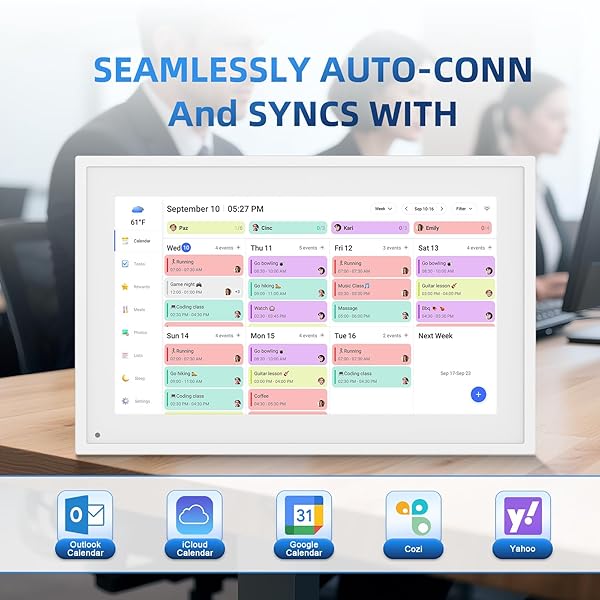
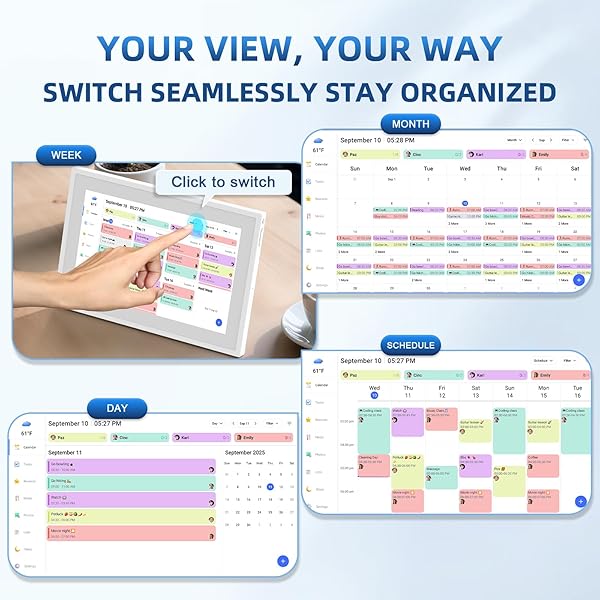
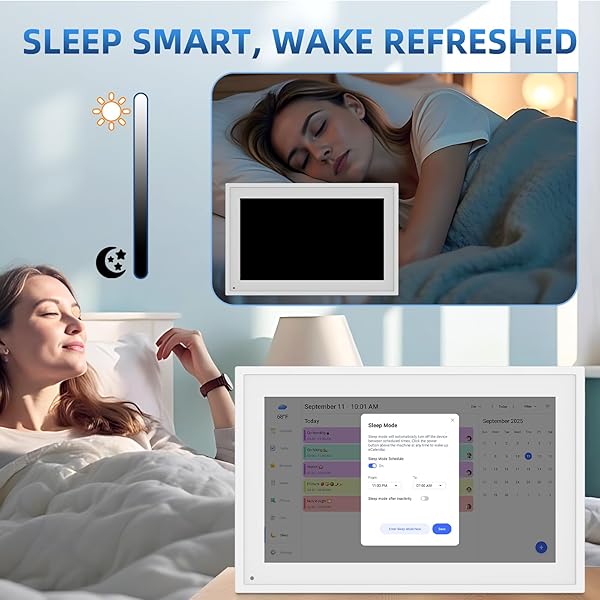
CALENDAR DIGITAL 10.1 INCH, DIGITAL FRAME COMBINED SMART TOUCH SCREEN ELECTRONIC WALL PLANNER FAMILY ORGANIZER CHORE FOR FAMILY SCHEDULES GIFT FOR MOTHER MOM WOMEN GRANDPA
CALENDAR DIGITAL 10.... see more >
 Tested Working
  Returns Accepted
This auction has ended.
View more auctions

MSI MPG 272URX QD-OLED 27-INCH 3840 X 2160...
MSI MPG 272URX QD-OLED...
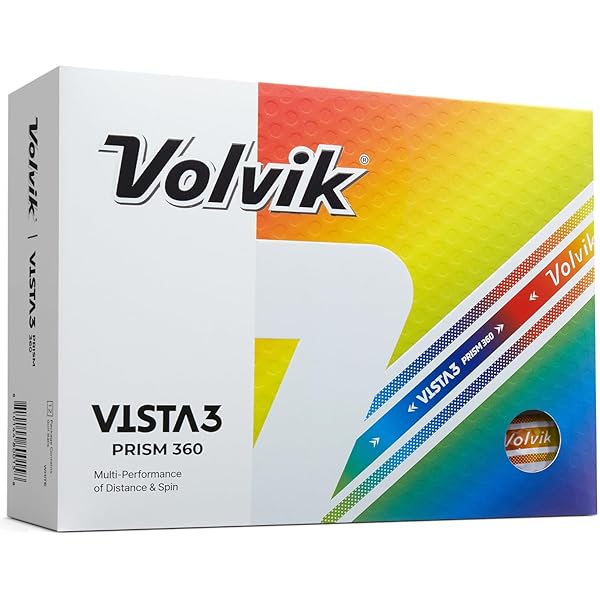
VOLVIK VISTA3 PRISM 360° GOLF BALLS (ONE DOZEN)
VOLVIK VISTA3 PRISM 360°...
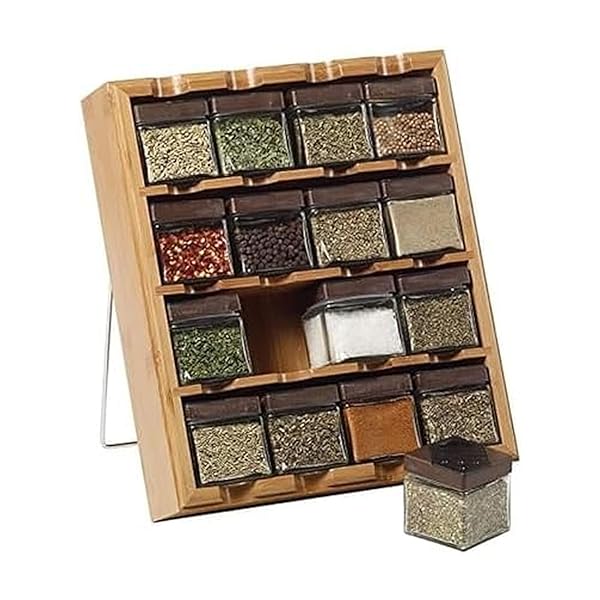
KAMENSTEIN 16 JAR BAMBOO 3-IN-1 SPICE ORGANIZER FOR...
KAMENSTEIN 16 JAR BAMBOO...

DON FRANCISCO’S OLD HAVANA ESPRESSO PODS: 80 RECYCLABLE...
DON FRANCISCO’S OLD HAVANA...
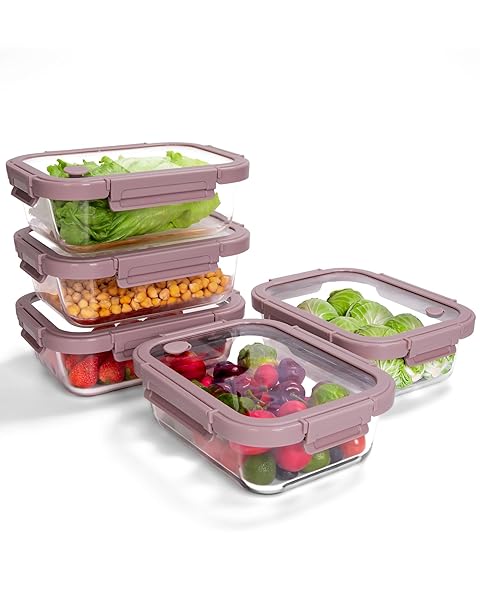
BOROHOUSE 5-PACK BOROSILICATE GLASS CONTAINERS WITH TEMPERED LIDS,...
BOROHOUSE 5-PACK BOROSILICATE GLASS...

PAMPERS AMORE BABY DIAPERS SIZE NEWBORN, 76 COUNT...
PAMPERS AMORE BABY DIAPERS...

3 PACK SMALL POCKET KNIFE – FATHER’S DAY...
3 PACK SMALL POCKET...
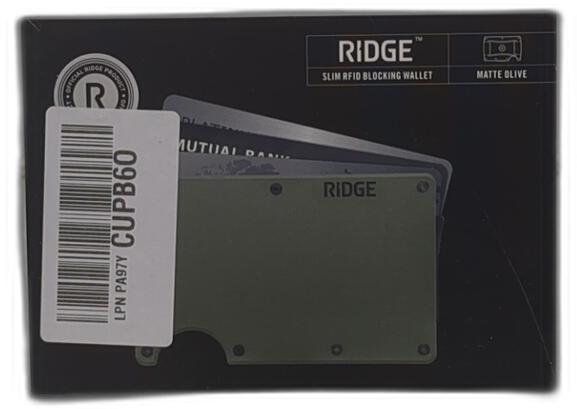
ALUMINUM MATTE OLIVE GREEN WALLET
ALUMINUM MATTE OLIVE GREEN...

EKOCUPS ORGANIC SWISS WATER DECAF FRENCH ROAST COFFEE...
EKOCUPS ORGANIC SWISS WATER...
PAMPERS AMORE BABY DIAPERS SIZE NEWBORN, 76 COUNT...
PAMPERS AMORE BABY DIAPERS...
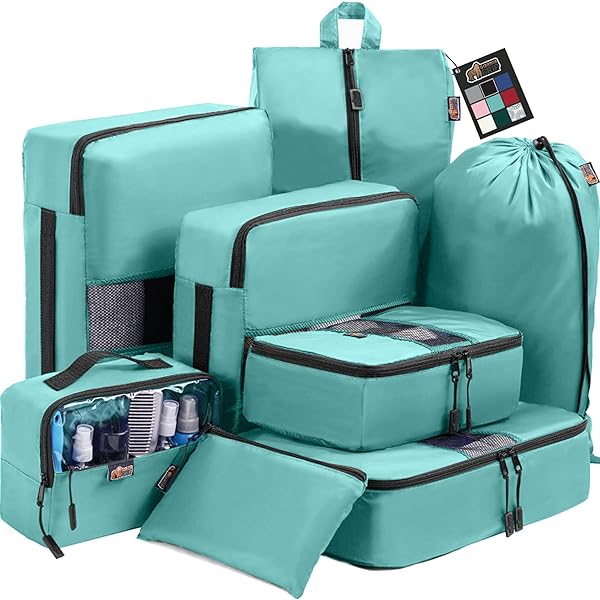
GORILLA GRIP 8 SET PACKING CUBES, TRAVEL ESSENTIALS...
GORILLA GRIP 8 SET...

FLOOD 1 GAL. FLOETROL LATEX PAINT ADDITIVE
FLOOD 1 GAL. FLOETROL...

EASY SPIRIT CALERA WOMEN’S SANDAL, 7.5 B(M) US,...
EASY SPIRIT CALERA WOMEN’S...

BLOOM CLEAR PROTEIN, WHEY PROTEIN ISOLATE WITH COLLAGEN...
BLOOM CLEAR PROTEIN, WHEY...

RED BULL WILD BERRIES, PINK EDITION, WITH 80MG...
RED BULL WILD BERRIES,...

STEVE MADDEN WOMEN’S PORSHA, BLACK SUEDE, 8.5
STEVE MADDEN WOMEN’S PORSHA,...

FORCE FACTOR TOTAL BEETS BLOOD PRESSURE SUPPORT WITH...
FORCE FACTOR TOTAL BEETS...

FLEA COLLAR FOR DOGS, 2PACK GREY
FLEA COLLAR FOR DOGS,...

SPONGEBOB SQUAREPANTS: BUNDLE – NINTENDO SWITCH (AMAZON EXCLUSIVE)
SPONGEBOB SQUAREPANTS: BUNDLE –...

ALLEGRA ADULT 24-HOUR ALLERGY RELIEF TABLETS, NON-DROWSY INDOOR...
ALLEGRA ADULT 24-HOUR ALLERGY...
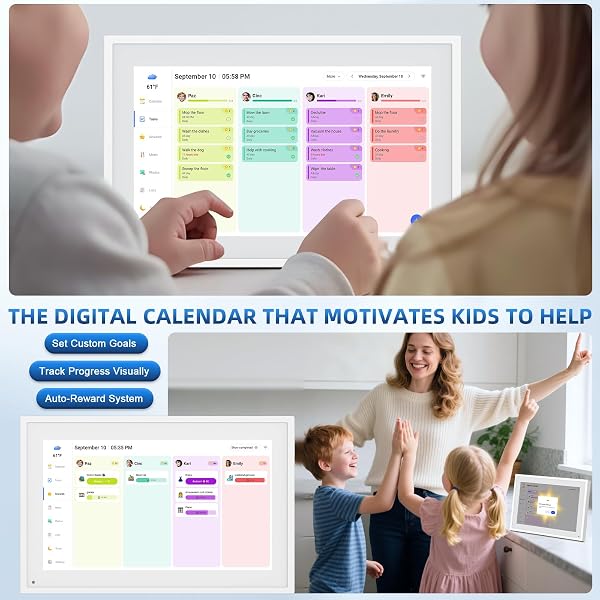
My husband splurged on the bigger size for Mother’s Day, and the screen quality is excellent. The white frame is beautiful, the touch screen works well, the screensaver pictures look great. All the kids love seeing the pictures on screensaver and they were very easy to add.The app is intuitive and easy to use. After syncing my main Google calendar I thought I found a deal breaker when the entire calendar uploaded in one color even though different events were set as different colors in my Google calendar. BUT I found an easy solution within a few minutes to get it to work how I want. I already have a gmail account for each of my children, so I went into the Google Calendar app, and created a calendar under each of their accounts.If you want each person to have a different color and sync seamlessly from Google calendar here is what you need to do:1. (Create a gmail account) and then create a Google calendar for each person.2. Select the first person’s account in the upper right circle in Google calendar, then click the hamburger drop down on the upper left corner in the month view and go to settings. Select the default color you want.Create at least one event in each Google calendar for it to work properly.Repeat for each person, choosing the color you want for each.3. Go to the eCalendar app, and add all of those accounts in the sync section.4. Go to the profiles in the eCalendar app and click on each calendar to change the color to same color you selected in Google calendars.Et voila!Now each person will have separate colors for all of the events as long as when you add a new event it is added under the correct google account in Google Calendar (the circle at the top right of google calendar app).You will also want to create profiles in the eCalendar app for each person, with all of their same colors, for things like their tasks (chores). Ex: I have 12 profiles for 5 people (5 are the calendars, 5 are for tasks, and added US holidays calendar and was able to add a shared soccer team schedule.)It’s going to take me a little while to remember to make sure I am under each person‘s google account when I create a new event, but after I get used to that, it will be easy peasy. Then the calendars sync seamlessly with your digital calendar. Now when I add an event it pops up on my digital eCalendar in 3 seconds.Also, the older kids love the chore lists. Now I don’t even have to tell them what to do when they get home from school, and it’s easier and more fun for them to check this digital calendar and then check their chore done rather than having Mom “boss them around”. They respond to it much better. The chore list also helps me remember what I want them to do and be able to rotate through chores easily - I usually know what chores I need done at 10 AM and by the time they get home, I forget. It’s nice you can have chores repeat any number of days, weeks or months.I haven’t used the dinner planning function yet.Cons: app dependent.
I’m seriously so impressed with this digital calendar. Setup was quick and straightforward, and syncing everyone’s schedules was much easier than I expected. We were able to connect calendars and start adding appointments, events, and reminders without any hassle. It took a lot of the stress out of trying to keep up with multiple family schedules in different places.The large touch screen is clear, responsive, and easy to read, which makes checking the day’s plans fast and simple for everyone in the house. I really like being able to see everything in one central spot instead of constantly asking who has what going on. The color-coding is a huge help too because it makes it easy to tell at a glance whose events are whose.One of my favorite things is how well it keeps everyone organized across devices. Being able to sync with phones and other calendars made a huge difference for our family because everyone can stay updated in real time. The reminders and task tracking are also very useful and help us stay on top of appointments, deadlines, and everyday responsibilities.Overall, this has made our home feel much more organized and less chaotic. It’s practical, easy to use, and actually helpful for busy families trying to keep everyone on the same page. Definitely a 5 star purchase for us.
Update: I wanted to continue my review because this has been really frustrating to use. It’s very difficult to sync between Gmail and iCloud. When I make changes on the calendar itself, they don’t update on the Calendar app on my iPhone.I even tried downloading Outlook to see if that would fix the syncing issue, but it didn’t. Then I downloaded Google Calendar and tried making updates there, and still nothing syncs properly. It feels like none of these calendars actually communicate with each other.If I add something on my phone, it shows up on the calendar. But if I add it on the calendar, it won’t show up on my phone. On top of that, there are some events that get added but can’t be edited, and they’re nowhere to be found on my phone.The whole thing just feels a little wonky. I really wish this was more straightforward and seamless.I really wanted to like this calendar, but it’s been frustrating to use. Every time I try to create or update an event, I get an error message saying the data has been updated and I need to refresh and try again. It happens constantly, which makes something as simple as adding a task way more time consuming than it should be.I’m not sure if this is a glitch, a software issue, or if I just got a defective unit, but either way it defeats the whole purpose of having a digital calendar. It shouldn’t be this difficult to use.I expected something much smoother and more reliable. If this is a known issue, it really needs to be fixed. As it stands right now, I can’t recommend it.
I really love this calendar and wasn't sure I would. It is the perfect size for a desk or counter. It has a stand part so it stands up nicely, it cannot be hung. I had it set up within minutes with the app, I used an Android phone. It is very user friendly and I did not encounter any issues, surprisingly. The calendar itself is also touchscreen so it can be tapped on to check different calendar events, add them or tasks.The tasks is a really cool feature and would be great for kids with chores. It shows their name at the top and when they click on it they can then click off each chore they are assigned. You can also assign rewards but I didn't go into that part. There is also a spot for menu planning which I played around only a little bit so far.Once you buy the calendar, the app is free so you don't have a subscription charge which is nice. No hidden costs.I synced this to my Google Calendar and account. I was leary about adding my google password but it seemed okay.I did notice there is no way to factory reset this device but you can transfer it to someone else. I can't decide if I want to keep this in my kitchen or give to my husband for his desk at work. I think he could really use one to quickly glance at his schedule and meetings/events pop up on the screen as notifications so that is a nice bonus.Really I do like this calendar and it is super useful for families and work. I don't have anything to compare it to but I do like the design and usefulness.
Great product but I just wanted to point out how they spelled calendar on page 5. 🤣🤣 I had a chuckle.
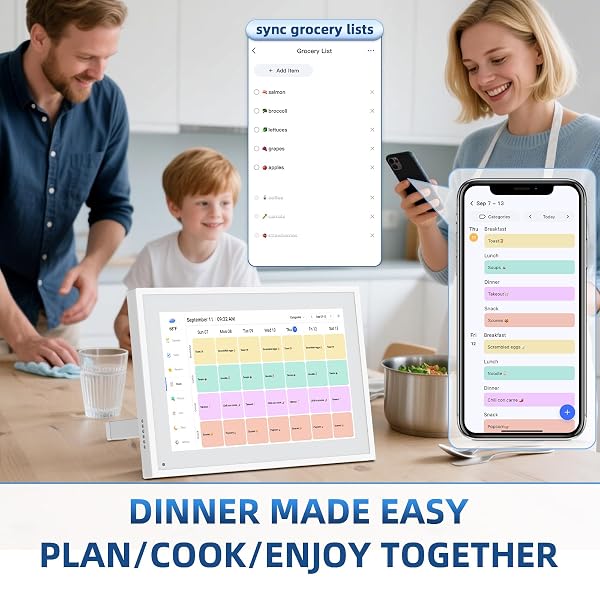
I was so excited to find this because my whole life is planned out through my calendar. Between appointments, errands, family needs, and everything in between, I set alarms based on whatever is listed for the day. If it is not written down, it does not happen. This has made it incredibly easy to keep everything I need right where I can see it.Set up was quick and simple. I used my Android phone, downloaded the app, and had it synced within minutes. It pulled in every entry from the Google calendar I have used for years and now anything I add on my phone shows up instantly. The display is bright and very easy to read from across the room, which has been helpful on rushed mornings. The layout is neat and organized, using soft shades that separate my plans clearly without looking cluttered. It honestly looks much nicer in person than I expected.What has helped the most is being able to glance over and see my entire week laid out in a clean, easy to follow format. My family can check it even when I am not around, which makes coordinating rides, appointments, and daily routines so much smoother. There is plenty of room for all my reminders, pictures, and lists, and it keeps everything together without slowing down.The overall design looks great sitting in my kitchen, but it would also work well on a desk. The extra features, like the task section and the meal area, have already made planning my days a little easier. The on screen reminders are a nice touch and keep me from losing track of time. For what it costs, it feels like a thoughtful and practical gift that someone could actually use every day.This has absolutely been worth the price because it saves time, keeps my schedule steady, and helps me stay on top of everything in a way that feels simple instead of overwhelming. For anyone with a busy life, this has been a real upgrade.
We’ve been using this digital wall calendar for a while now, and it has been a game-changer for our family. The display is large, clear, and easy to read from across the room. I love that it keeps everyone organized with the shared calendar, tasks, and lists all in one place. The routines feature is excellent for keeping track of daily responsibilities, and the ability to add photos makes it feel more personal.The best part? There are no subscription fees. That was a huge selling point for us. It feels like so many similar devices nickel-and-dime you with monthly costs, but this one just works right out of the box.It also looks sleek on the wall and blends in nicely with our home décor. Setup was quick, and syncing events is straightforward. Our family has found it incredibly helpful for staying on the same page with schedules, meals, and reminders.If you’re looking for an affordable, practical, and stylish family hub, I highly recommend this calender.
We’ve only been using this digital calendar for a few weeks, but it’s already made a big difference in keeping our family organized. The Google Calendar sync works really smoothly — everything updates right away whether we add it on the device or from our phones. I also like that we can create tasks directly on the screen or through the companion app, which makes it easy to manage things even when we’re not at home.One of my favorite features is the rewards system. You can set up and redeem custom rewards, and my daughter absolutely loves it. It’s turned staying on top of chores into something she actually looks forward to!When it’s not showing our schedule, the calendar doubles as a digital photo frame, which is such a nice touch. We’ve loaded it with family pictures, and it really adds warmth to the kitchen.I also want to give the company credit for their great communication — they sent out a proactive email during a recent outage to explain what was happening and when it would be fixed. It was thoughtful and reassuring to see that kind of customer care.Overall, this calendar has been easy to use, family-friendly, and a nice blend of tech and home life. Definitely recommend it!
Great product
Parfait pour suivre notre calendrier mais aussi pour la liste de tâches et recompense de notre fils
No complaints so far. I guess I wish I got the bigger one but I love the quality of the image slide show and How easy it is for the whole family to add to it.
Got this calendar for Christmas and so pleased with all its functions. Share the family grocery list in real time and adding and changes to everyone’s schedules. It’s a game changer! Picture option is cute and a few others we haven’t yet explored.
Product was supposed to be new but came already connected to another account and language set to French. Unable to reset account or delete previous user.
-
Size
LX-DC10.1-0827 -
Brand
Herncptar -
Manufacturer
Herncptar -
Brand Name
Herncptar -
Part Number
LX-DC10.1-0827 -
Model Number
LX-DC10.1-0827 -
Best Sellers Rank
#39 in Digital Picture Frames -
ASIN
B0FNW8J13K -
Recent Sales
500+ bought in past month
Buyer’s Premium
A 15% buyer’s premium will be added to the sale price of all purchases.
Store Auction Lots Condition
All items are uninspected and the condition is unknown unless otherwise explicitly stated. Items labeled as “Tested Working” have been tested by Korting and confirmed to function for their primary intended purpose at the time of testing. Packaging may be open, damaged, or missing, and items may show signs of handling or cosmetic wear. Testing does not guarantee long-term performance or completeness of accessories. Individual items are available for inspection at Korting Outlet located at 159 1st Court, Grand Rapids, Michigan 49534 during store hours.
The highest bids serve as legally binding contracts, and all sales are considered final. Items are sold on an “as is” basis, without any guarantees, warranties, or the possibility of refunds, whether written, expressed, or implied. The operational condition of an item may not be known or listed in the item description. While we may provide information on the condition of some items, including items marked as “New,” such information is not guaranteed.
All items are sold with all faults and without any warranty, whether expressed or implied, regarding merchantability or fitness for a particular purpose. The sale is conducted on an “as is, where is” basis with all faults. Buyers are strongly encouraged to physically inspect items before placing bids during the inspection period. Once submitted, bids cannot be withdrawn before, during, or after the auction for any reason.
The buyer acknowledges that these terms, along with other terms outlined below, can only be amended or revised in writing, signed by the auctioneer. Any representations made by Korting or its agents do not alter these “as is, where is with all faults” terms. Descriptions provided on products or through advertising, including condition labels such as “New,” are not guaranteed, and buyers rely solely on their own inspection. While information in sale advertising is believed to be accurate, Korting assumes no responsibility for errors or omissions.
Auction Closing Times
Posted closing times are in Eastern Time and may be extended through dynamic bidding. Dynamic bidding extends the auction close time until there are five minutes without bidding activity. Korting reserves the right to close early or extend auctions at its discretion.
Payment
Payments will be processed through Stripe.
Refund Policy
Due to the nature of liquidation merchandise, returns are accepted only under the following circumstances:
- Wrong item received
- Major undisclosed damage that significantly affects functionality or value
- Item arrives nonfunctional or dead on arrival (unless listed as untested, for parts, or salvage)
- Missing critical components necessary for basic operation that were not disclosed in the listing
- Counterfeit items or items materially different from the listing description
The following conditions are not eligible for return or refund:
- Buyer’s remorse or accidental purchases
- Minor cosmetic wear, scratches, dents, scuffs, or signs of prior handling
- Damaged, worn, or missing retail packaging
- Compatibility issues with buyer equipment, software, or intended use
- Missing non-essential accessories, manuals, inserts, cables, or packaging materials unless specifically stated in the listing
All return requests must be submitted within 72 hours of delivery and include clear photos and/or video documentation of the issue. We reserve the right to deny returns that do not meet the above criteria.
Sales Tax
All orders are subject to the 6% Michigan sales tax. Tax-exempt buyers must have a current tax-exempt certificate on file before sales tax can be removed from an invoice.
Failure to Pay or Remove Items
Korting reserves the right to charge a 15% non-refundable restocking fee for items not paid for and picked up within seven days of the auction closing. Such items will be considered abandoned and forfeited to Korting. Korting may resell any abandoned or forfeited items.