
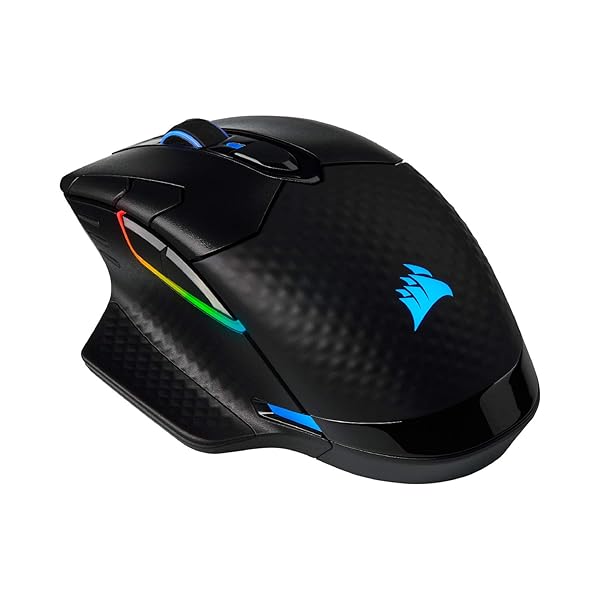
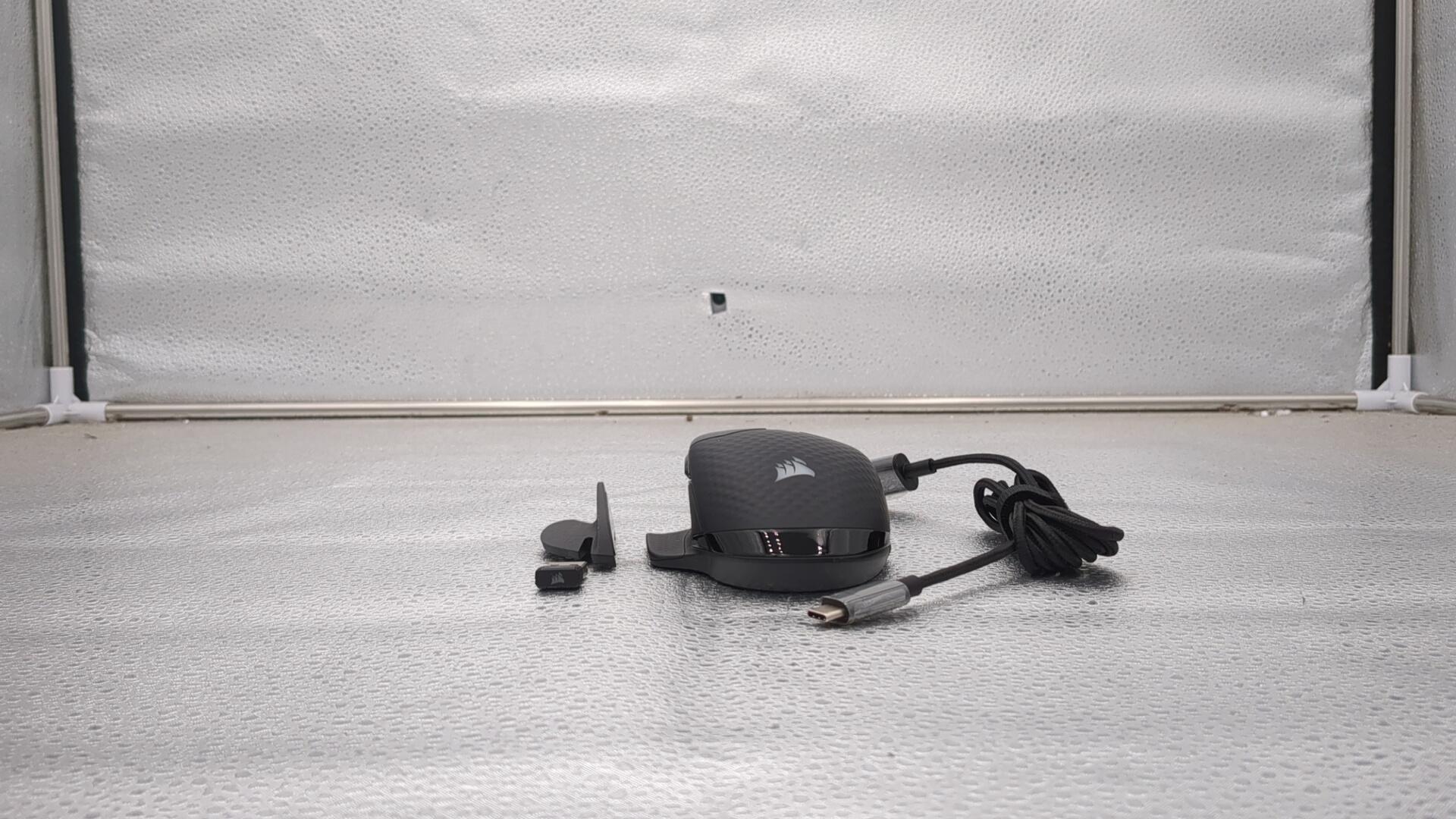
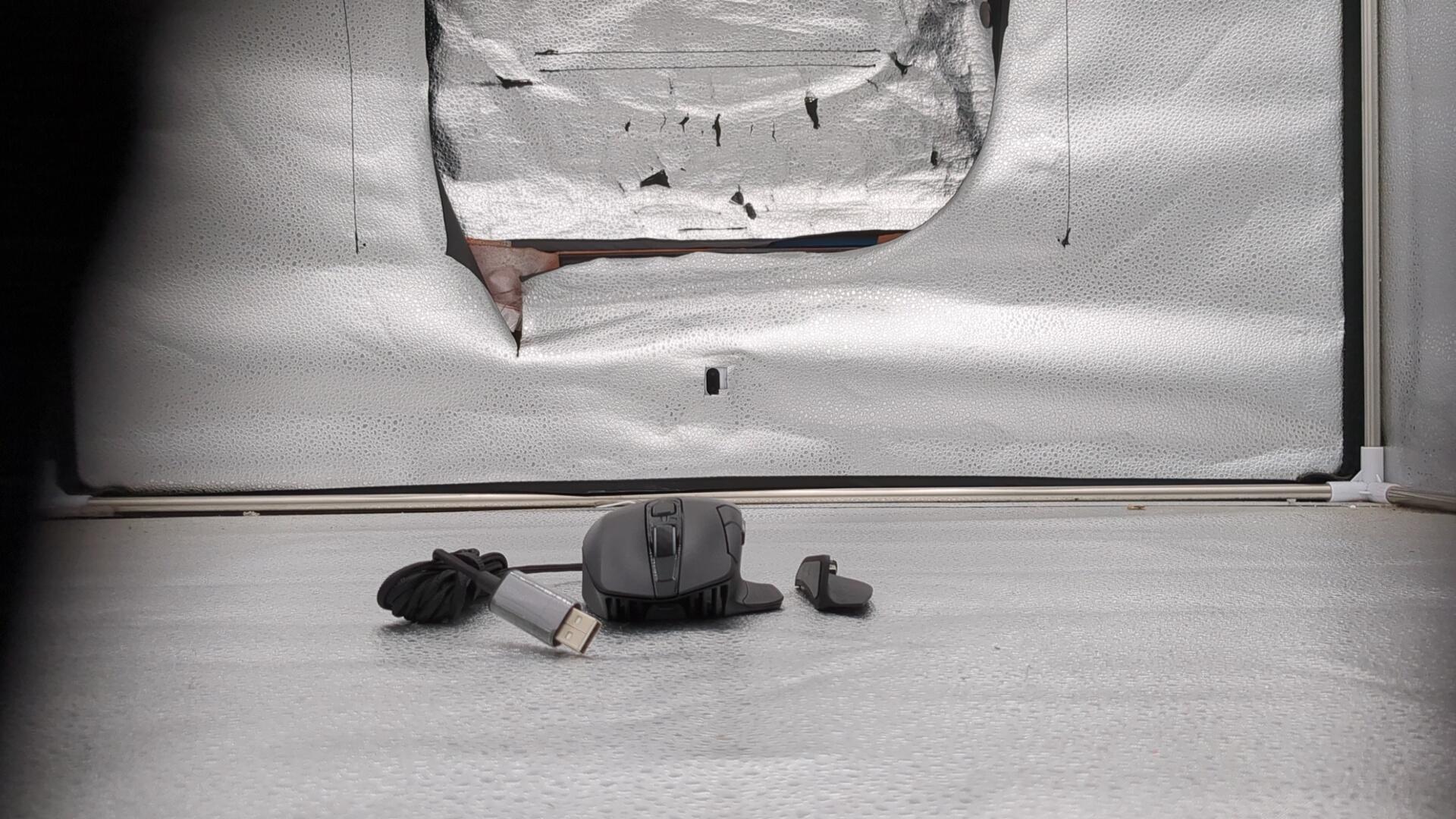
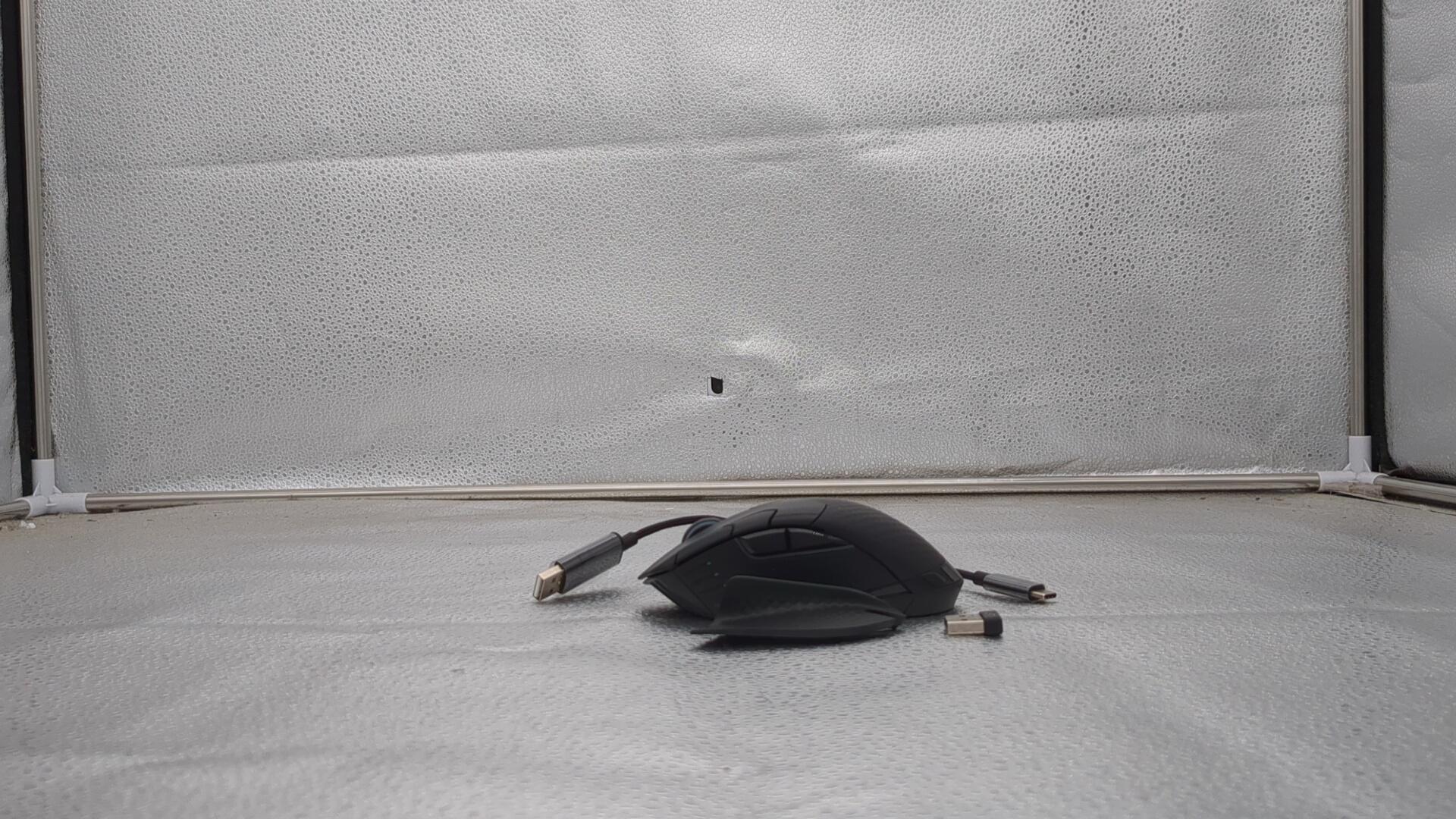
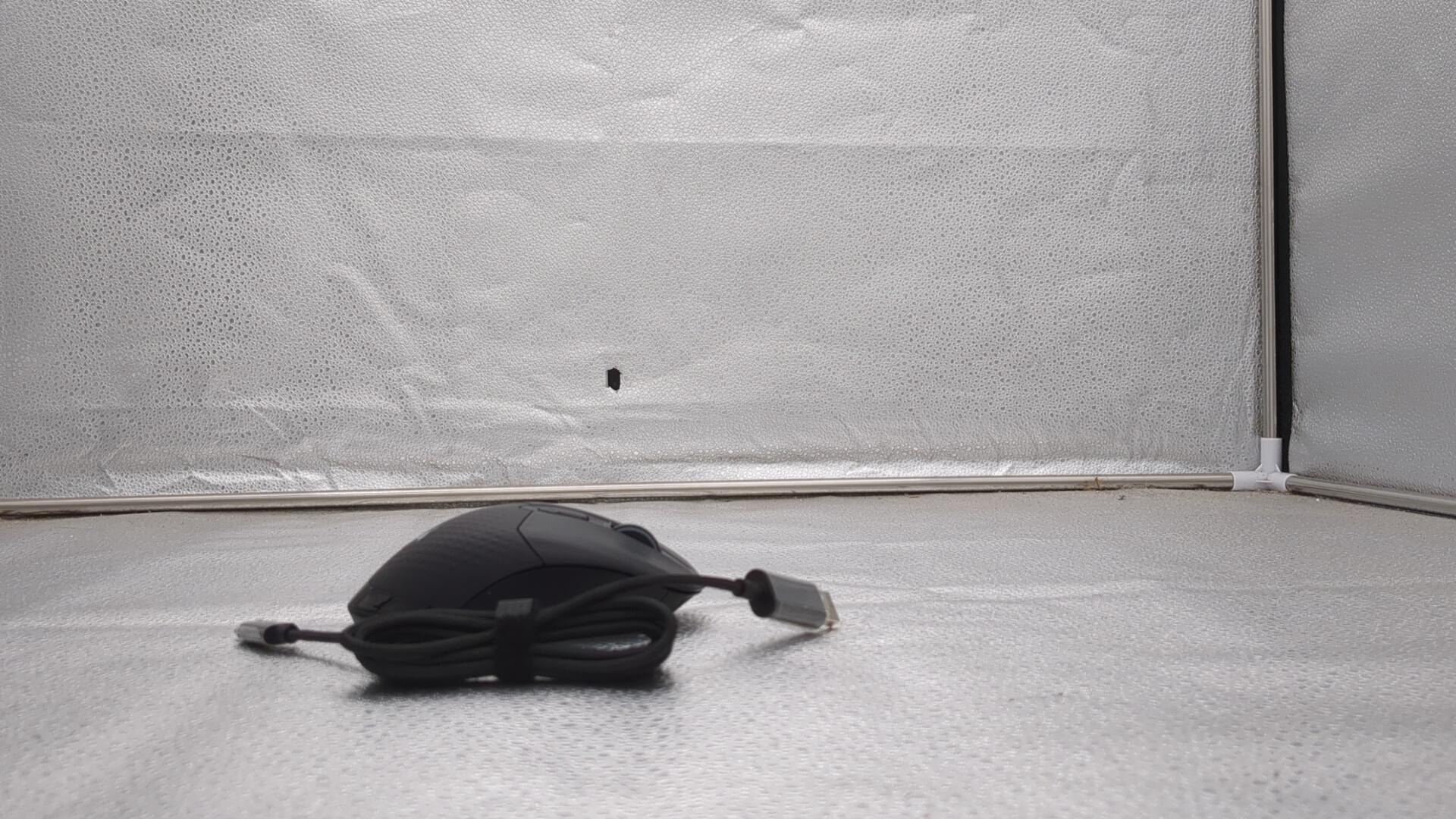
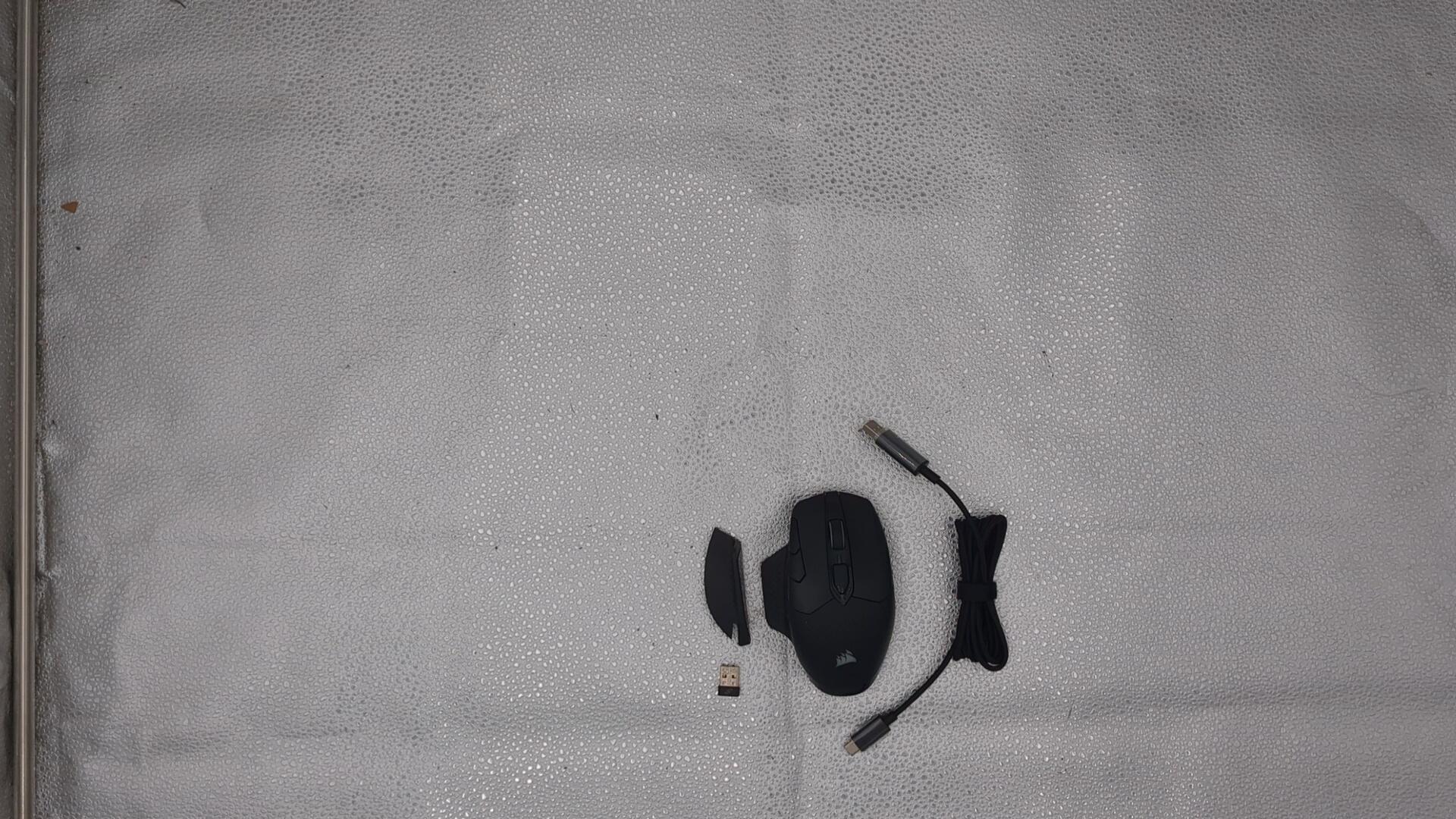

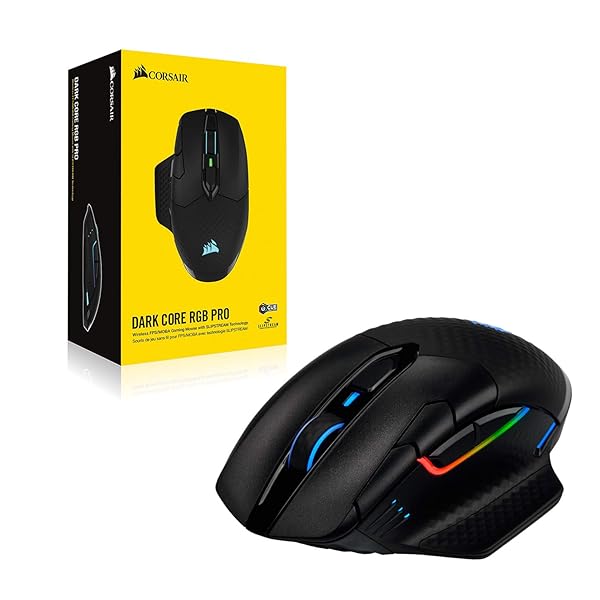
CONDITION: Open Box
Item is in open or damaged packaging and has not been tested. Item may show signs of handling and may be missing parts or accessories.
Returns Accepted
We accept returns under specific cicumstances.
See return policy for details
CORSAIR DARK CORE RGB PRO WIRELESS/WIRED FPS MOBA GAMING MOUSE – 18,000 DPI, FAST RESPONSE TIME, 8 PROGRAMMABLE SIDE BUTTONS, DYNAMIC MULTI-COLOR BACKLIGHTING – BLACK
CORSAIR DARK CORE RG... see more >
 Open Box
  Returns Accepted
Current Bid
$13.99
No bids yetThis auction has ended.
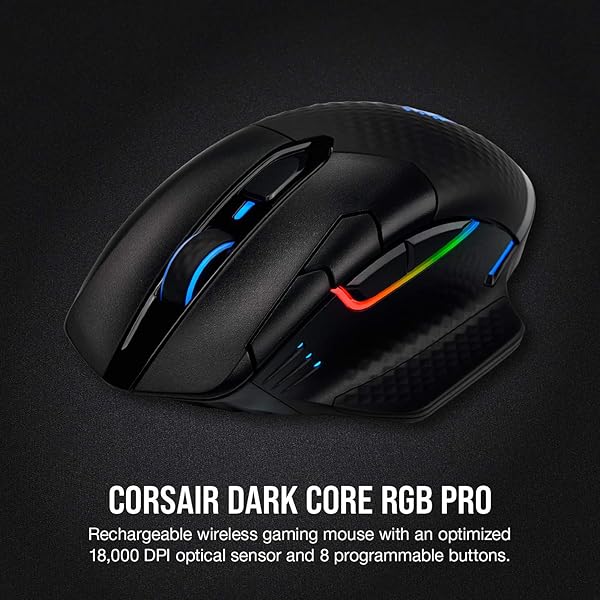
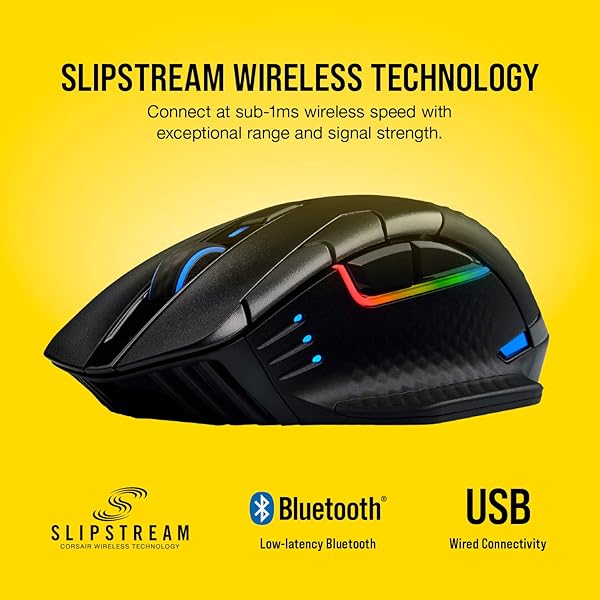
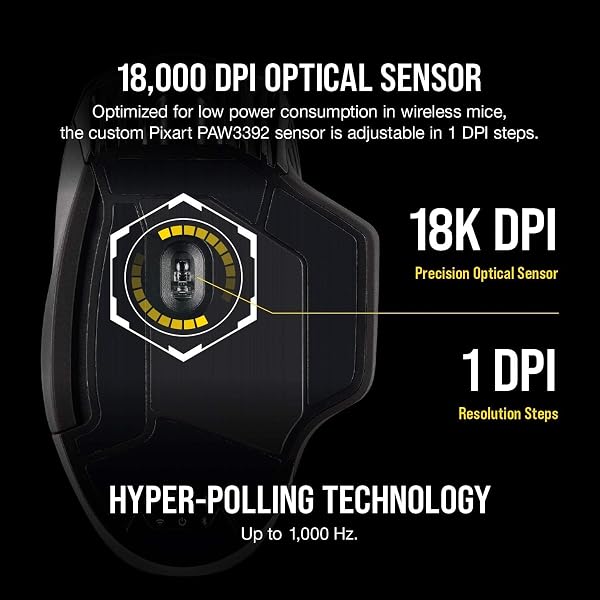
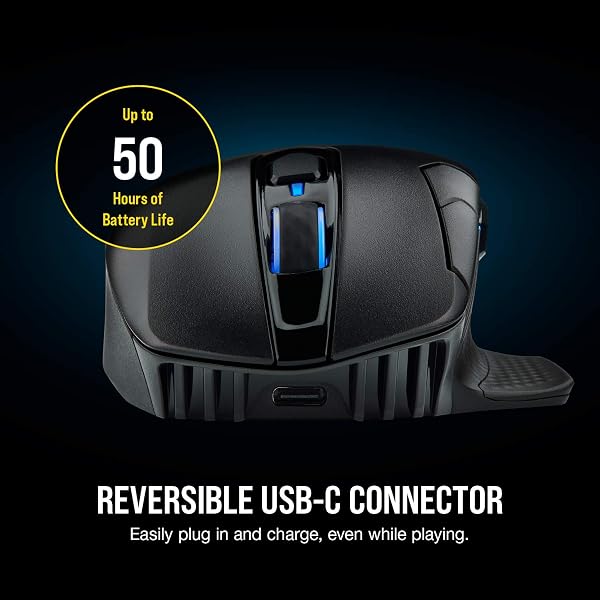
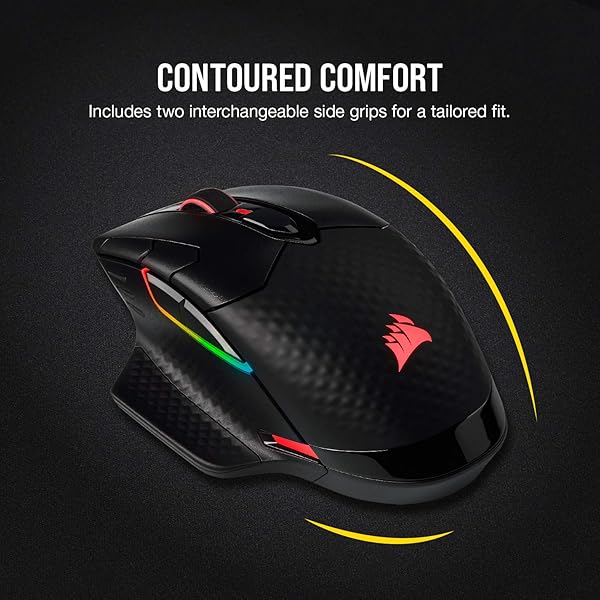
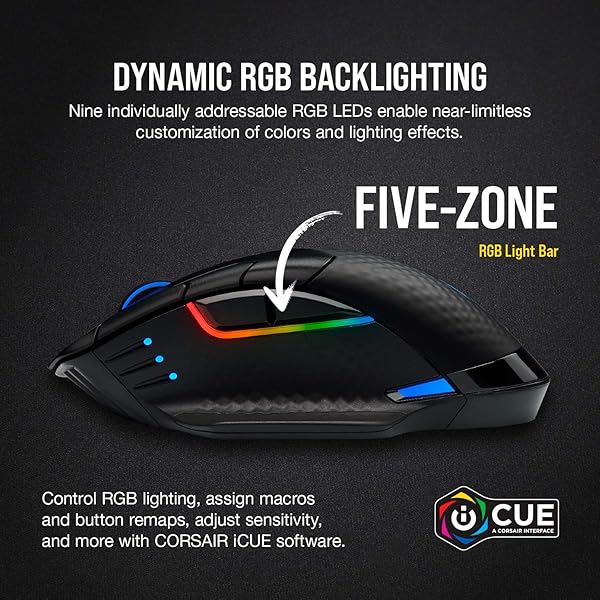
The CORSAIR DARK CORE RGB PRO boasts three ways to connect, including sub-1ms SLIPSTREAM WIRELESS. A custom 18,000 DPI optical sensor comes optimized for low power consumption, and hyper-polling technology communicates with your PC at up to 2,000Hz. Its contoured shape and two interchangeable side grips ensure comfort and control, while a USB-C connection charging a breeze with up to 50 hours of battery life. Stand out with nine-zone dynamic RGB backlighting, including a vibrant light bar, and gain an in-game advantage with eight buttons programmable with macros and remaps. Control lighting, button assignments, and more with powerful iCUE software, while onboard storage saves up to three profiles so you can win without wires, anywhere.
View more auctions
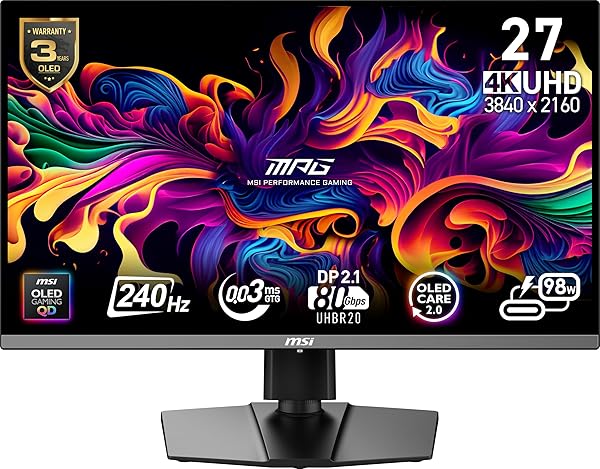
MSI MPG 272URX QD-OLED 27-INCH 3840 X 2160...
MSI MPG 272URX QD-OLED...
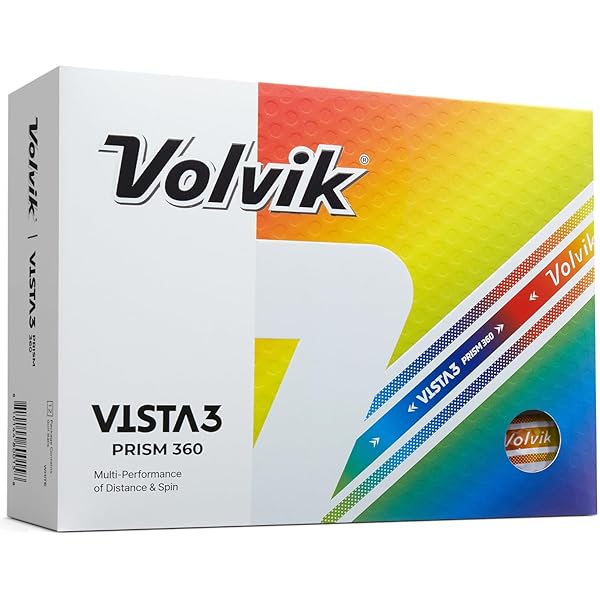
VOLVIK VISTA3 PRISM 360° GOLF BALLS (ONE DOZEN)
VOLVIK VISTA3 PRISM 360°...

KAMENSTEIN 16 JAR BAMBOO 3-IN-1 SPICE ORGANIZER FOR...
KAMENSTEIN 16 JAR BAMBOO...

DON FRANCISCO’S OLD HAVANA ESPRESSO PODS: 80 RECYCLABLE...
DON FRANCISCO’S OLD HAVANA...

BOROHOUSE 5-PACK BOROSILICATE GLASS CONTAINERS WITH TEMPERED LIDS,...
BOROHOUSE 5-PACK BOROSILICATE GLASS...

PAMPERS AMORE BABY DIAPERS SIZE NEWBORN, 76 COUNT...
PAMPERS AMORE BABY DIAPERS...
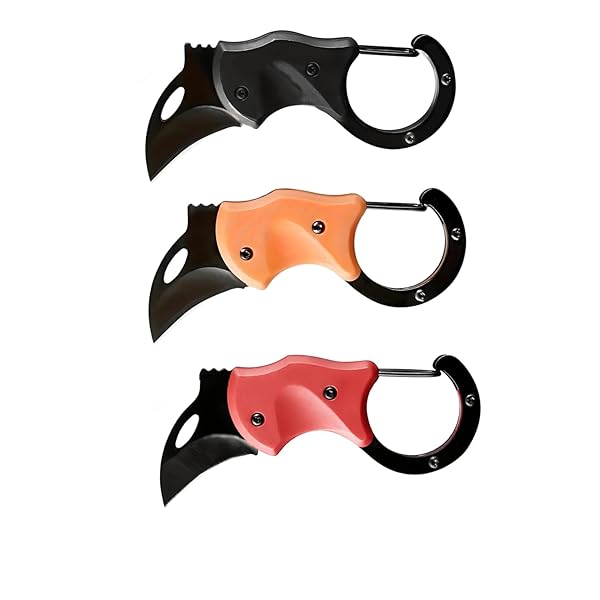
3 PACK SMALL POCKET KNIFE – FATHER’S DAY...
3 PACK SMALL POCKET...
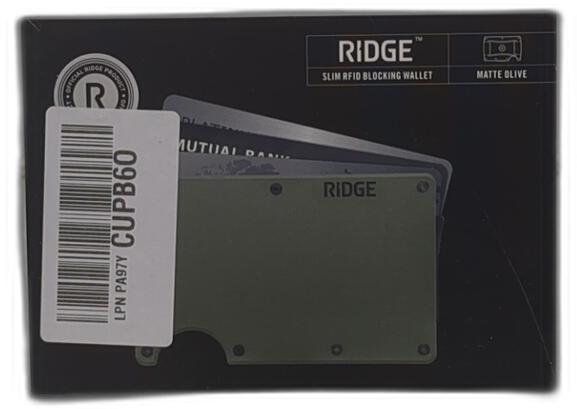
ALUMINUM MATTE OLIVE GREEN WALLET
ALUMINUM MATTE OLIVE GREEN...

EKOCUPS ORGANIC SWISS WATER DECAF FRENCH ROAST COFFEE...
EKOCUPS ORGANIC SWISS WATER...
PAMPERS AMORE BABY DIAPERS SIZE NEWBORN, 76 COUNT...
PAMPERS AMORE BABY DIAPERS...

GORILLA GRIP 8 SET PACKING CUBES, TRAVEL ESSENTIALS...
GORILLA GRIP 8 SET...

FLOOD 1 GAL. FLOETROL LATEX PAINT ADDITIVE
FLOOD 1 GAL. FLOETROL...
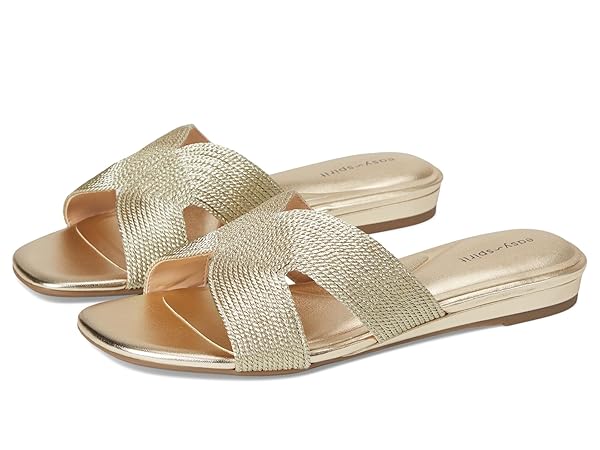
EASY SPIRIT CALERA WOMEN’S SANDAL, 7.5 B(M) US,...
EASY SPIRIT CALERA WOMEN’S...

BLOOM CLEAR PROTEIN, WHEY PROTEIN ISOLATE WITH COLLAGEN...
BLOOM CLEAR PROTEIN, WHEY...

RED BULL WILD BERRIES, PINK EDITION, WITH 80MG...
RED BULL WILD BERRIES,...

STEVE MADDEN WOMEN’S PORSHA, BLACK SUEDE, 8.5
STEVE MADDEN WOMEN’S PORSHA,...

FORCE FACTOR TOTAL BEETS BLOOD PRESSURE SUPPORT WITH...
FORCE FACTOR TOTAL BEETS...

FLEA COLLAR FOR DOGS, 2PACK GREY
FLEA COLLAR FOR DOGS,...

SPONGEBOB SQUAREPANTS: BUNDLE – NINTENDO SWITCH (AMAZON EXCLUSIVE)
SPONGEBOB SQUAREPANTS: BUNDLE –...

ALLEGRA ADULT 24-HOUR ALLERGY RELIEF TABLETS, NON-DROWSY INDOOR...
ALLEGRA ADULT 24-HOUR ALLERGY...
It has been a little over a year of me owning this mouse, so I feel this is a long term review. For mice, I feel that is important. Before I get into this, it is important to know that I am a gamer. I use the mouse all the time, every single day. So with that said, let us discuss the durability of the mouse.The mouse itself feels like great quality. The buttons feel great, the scroll wheel feels like quality, and it simply feels nice in my hand. I use a claw grip, and it works fine for me. The mouse in the year of owning it is showing some wear, however, for the amount I use it, I feel it is holding up extremely well. One year out, and the mouse is still working and going strong.Function wise, I experience no lag with this mouse, even though I use it wirelessly. I have a Corsair headset as well, and with that, I am able to pair the headset and this mouse together, meaning, I only use one slot on the computer. The buttons are all fully customizable. I came from one of those 12 button mice, the kind with 12 buttons on the side, so this design concerned me slightly as it didn't have 12 buttons, but instead, 6 on the side, and a few more on top. Despite this, I really like this design much better for several reasons. First, it is easier to tell which button is what, as they are placed in a way that makes button memory very easy. Two, if I need more functionality, I can make one of the buttons a kind of "shift" button, meaning, I can make a secondary profile, doubling the function I can have. The thumb area on the mouse that the buttons surround is nice, allowing me to lift the mouse without pressing anything. The lift gestures are incredible and add a lot to the mouse. It is like having 4 more additional buttons. This is definitely a unique mouse. So the question you must be asking yourself "is this mouse really worth the price?Admittingly, this mouse is more money then some of the others out there. I tried the cheaper mice, and they all failed under the year mark. This mouse, however, is still going strong. I had a Corsair mouse many years ago, and it lasted about 4 years of heavy use. It seems like this mouse MAY do the same, and if it does, I would say it is definitely worth the price. The one thing I learned, if you are going to buy something that you use every single day, something you rely on, it is best to spend a bit, and get something you will not only like, but something you can rely on. I feel this mouse describes that perfectly.
This is the first mouse I have taken a chance on and was actually extremely happy and still am (I have tried Redragon, other similar cheap Chinese knock offs, all the high end companies and everything is the same mundane crap).Please consider this mouse if you like fairly light weight, comfy in the palm, decently accessible side buttons and good battery life. My ONLY 2 complaints would be1: The connection will occasionally pause or something weird from time to time. like I will turn right or left and the mouse won't follow but after about 1.5 seconds will fast forward catch up. Very very annoying but does not happen often enough.2: the Two buttons where the back of your thumb/ the fulcrum would click are placed too far back in my humble opinion and I tend to not use them because of this. Takes too much mental effort to slide my thumb back far enough to comfortably feel and click them. I could also have small thumbs.Would seriously consider buying another just to have in storage for when Corsair decides to discontinue this one as well since it isn't what every other gamer is buying.The software works and isn't buggy. It doesn't advertise it well in my opinion, but the mouse has kinetic buttons ie: literally tilting it forward, backward, left and right. I would say this button system has about a 75% reliability and i enjoy using them in games like World of Warcraft. The other thing i had to get used to is the left and right click. They are WILDLY soft comparted to any mouse I have had in the past. I almost thought it was defective at first but the mouse performs amazing and after getting used to not having to put all my force in my finger presses (bad habit), the soft clicks are just plain nice.There are still some of us out here who think the side grid system buttons these gaming companies like Razer, Logitech, and even corsair seem to think are the best way to introduce multi buttons. I may be the 1% here but I find it to be a really stupid idea. Even if I'm the minority, I find that muscle memory tends to form and stay a lot stronger when you have unique, different shapes. if you want one of the best examples I have ever seen, Google and image of the discontinued "Steel Series Rival 500". this thing actually worked around your thumb and added some incredible movement that wasn't 3-4 lines of 4 buttons in rows. I would legit sue Steel Series for everything they are worth for discontinuing that mouse if I knew I'd win. You all who use mice like the Razer Naga and the other exact copies of that side button grid system confuse me but again, I could definitely be the weird one here.
I was a little worried going from a wired to a wireless mouse. This mouse works great over the 2.4ghz dongle, Very accurate and no lag. I have not tried it out on bluetooth. The bumpy texture on the plastic is very satisfying to the touch, and the buttons have a loud snappy click. With the optional side panel attached it fits my hands grip perfectly. The only downside is you have to have ICUE installed to turn off the RGB.
THIS REVIEW IS FOR THE "DARK STAR RBG", IF YOU ARE WONDERING WHY THAT NEEDS TO BE CLARIFIED, READ FURTHER.If you search google regarding this mouse you will find ENDLESS numbers posts on reddit, the corsair forums, Toms Hardware, etc complaining about this mouse. And not 1 or 2 problems, it seems like every time I read a new post, the mouse has a completely different but critical error.I bought this mouse when it was a new release and it had very few reviews, so I went to check Amazon again expecting a terrible rating. I'm surprised when I see a 4.1 star score, much higher than I expected. I start to read reviews, then it hits me: most of the reviews are for "Style: Corsair Dark Core RGB Pro". What? The Dark Core is a completely different mouse. The ergonomics are different, it only has 2 side buttons, it costs half the price.Why is the Dark Core listed as a variation of the Dark Star? Is there a way I can filter to only see the Dark Star reviews? Yes there is, but quite tricky to find. First filter reviews by one of the star ratings. Then a filter window with more options will appear. Then you can filter "Format: Show Only Reviews for the Dark Star RBG."Then it made perfect sense. Out of the 2,464 ratings ONLY ONE HUNDRED AND EIGHTEEN are reviews for the Dark Star. See attached images.Yep, Corsair took this garbage mouse with more critical failure issues than you could imagine, and listed it as a variant of a COMPLETELY DIFFERENT mouse that probably isn't as terrible. That level of deception and general scuminess should be reason enough to never consider buying this mouse, but if you want my personal experience:I owned this mouse for about 2 months, it worked great. I liked the feel, the button placement (most mmo mice buttons are too clustered), then out of nowhere the 2.4ghz receiver stops working. Just bam, no more wireless. At this point I am well beyond Amazon's 30 day return window, so I switch it to Bluetooth mode. Maybe the polling rate is worse, I really couldn't tell the difference, so I continue to use it in Bluetooth mode. Then, want to guess what happened yesterday? Yep, Bluetooth mode stops working just as abruptly as the dongle did. Try to connect via Bluetooth? The mouse LEDs pulse a blue color, which according to the manual means "BT wireless mode – pairing failed". The mouse wasn't dropped or damaged, I didn't even update the firmware/software, just randomly died for no apparent reason. So now, I can try to deal with Corsair customer service, which everything I have read about them says they are, slow, often not willing to send new hardware, and when they do send new hardware it rarely fixes the problem. So I'm going with option B, never buy another Corsair Product as long as I live, I strongly suggest you do the same.I can forgive a company for releasing a product too early, with trash software and faulty components, it happens often unfortunately. But deceiving customers by listing this mouse as a variant of a well-reviewed mouse to hide how poorly it sold and how many problems it has? Absolutely disgusting, absolutely cannot be forgiven.
I was cautious because many of the reviews said it's difficult to program, and requires complicated steps. It really isn't. Go through the tutorial when the software opens and it's easy. The mouse feels great, and the buttons are all within reach except for the back-most button on the top, which requires moving my hand partially off of the mouse. But there's a huge bonus to this mouse that they don't even mention in the description! Or at least I didn't see it. It actually has SIX extra programmable buttons. Okay, not quite buttons, but there's scroll left and scroll right on the mouse wheel, which you can reprogram, and there are four tilt axis on the mouse that are also programmable. I was worried because the mouse as stated has 2 fewer buttons than the mouse I was replacing, but I actually ended up with buttons to spare. The scrolling is nice, almost everything about it is nice. My only gripe is that the forward/backwards buttons are lower on the mouse than I'm used to, so my muscle memory keeps missing them when trying to use them. I'll get used to that though, and it may even end up being a positive, since they're closer to my thumb than all of my other mice. Overall great mouse, and I don't understand why some of these negative reviews have said what they said. I'm really enjoying this mouse so far.Edit: Minus one star for too frequent mandatory firmware updates. When a new firmware version comes out, they completely disable the mouse. Then you have to connect it to the computer via USB, and you're forced to install the firmware. You can't do anything else with the mouse until you update the firmware. Firmware is not software, and there's no need to take such drastic measures to force updates on users.Edit 2: Seriously, who's genius idea was it to completely kill the mouse when firmware becomes available and force the user to update? Now I'm sometimes getting updates every single day. You are forced to keep a USB cable nearby because the mouse just flat-out stops working when an update is available and won't start working again until after you update. You cannot disable this either. It's becoming very annoying. I haven't had it happen during a gaming session yet, but I imagine it will only be a matter of time before I lose an arena match because my mouse stopped working mid-fight.
After nearly four years of daily use, this mouse has proven to be extremely reliable. Aside from normal cosmetic wear, all core functions remain solid. The clicks are still quiet and consistent, the scroll wheel is smooth and precise, and overall responsiveness has not degraded over time.Battery performance remains strong, consistently lasting around three days per charge with regular use. It integrates seamlessly into the Corsair ecosystem, making customization and RGB control straightforward if you’re already using their software and peripherals.The thumb rest is a standout feature. It provides excellent support during long sessions and significantly reduces hand fatigue, making it one of the most comfortable mice in its class.This is a durable, well-built mouse that continues to perform long after purchase. Highly recommended for long-term use.
I had a Mionix mouse for years that I absolutely loved but the middle mouse switch was dying on me.I've got big hands and likewise need a mouse that fits my needs! I tried a few other brands but they were all quite small for me. After a bit of research, I found this had dimensions similar to my old mouse so I gave it a go, as I really REALLY wanted a good wireless gaming mouse.BOY OH BOY does this fit the bill!!!Wired and wireless feel no different, in terms of speed and latency. It also seems to work from quite far!I've only had it for a day, but I'm in love so far!!!There is a detachable 'wing' for your pinky if you find yours drags on your mouse, or you can leave the default "flat" on, which is what I did.I do not know the battery life as of yet, though I plan on testing it out now that it has a full charge.It has an awesome dongle/wired/bluetooth option, the last of which I am really excited for!If you have big hands and want a great wireless gaming mouse that is fairly comfortable (the butt-end is a LITTLE higher than I would have liked but its nit-picking at this point), absolutely give this a try! You wont regret it!
i bought this mouse because i like "mmo" mice with extra buttons for additional key presses and macros so i can have all kinds of things like voice push to talk, or in game abilities on the thumb buttons but i will not be purchasing this mouse again and wish i had gone with something else.nothing is inherently wrong with the design but despite having larger hands can not swap easily from the front and back thumb buttons so for my use i feel that they are too far spread apart. my thumb rests too far back natually to reach the front buttons without reaching a bit too much and messing with my grip on the mouse. on things like a naga or g600 i can usually use about 3 rows comfortably with needing to do a bit too much thumb curling to be comfortable to reach the bottom row so if you feel the same this may be an issue for you.my main complaint with this mouse however is the terrible software. Icue is the bane of my existance. multiple times the mouse has not had the right dpi despite having no settings changed so i have had to open icue and "calibrate" the mouse by moving it around my mouse pad at a specific speed so that it goes back to the right dpi when it starts reading the matt properly (linus tech tips desk mouse pad so you know i am not using a weird surface.) additionally the software keeps creating new profiles i only want the one so eventually i went through the hastle of setting up all 3 profiles as the same setting since it kept adding profiles... to ensure i was unhappy the software now made 3 more default profiles brining the total up to 6 for no logical reason i can figure out... while on the point of profiles if the icue software is not running i can not get the mouse to have onboard settings saved meaning that if anything happens to icue or i exit the program my settings get thrown out the window and i hope you like default profiles (might be why i keep getting default profiles added the system refuses to save over onboard memory and keeps importing default profiles onto my pc profiles if they are not already there)now for the thig that made me write this review that pissed me off more than anything else. after months of having my macros set up just the way i like them the lighting configured and the dpi set up i restarted my computer today and macros/thumb buttons are not working i check the software and it indicates that "ICUE macro execution is not working properly. Please repair the installation of ICUE." anooying but i got to add/remove programs to check what modify options i have and windows had the modift AND the uninstall option greyed out so i can not do either somehow... ok i check in the software and it is up to date so i can not try to update it and see if that repairs icue... i downloaded a new copy of the installer from the official website and do not have the option to repair using that either as it does not appear to even properly install correctly it appears to just be putting files in a program files folder and telling windows it exists with no other configurations being respected... i have come to this conclusion because when i tried to install on top of my existing files thinking that might repair the core features the install refuses to continue as there are files in the folder already... so to get my macro's and keybinds working i have to reinstall icue... but i can not uninstall it with windows... and i can not select to uninstall it from the official installer and there is no uninstall button i have found in icue itself so i am left with deleting the files in the corsair program files folder and then installing the program again and rebuilding my entire profile again...i don't want all the stupid plugins and dashboards and light controls for all the crap i don't use i just want a gaming mouse that is reasonably light, has a bunch of additional buttons and just works... preferably with the profiles saved on the mouse so i can plug it into any computer and it will just run without needing to install stupid software packsedit: I am now looking for a new mouse because the scroll wheel no longer works. I have never had this happen before but when scrolling up or down the mouse randomly detects scrolls in the oposite direction so it is a gamble if it will scroll... stay where it is... or even scroll in the wrong direction while fighting back and forth... i checked online and this is apparently an issue with this mouse with people noting that they take their mouse apart and mess with the scroll mechanism to get it working again... I am not interested in messing with the mechanism personally so this mouse lasted about 6 months most of which were filled with various instances of annoyances caused by the software.
The CORSAIR DARKSTAR RGB isn’t just a mouse it’s a game-changer. From the moment I picked it up, I could feel the premium build quality and flawless design. The weight is perfect, the grip feels natural, and every click is buttery smooth with zero lag.The wireless performance is insane no stutter, no dropouts, and the battery life just keeps going. Gaming sessions that used to leave me frustrated are now completely immersive thanks to pinpoint accuracy and ultra-responsive tracking.And let’s talk about the RGB lighting, it’s breathtaking. Fully customizable, vibrant, and perfectly synchronized with Corsair iCUE. My setup has never looked so alive.Honestly, I can’t imagine going back to any other mouse. If you want precision, speed, comfort, and style all in one, the DARKSTAR RGB is worth every penny. This is not just a mouse, it’s a statement for any serious gamer.
O MOUSE VEIO USADO COM VARIOS RISCOS E PROBLEMA NA RODA DE ROLAGEM, COMO SOU TECNICO TIVE DE DESMONTAR O MOUSE PARA PODER CONSERTAR!!! ESSE É UM MOUSE RARO E DIFICIL DE ACHAR POR ISSO NAO ACIONEI A GARANTIA! VENDEDOR NAO FOI DE BOA INDOLE!!!! E O PIOR PAGUEI O PREÇO DE NOVO!!!!
Pros:SizeBattery Life (for me personally)The feel of the mouseScroll button feels solid (not weird and loose like Logitech)Pinky attachment or regular side piece for smaller handsDUAL PURPOSE - main feature for me. I use it for my personal PC through USB receiver (gaming Battlefield mostly) as well as Bluetooth connection to my work laptop. It transitions so smoothly when switching using the feature under the mouse.For gaming it is fantastic I notice zero lag/latency.BATTERY LIFE: I use it for work/personal throughout the day. BT is usually used for about 7 hours and USB receiver for about 3-4 hours for a total of roughly 10ish hours per day. One full charge lasts me a solid 4 days with the battery requiring charge at the end of the 4th day.I usually charge it overnight so not a problem for me!Cons:Only one so far is getting use to iCUE software but honestly spend some time learning about it and it’s fine. For the most part I’m not really using iCUE to customize too much so I’m good with it.Overall it’s an amazing mouse I love the feel of it and dual purpose it provides me. Will update in the future if something goes wrong!
Produto excelente.
[PUBLICIDAD ENGAÑOSA]Quiero empezar esta reseña advirtiendo de abstenerse a la compra de este y futuros productos de CORSAIR debido a prácticas anti-consumidor y publicidad engañosa. El ratón de CORSAIR modelo DARKSTAR WIRELESS RGB fue anunciado y publicitado inicialmente con una tasa de sondeo de «2,000 Hz (hertz)». En su software iCUE, estaba la opción de elegir esa tasa de sondeo tanto para usar el ratón con cable o de manera inalámbrica. Tiempo después, hubo una actualización del software iCUE el cual decidieron quitar la opción e intentar pasar desapercibidos, haciendo énfasis en que el dongle SLIPSTREAM WIRELESS sí soporta una tasa de sondeo de 2,000 Hz, pero el ratón no y CORSAIR jamás ha dado un anuncio oficial en ningún lado; al contrario, están silenciando a las personas que intentan hacer viral esta información. [Adjunto pruebas con imágenes.]Si eres residente de México, te invito a denunciar ante la PROFECO a la empresa «Corsair Gaming, Inc.» por prácticas anti-consumidor y principalmente por PUBLICIDAD ENGAÑOSA.[MAL DISEÑO DEL RATÓN]De manera subjetiva, los botones laterales pueden ser del agrado o no para muchas personas, especialmente a su tipo de agarre en un ratón. Sin embargo, hay un fallo en la disposición de los dos primeros botones laterales, justo debajo el típico botón de la asignación de «adelante». Los dos botones están más «lejos» o mejor dicho «cuestan más presionar», como si estuvieran un poco más «hondos», lo que dificulta su pulsación, especialmente el de «en medio» entre el botón de «adelante» y el primero.(Empezando de abajo hacia arriba.)[DISEÑO DE FÁBRICA DEFECTUOSO EN LA RUEDA DEL RATÓN]Desde el inicio, tuve ligeros problemas con la rueda del ratón, la típica situación en donde deslizaba hacia abajo y, de repente, hacía lo contrario. Esto fue muy raro al principio, pero después de seis meses, la rueda del ratón está tan atrofiada que es evidente el mal diseño de fábrica del ratón. Por cada deslizamiento hacia abajo que hago, sube dos, y viceversa, haciendo imposible que en programas o juegos que requieren el uso constante de la rueda del ratón, sea inviable usarlo.[VERGÜENZA]CORSAIR debería de tener vergüenza publicitar un producto con cierta característica y después quitarla y hacer como «aquí no pasó nada, nadie se dará cuenta». Prácticas anti-consumidor y desleales hacia sus clientes y se ríe de nosotros en nuestras caras. Estoy por desarmar mi ratón e intentar solucionar el problema de la rueda por mí mismo, y si alguien quisiera intentar hacer lo mismo (suponiendo que tenga el mismo problema), la única marca/empresa que pude encontrar que venden las almohadillas de ratón para este modelo (DARKSTAR WIRELESS) es «FeetGlide» que reside en Ucrania.[CONCLUSIÓN]Mientras no haya una empresa con un software equiparable en funciones a las de Logitech, Corsair y Razer juntos, y que haga diseños de ratones con múltiples botones, sensores de calidad y para diferentes tipos de agarre y juegos, seguiremos siendo la burla del condado. Estoy trabajando para ser aquel que sea el antihéroe de las marcas y empresas corruptas y desleales como CORSAIR.
-
Brand
Corsair -
Color
Black -
Connectivity Technology
USB -
Special Feature
LED Lights, Programmable Buttons, Scroll Wheel, Wireless -
Movement Detection Technology
Optical -
Additional Features
LED Lights, Programmable Buttons, Scroll Wheel, Wireless -
Movement Detection
Optical -
Button Quantity
8 -
Hand Orientation
Right -
Compatible Devices
Personal Computer, Smartphone, Tablet -
Operating System
Windows -
Number of Batteries
1 Lithium Polymer batteries required. (included) -
Hardware Platform
PC -
Power Source
Battery Powered -
Mouse Maximum Sensitivity
18000 Dots per Inch -
Minimum Required Operating System Version
Windows 10, Windows 11 -
Range
100.0 feet -
Embellishment Feature
LED -
Style Name
DARK CORE RGB PRO -
Pattern
Gaming Mouse -
Theme
Gaming -
Enclosure Material
Plastic -
Finish
Matte -
Model Name
DARKSTAR WIRELESS -
Antenna Location
Gaming, Office -
Model Number
CH-9315411-NA -
Built-In Media
Interchangeable side grips, USB-C cable, wireless adapter, onboard memory -
Are Batteries Included
Yes -
Are Batteries Required
No -
Manufacturer
CORSAIR -
UPC
840006616023 -
Global Trade Identification Number
00840006616023 -
Mfr Part Number
CH-9315411-NA -
Warranty Description
2 years -
Item Type Name
Corsair Dark Core RGB Pro, Wireless FPS/MOBA Gaming Mouse with SLIPSTREAM Technology, Black, Backlit RGB LED, 18000 DPI, Optical -
Best Sellers Rank
#4,046 in Video Games (See Top 100 in Video Games) #204 in PC Gaming Mice -
ASIN
B082LVNHW9 -
Item Weight
0.25 Pounds -
Item Dimensions L x W
5"L x 3.5"W -
Unit Count
1.0 Count -
GTIN
840006616023
Buyer’s Premium
A 15% buyer’s premium will be added to the sale price of all purchases.
Store Auction Lots Condition
All items are uninspected and the condition is unknown unless otherwise explicitly stated. Items labeled as “Open Box” may have been previously opened, handled, returned, or repackaged. Packaging may be damaged, incomplete, or missing, and items may show signs of handling or cosmetic wear. Items are not tested unless specifically noted. Individual items are available for inspection at Korting Outlet located at 159 1st Court, Grand Rapids, Michigan 49534 during store hours.
The highest bids serve as legally binding contracts, and all sales are considered final. Items are sold on an “as is” basis, without any guarantees, warranties, or the possibility of refunds, whether written, expressed, or implied. The operational condition of an item may not be known or listed in the item description. While we may provide information on the condition of some items, including items marked as “New,” such information is not guaranteed.
All items are sold with all faults and without any warranty, whether expressed or implied, regarding merchantability or fitness for a particular purpose. The sale is conducted on an “as is, where is” basis with all faults. Buyers are strongly encouraged to physically inspect items before placing bids during the inspection period. Once submitted, bids cannot be withdrawn before, during, or after the auction for any reason.
The buyer acknowledges that these terms, along with other terms outlined below, can only be amended or revised in writing, signed by the auctioneer. Any representations made by Korting or its agents do not alter these “as is, where is with all faults” terms. Descriptions provided on products or through advertising, including condition labels such as “New,” are not guaranteed, and buyers rely solely on their own inspection. While information in sale advertising is believed to be accurate, Korting assumes no responsibility for errors or omissions.
Auction Closing Times
Posted closing times are in Eastern Time and may be extended through dynamic bidding. Dynamic bidding extends the auction close time until there are five minutes without bidding activity. Korting reserves the right to close early or extend auctions at its discretion.
Payment
Payments will be processed through Stripe.
Refund Policy
Due to the nature of liquidation merchandise, returns are accepted only under the following circumstances:
- Wrong item received
- Major undisclosed damage that significantly affects functionality or value
- Item arrives nonfunctional or dead on arrival (unless listed as untested, for parts, or salvage)
- Missing critical components necessary for basic operation that were not disclosed in the listing
- Counterfeit items or items materially different from the listing description
The following conditions are not eligible for return or refund:
- Buyer’s remorse or accidental purchases
- Minor cosmetic wear, scratches, dents, scuffs, or signs of prior handling
- Damaged, worn, or missing retail packaging
- Compatibility issues with buyer equipment, software, or intended use
- Missing non-essential accessories, manuals, inserts, cables, or packaging materials unless specifically stated in the listing
All return requests must be submitted within 72 hours of delivery and include clear photos and/or video documentation of the issue. We reserve the right to deny returns that do not meet the above criteria.
.
Sales Tax
All orders are subject to the 6% Michigan sales tax. Tax-exempt buyers must have a current tax-exempt certificate on file before sales tax can be removed from an invoice.
Failure to Pay or Remove Items
Korting reserves the right to charge a 15% non-refundable restocking fee for items not paid for and picked up within seven days of the auction closing. Such items will be considered abandoned and forfeited to Korting. Korting may resell any abandoned or forfeited items.