




CONDITION: Open Box
Item is in open or damaged packaging and has not been tested. Item may show signs of handling and may be missing parts or accessories.
Returns Accepted
We accept returns under specific cicumstances.
See return policy for details
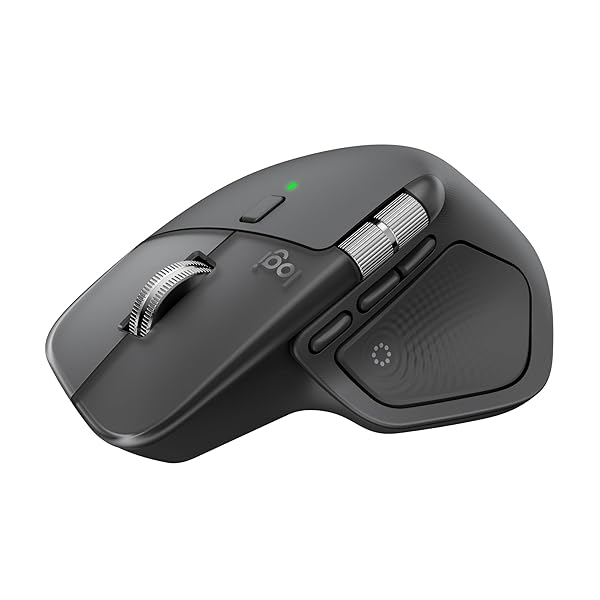
LOGITECH MX MASTER 4, ERGONOMIC WIRELESS MOUSE WITH ADVANCED PERFORMANCE HAPTIC FEEDBACK, ULTRA-FAST SCROLLING, USB-C CHARGING, BLUETOOTH, WINDOWS, MACOS – GRAPHITE
LOGITECH MX MASTER 4... see more >
 Open Box
  Returns Accepted
Create an account to place a bid
Already have an account? Log in here
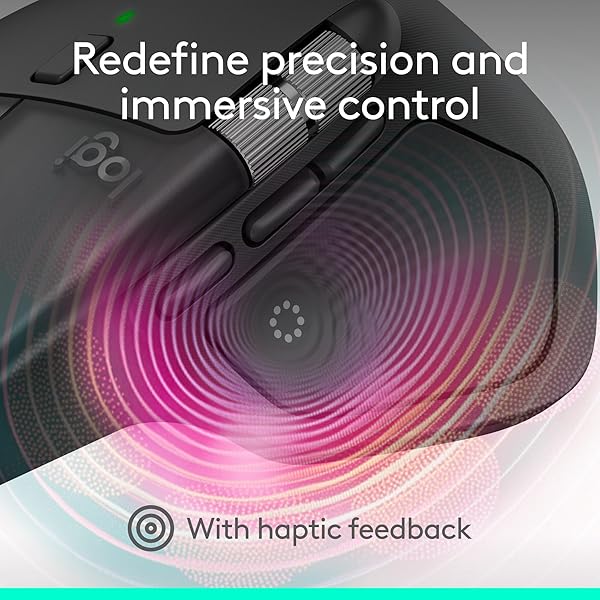
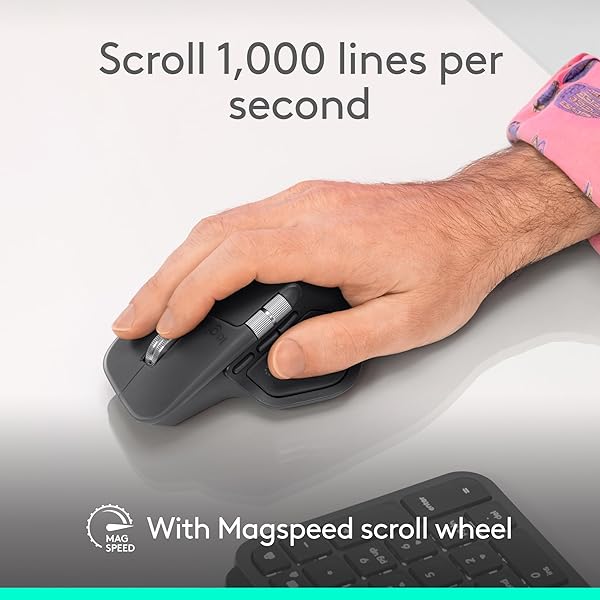
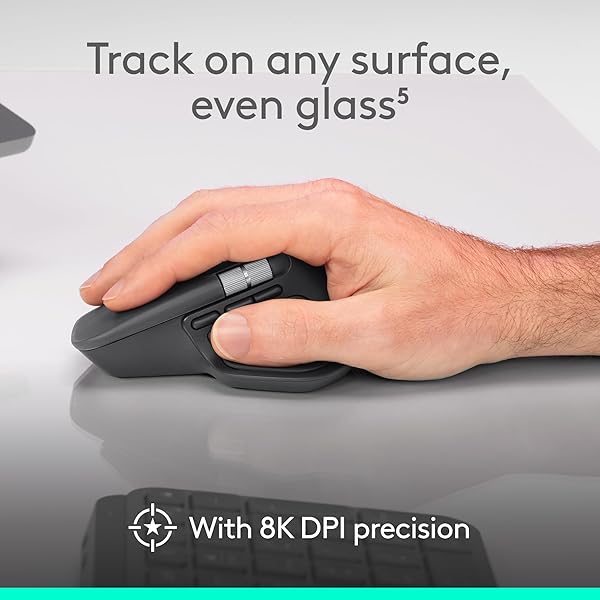
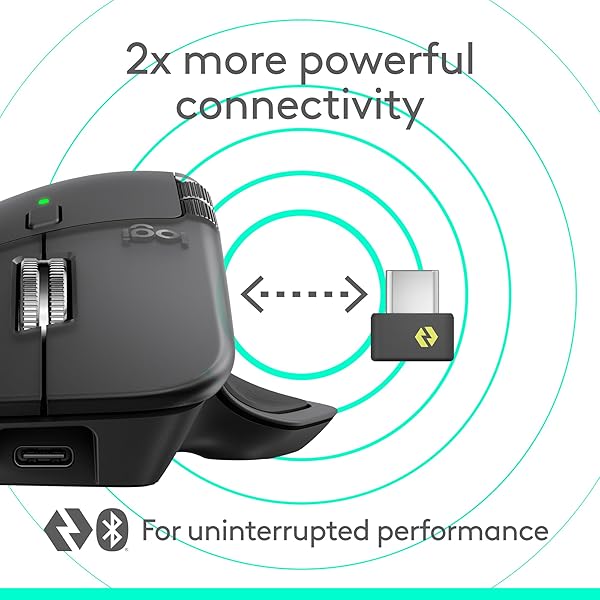
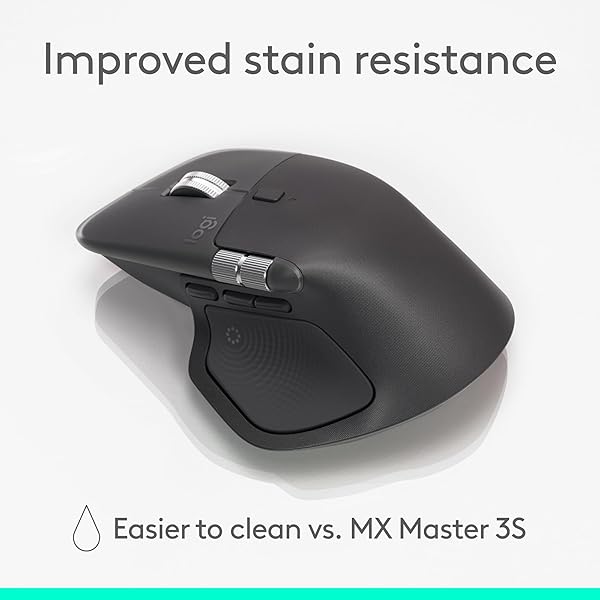
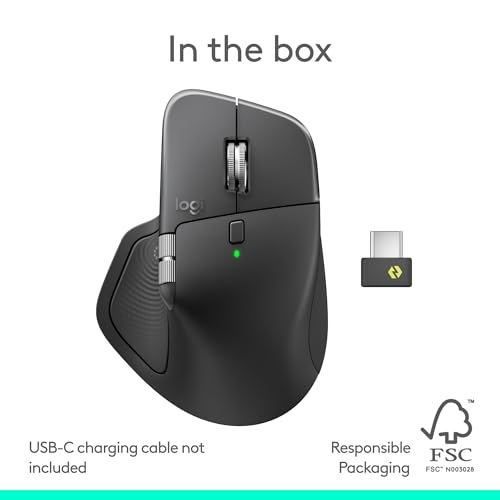
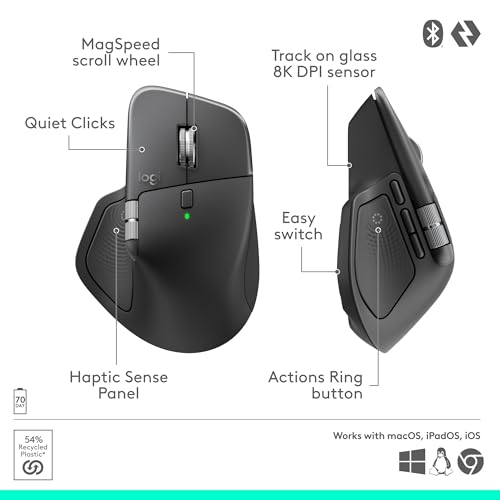
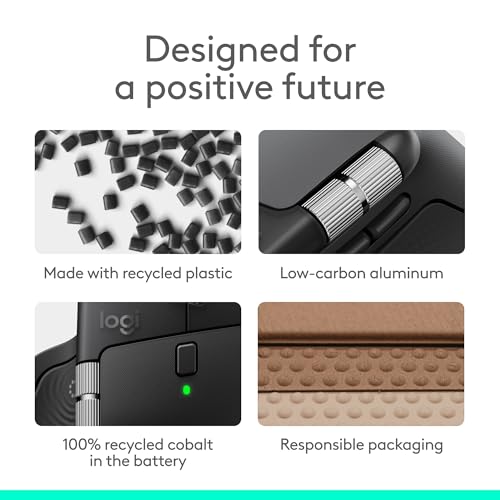
The Logitech MX Master 4 brings immersive control and precision you can feel with haptic feedback. Experience haptic feedback on specific actions, shortcuts, notifications like switching desktops, slider adjustments and more. Customize vibration intensity with Logi Options+ (1). With Actions Ring shortcuts and MX Master 4, save up to 33% of your time (2) by accessing tools and filters at your cursor and reducing repetitive movements by up to 63%. (2) Experience uninterrupted performance with 2X more powerful connectivity, powered by an advanced radio chip, optimized antenna placement, and a new USB-C dongle. (7) Scroll 1,000 lines per second with Logitech's fastest MagSpeed wheel, switching between hyper-fast and pixel-perfect scrolling for ultimate precision. The 8k DPI sensor tracks on any surface—even glass. (5) Designed for comfort, it keeps your hand in a natural posture, and quiet clicks that reduce noise by 90% (8). Stay powered up with up to 70 days of battery life, plus three hours of use from a one-minute charge, charging cable not included (10). Built sustainably, it incorporates recycled materials: plastic parts include recycled plastic - 54% Space Black; 48% White Silver (12); 100% recycled cobalt in the battery; Built to last with improved stain resistance (7) Compatible with Windows, macOS, Linux, Chrome OS, iPadOS, and Android. Requires Logi Options+ app for advanced customization.
View more auctions

GREENOAK HEATED BLANKET ELECTRIC KING SIZE 100″X90″ DUAL...
GREENOAK HEATED BLANKET ELECTRIC...

REEBOK WOMEN’S CLUB C DOUBLE REVENGE PLATFORM SNEAKER,...
REEBOK WOMEN’S CLUB C...

TITLEIST LOST GOLF BALLS, RECYCLED GOLF BALLS WHITE,...
TITLEIST LOST GOLF BALLS,...
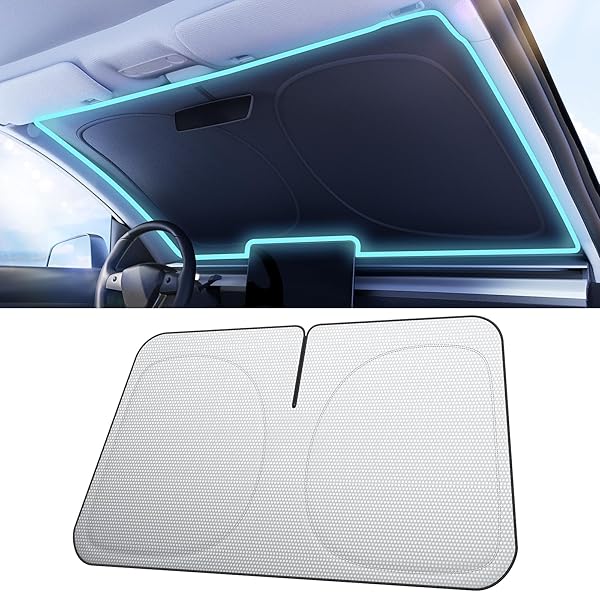
NMOISS CAR WINDSHIELD SUN SHADE [DOT MATRIX REFLECTIVE...
NMOISS CAR WINDSHIELD SUN...

HUGGIES SIZE 2 DIAPERS, LITTLE SNUGGLERS BABY DIAPERS,...
HUGGIES SIZE 2 DIAPERS,...

OLD SPICE HIGH ENDURANCE PURE SPORT SCENT MEN’S...
OLD SPICE HIGH ENDURANCE...

5 HIGH-CAPACITY EMERGENCY WATER STRAWS – LIGHTWEIGHT, REUSABLE,...
5 HIGH-CAPACITY EMERGENCY WATER...
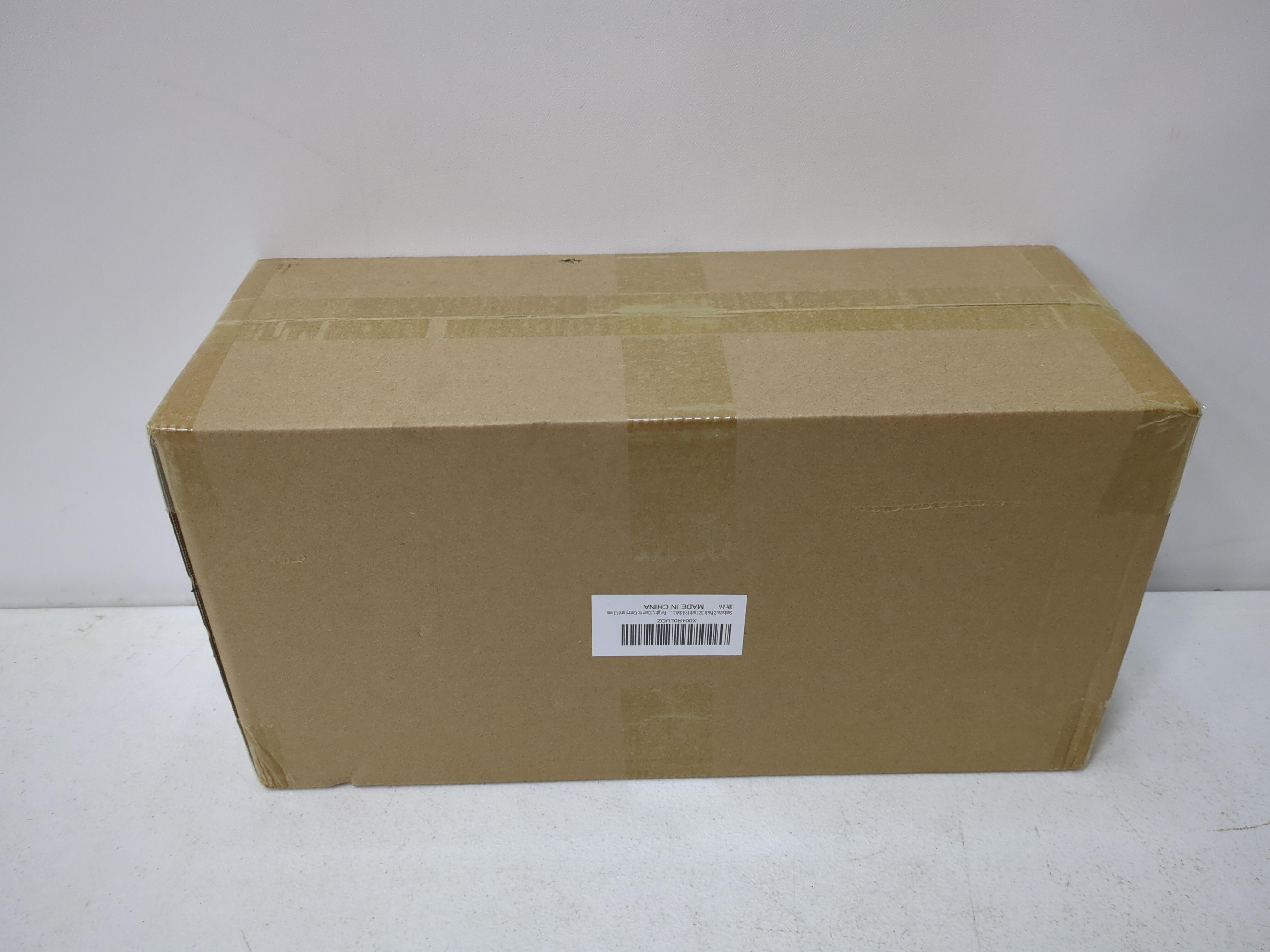
SUNBABA 2 PACK 32 INCH FOLDABLE DOG POOPER...
SUNBABA 2 PACK 32...

DIAL ANTIBACTERIAL BAR SOAP, REFRESH & RENEW, MOUNTAIN...
DIAL ANTIBACTERIAL BAR SOAP,...

KAMENSTEIN 16 JAR BAMBOO 3-IN-1 SPICE ORGANIZER FOR...
KAMENSTEIN 16 JAR BAMBOO...
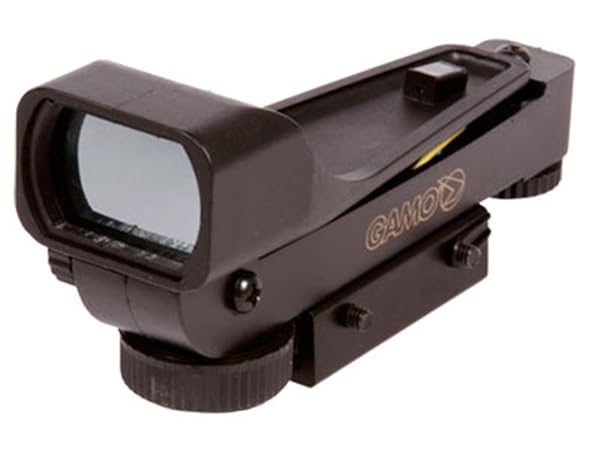
GAMO, 6212046154 ELECTRONIC ILLUMINATED GREEN DOT SIGHT, 3/8...
GAMO, 6212046154 ELECTRONIC ILLUMINATED...
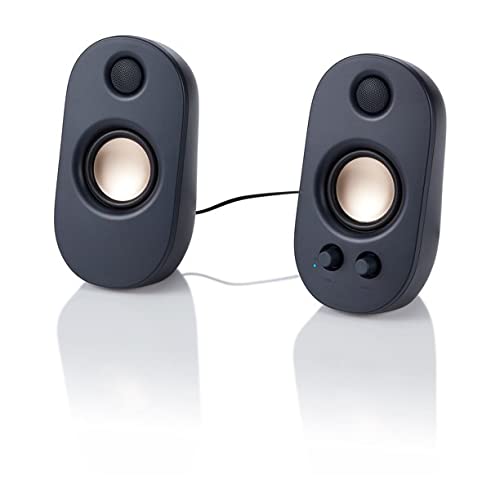
ONN. AC POWERED COMPUTER SPEAKERS WITH VOLUME –...
ONN. AC POWERED COMPUTER...
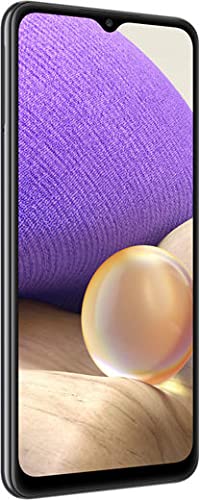
SAMSUNG GALAXY A32 5G, 64GB, PHANTOM BLACK –...
SAMSUNG GALAXY A32 5G,...
SAMSUNG GALAXY A32 5G, 64GB, PHANTOM BLACK –...
SAMSUNG GALAXY A32 5G,...

EARTH RATED LEAK-PROOF PEE PADS FOR DOGS AND...
EARTH RATED LEAK-PROOF PEE...

ARMOR ALL 2.5 GALLON 2 PEAK HP WET...
ARMOR ALL 2.5 GALLON...

MASTER OF PUPPETS (EXCLUSIVE BRICK ORANGE RED COLORED...
MASTER OF PUPPETS (EXCLUSIVE...
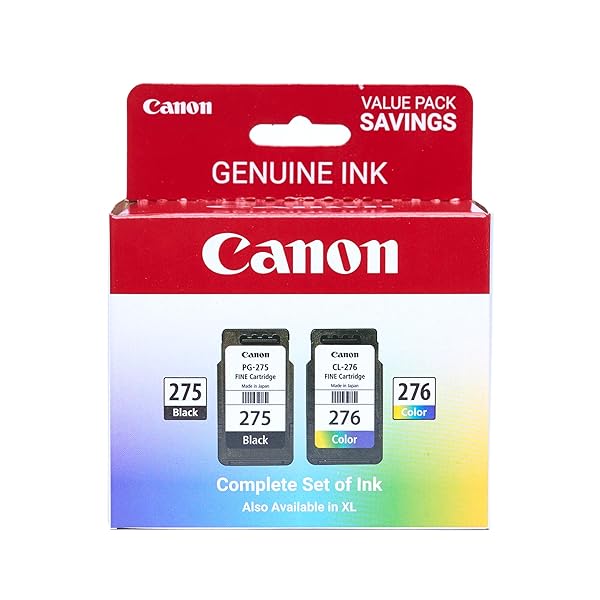
CANON PG-275 / CL-276 GENUINE INK VALUE PACK...
CANON PG-275 / CL-276...

JILL ZARIN 36″ ELEGANT ROUND METAL WALL MIRROR...
JILL ZARIN 36″ ELEGANT...
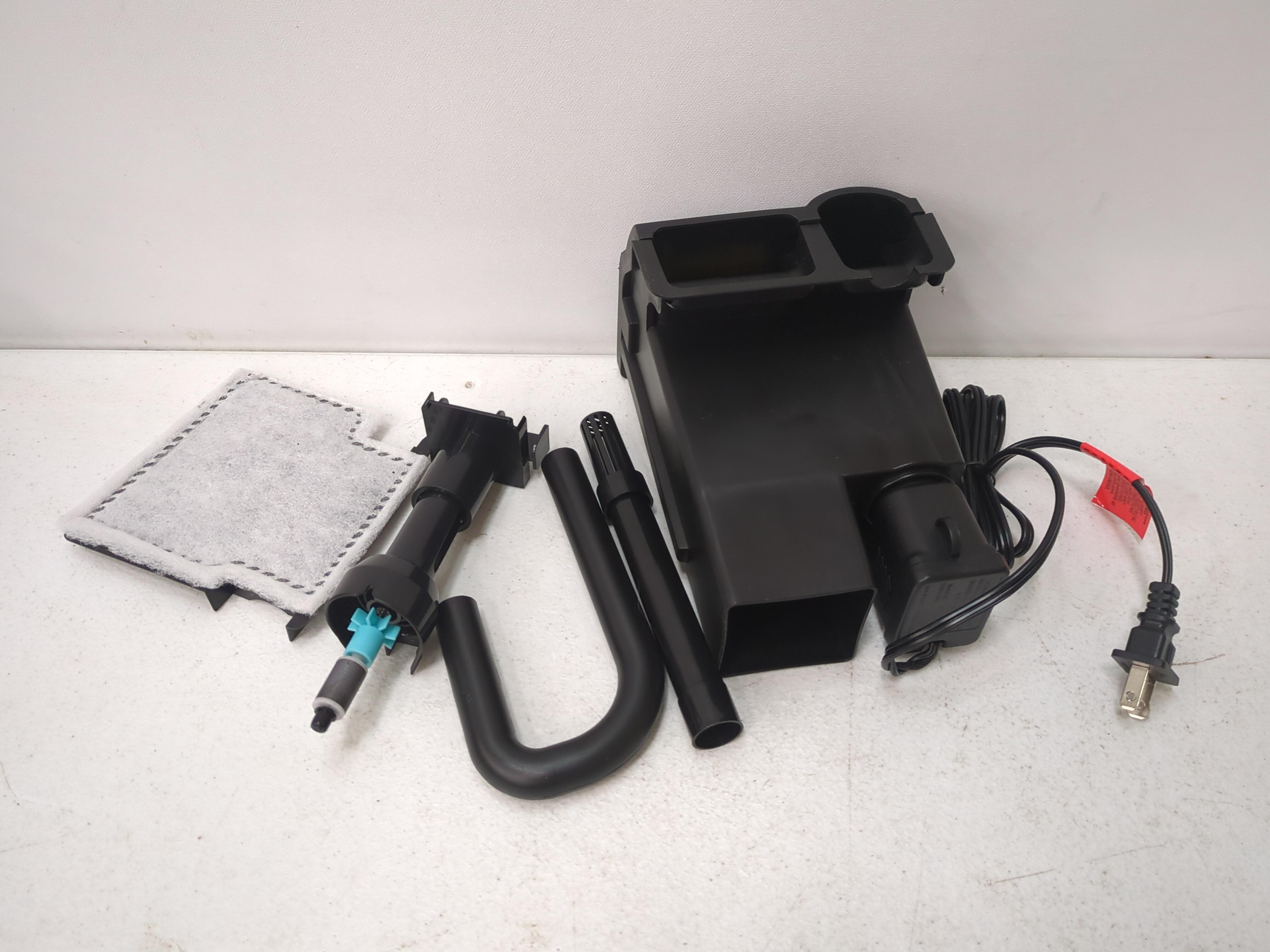
VIBRANT LIFE MEDIUM POWER FILTER (FOR 5–10 GALLON...
VIBRANT LIFE MEDIUM POWER...
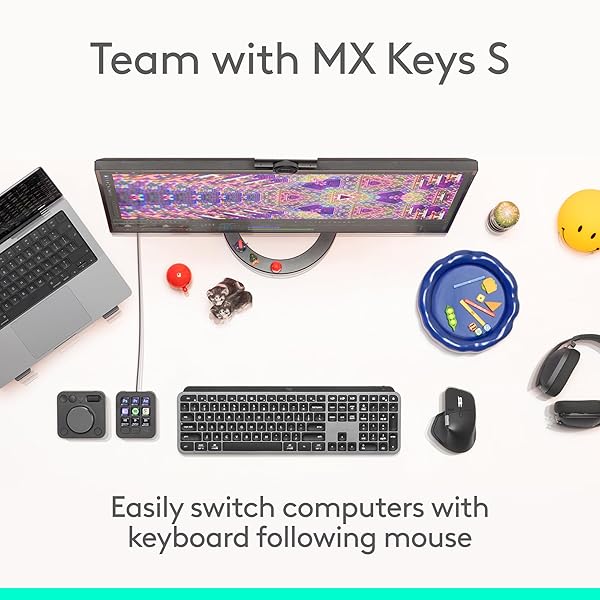
First thing: don't expect this mouse to change your workflow out of the box. You will need to tailor it to your use-case using the Logi-Options+ software.That said, this mouse has completely changed how I interact with my tasks. My workflow used to include dragging the mouse pointer, entering sub-menus, navigating different UI's, using the keyboard, rinse and repeat. Now, all of that is condensed to clicks and subtle flicks of the mouse. What used to take an hour in my workflow takes 15 minutes now.The haptics are really nice. I'm a tactile person, so getting feedback similar to a game controller is a really good data point for my brain.Battery life is excellent, considering all of the features. Big thumbs-up for being rechargeable via USB-C.Build quality seems pretty excellent. I will warn that it is heavier than average, though I think this is balanced by the fact that you'll be moving your mouse far less once configured to your liking.The context wheel is an incredible addition. Again, it adds actions that simplify navigation to a single hand's input. I consider the convenience added to be comparable to that of a Stream Deck. The Context Wheel also considers which program you are interacting with, and you can customize it for every individual program in wour workflow.The keyword here is customization. Every. Single. Program. You can have a totally different button layout for all of them, and it switches on the fly.You can also have it work for multiple PCs, switching between them with a manual switch on the bottom of the mouse, up to 3 units.Further, you can use Logi-Options+ on each PC to link them together, and the mouse can actively travel between the screens of each PC, enabling dragging and dropping of files. For someone who grew up in the 90's, it feels like sorcery; like it shouldn't be so easy to set up something like that.If anything ever happens to this mouse, I'll buy another same-day. There's no going back for me now. This is the only way I want to interact with my systems.
After using the MX Master 4 for a few days, I can honestly say this is one of the best mice I’ve ever owned. The ergonomic shape feels incredibly comfortable during long workdays, especially if you spend hours at a computer. The scrolling is smooth, the clicks feel premium, and the customization options make multitasking so much easier.The battery life is excellent, and switching between devices is seamless. It also looks very clean and modern on the desk. Definitely feels like a high-end productivity tool rather than just a basic mouse. Expensive? Yes. Worth it? Absolutely.
I have gone through many mice looking for one that feels 'just right'. This is it. The shape is perfect for my hand, the haptic feedback is nice, if not very useful to me, and the smoothness with which it moves across my pad is well worth the price alone. Nicely configurable in the Logi app.One note - It's fine for me, but this is a very large mouse.
I’ve used plenty of mice over the years, and this one immediately stands out for its build quality. It feels solid and substantial in the hand, with buttons that are quiet and smooth in a way that gives it a very refined feel. The haptic feedback turned out to be far more intuitive and useful than I expected, and the action rings were a surprise feature I didn’t know I’d appreciate until I tried them.That said, the price is definitely on the high side, and it stings a bit considering the lack of onboard memory for storing settings. The limited number of predefined application profiles also makes the setup feel a little more manual than it should be for a premium device.What I Liked• Excellent build quality; feels premium and solid• Quiet, smooth buttons• Haptic feedback is surprisingly useful• Action rings add a unique and enjoyable control option• Overall experience feels well thought outWhat I Didn’t Like• The price is higher than I’d prefer• No onboard memory for settings• Very few predefined application profiles• Setup requires more tweaking than expected• Not the best value for casual usersCategory RatingsValue for Money: 5/10Quality: 8/10Matched Description: 9/10Final ThoughtsThis mouse delivers a premium experience and introduces features that genuinely enhance daily use. While the price and lack of onboard memory hold it back from perfection, it’s still a strong choice for anyone who appreciates high‑quality peripherals and doesn’t mind paying for them.
It was the winter of the endless scroll, when the days in River Grove stretched thin and pale as old parchment and the light from the monitor became the only sun we knew, that my old mouse—poor, faithful thing—began its slow betrayal. Clicks faltered like the last breath of a dying Rohirrim steed; the wheel spun loose and reckless, sending spreadsheets cascading into chaos as though the very order of Middle-earth had unraveled; the cursor wandered with the aimless grief of a man who has lost his king. I sat there in the dim room above the garage, wrist aching like the shoulder that once bore the weight of Andúril, staring at the screen while deadlines crept closer, silent and inexorable as the shadow over Mordor.Then the Logitech MX Master 4 arrived, graphite-dark as the armor of Isildur’s line, shaped not for haste but for endurance, its curves rising like the hills of the Shire remade for the hand of a weary scribe. I took it up and felt the weight settle—not heavy, but certain, as though the mouse itself understood the gravity of long labor. The MagSpeed wheel turned under my thumb with the smooth inevitability of the Anduin in flood, ultra-fast when the document must race to its end, precise when a single pixel demanded mercy. The haptic feedback thrummed beneath my fingers like the deep pulse of the earth when the Ents march—subtle, insistent, alive. Every scroll, every gesture carried the quiet authority of a thing forged to outlast lesser tools.It paired without ceremony—Bluetooth to the laptop, Logi Bolt to the desktop—crossing between machines as swiftly as the Eagles bore Gandalf from the tower, no fumbling, no oaths sworn in frustration. The side buttons waited like loyal vassals: one to summon the hidden application switcher, another to gesture across screens as though drawing maps of realms unseen. The gesture button itself became my quiet command—thumb pressed, fingers sweeping, and windows arranged themselves in obedient array, the way the hosts of the West might have arrayed themselves upon the Pelennor Fields. And when the battery whispered low, the USB-C cord drank from the wall like a pilgrim at the fountains of Imladris, three hours of life from a single minute’s charge.I have worked with it now through the gray mornings when the snow muffled every sound outside, through the late nights when the house slept and only the cursor moved, through the sudden urgent revisions that once would have left me cursing the heavens. It does not slip. It does not tire. It endures, as the light of Eärendil endures above the storm, a small fierce companion against the gathering hours.If your days are measured in documents and deadlines, in the slow turning of wheels both literal and metaphorical, take this MX Master 4. It is not mere plastic and circuit; it is covenant between hand and machine, a shield against the tedium of the long watch, the fellowship your desk has hungered for in its quiet exile.Ten stars out of five, though the heavens ration light to fewer. I would carry it into the Cracks of Doom itself and fear no misclick.🖱️🧙♂️📜🌑
Excellent mouse that feels like it was designed for someone who works at their computer all day. It installed easily after I plugged in the USB receiver. The wheel is adjustable to spin by clicks or freely, and the mouse buttons are responsive and easy to press. It glides easily across the mousepad. The side buttons are programmable and there's a thumb scroll as well, although I don't use them. The shape of the mouse does help keep the wrist neutral, but I find that I still need a wrist rest. Switching between computers involves clicking the button on the bottom of the mouse.
Very good computer mouse. Originally I had a basic logitech bluetooth mouse, but this one is legit. My workflow improved and is much more efficient and smooth. I can easily navigate around any screen I'm on and since actions like the infinity scroll and side scroller literally make actions I want to do faster, I find that I'm getting more done in a shorter amount of time. My forearm and hand were a little sore on the first day but that quickly went away the next day and I never noticed it again. The battery inside this computer mouse holds a charge forever too. Love this thing.
I've upgraded from the Logitech Marathon M705 mouse to the Logitech MX Master 4. While there are some clear benefits to the new mouse, there are also some significant drawbacks.COMFORT:This is where the MX Master 4 falls short! It's shape comes to a point directly beneath your index finger's knuckle. It constantly presses into your hand and is VERY UNCOMFORTABLE! Logitech clearly favored form (the look) over function (the usability) on this mouse design. After a few weeks, I'm getting used to it (e.g., I tolerate it).Also, the placement of the custom, forward, and back buttons feels poorly designed. The M705 is MUCH better with the back and forward button right above your thumb and the custom button at the bottom. After weeks of using the MX Master 4, I am still not used to the position of these buttons. Again, Logitech favored looks over usability on this.PRECISION:This is where this mouse shines. I always thought my M705 was fairly precise, but still struggled a bit to make fine adjustments, such as moving to a specific pixel when taking a partial screenshot. However, the MX Master 4 is noticeably more precise. Movements across the screen are great. But when I need to precisely move it to a pixel, it is easier than the M705 is.FEATURES:This is another area this mouse really shines in. It uses the Logi Options app to control its settings (unlike SetPoint on the M705). There are tons of features available for controlling every button and scroll wheel. The M705 already had pretty good mouse button customization, but the MX Master 4 brings it to a whole new level.HORIZONTAL SCROLL WHEEL:The horizontal scroll wheel is the primary reason I bought this mouse. I want to be able to glide across wide Excel spreadsheets and other wide apps. The horizontal scroll wheel is "okay". Mechanically the wheel is fine (although it does have just a tiny bit too much resistance). However, software is where it fails on this feature. When scrolling side to side, it "jumps" instead of smoothly scrolling across. I find that I can click and drag the horizontal scrollbar and get smooth side-to-side scrolling. But using the horizontal scroll wheel, it's not a smooth movement. It's more similar to using keyboard presses to jump right and left. This clearly appears to be lack of software control. Hopefully this is fixed in the future.VERTICAL SCROLL WHEEL:Excellent! The M705 already had an amazing metal scroll wheel. The MX Master 4 made it better. It feels like it has more mass, which allows for longer freewheel scrolls. You can flick your finger across that wheel and scroll for a long while (much more than the M705). Then, Logitech did some magic with an electronic click/freewheel activation button. The M705 has a mechanical button that toggles between click and freewheel. The MX Master 4's toggle button seems to be electronic. The click mode on the scroll wheel is very smooth (much smoother than the M705). Even with click engaged, you can flick the scroll wheel and get it to roll for a second or two. This is very nicely done.However, there appears to be some bug with the mouse's control because the scroll wheel will randomly switch back and forth between click and freewheel. It's not doing it because I'm in one app versus another. On any app, it will randomly switch to click and back to free wheel. Because the click mode is so smooth, it's not that annoying when it does it. But hopefully, Logitech will fix this soon.HAPTIC FEEDBACK:This feels like a gimmick. First, none of the apps I use support haptic feedback (and probably never will), as I use it primarily for business (MS Office, etc.). I had it set to tick whenever I moved my mouse from one monitor to the next, but I found that very annoying and distracting. I completely disabled haptic feedback. I imagine there may be some use cases where haptic feedback will be helpful for some, but I can't think of any.ACTION RING:I have mixed feelings about the action ring. I tried using it as Logitech suggested on Adobe Lightroom to edit some photos. I found it to be rather clunky and more of a distraction than a time saver. I do have a couple of things pinned to the action ring, but I find it not very practical.Another magical thing Logitech did with the action ring is allow you to adjust how firmly you need to press for it to click. Not sure how they did it, but it's nice... it would probably be nicer if I actually used the action ring.OVERALL:If this were a first iteration of this mouse, I'd say it's magnificent! However, considering it's the fourth iteration and costs about $120, it's a bit disappointing. Not because of functionality, but because of design choices Logitech made -- it is uncomfortable to use, buggy with the scroll wheel switching between click and freewheel, lack of smooth horizontal scrolling. I expected it to be a bit more refined. I'm not sure I'd recommend it. Perhaps the MX Master 3S might be a better choice.
big upgrade from my old mx master 2s that lasted me a good 4 years. huge plus for me is the quiet clicks and it feels sort of lighter? compared to the 2s. im still getting used to the slightly adjusted design but its overall a great buy for my productivity needs.
I’m very happy with this mouse, which I use for both work and gaming. It has a comfortable design that fits naturally in my hand, even during longer sessions, and it strikes a great balance in weight - not too heavy, but still solid and well built. All of the buttons are responsive and function reliably, and the scrolling is smooth and precise.One of the standout features for me is how quiet it is. The clicks are soft and subtle, which makes a noticeable difference when working in quieter environments or during late night use. The action button is also a really useful addition, adding extra convenience and flexibility depending on how you set it up.Overall, it’s a well designed, dependable mouse that performs consistently across different uses.
Excelente
Veio bem embalado. E o mouse funcionou como deveria.
The best mouse and for my purpose used for my music studio. It integrates so well with my plugins and Cubase. A great investment for any music production studio. Lesley
-
Brand
Logitech -
Color
Graphite -
Connectivity Technology
Bluetooth, Radio Frequency, USB -
Special Feature
Lightweight, Programmable Buttons, Rechargeable, Soundless, Wireless -
Movement Detection Technology
Optical -
Additional Features
Lightweight, Programmable Buttons, Rechargeable, Soundless, Wireless -
Movement Detection
Optical -
Button Quantity
7 -
Hand Orientation
Right -
Compatible Devices
Laptop, Personal Computer -
Operating System
Android, Chrome OS, Linux, Windows, iPadOS, macOS -
Battery Average Life
70 days -
Number of Batteries
1 AA batteries required. (included) -
Hardware Platform
Mac, PC -
Power Source
Battery Powered -
Mouse Maximum Sensitivity
8000 Dots per Inch -
Minimum Required Operating System Version
Android 12.0, ChromeOS 137, Mac OS 12 Monterey, Windows 10, iOS 15 -
Range
10 -
Embellishment Feature
LED -
Style Name
Ergonomic -
Pattern
Mouse -
Model Name
Logitech MX Master 4 -
Antenna Location
Education, Gaming, Home, Office, Personal -
Model Number
910-007558 -
Built-In Media
Logitech MX Master 4 Mouse, User Documentation -
Are Batteries Included
Yes -
Are Batteries Required
Yes -
Manufacturer
Logitech -
UPC
097855207623 -
Mfr Part Number
910-007558 -
Warranty Description
2 Year Limited Hardware Warranty -
Best Sellers Rank
#13 in Computer Mice -
ASIN
B0FC5SJNQX -
Unit Count
1.0 Count -
Enclosure Material
Plastic -
Finish
Matte -
GTIN
097855207623 -
Recent Sales
10K+ bought in past month
Buyer’s Premium
A 15% buyer’s premium will be added to the sale price of all purchases.
Store Auction Lots Condition
All items are uninspected and the condition is unknown unless otherwise explicitly stated. Items labeled as “Open Box” may have been previously opened, handled, returned, or repackaged. Packaging may be damaged, incomplete, or missing, and items may show signs of handling or cosmetic wear. Items are not tested unless specifically noted. Individual items are available for inspection at Korting Outlet located at 159 1st Court, Grand Rapids, Michigan 49534 during store hours.
The highest bids serve as legally binding contracts, and all sales are considered final. Items are sold on an “as is” basis, without any guarantees, warranties, or the possibility of refunds, whether written, expressed, or implied. The operational condition of an item may not be known or listed in the item description. While we may provide information on the condition of some items, including items marked as “New,” such information is not guaranteed.
All items are sold with all faults and without any warranty, whether expressed or implied, regarding merchantability or fitness for a particular purpose. The sale is conducted on an “as is, where is” basis with all faults. Buyers are strongly encouraged to physically inspect items before placing bids during the inspection period. Once submitted, bids cannot be withdrawn before, during, or after the auction for any reason.
The buyer acknowledges that these terms, along with other terms outlined below, can only be amended or revised in writing, signed by the auctioneer. Any representations made by Korting or its agents do not alter these “as is, where is with all faults” terms. Descriptions provided on products or through advertising, including condition labels such as “New,” are not guaranteed, and buyers rely solely on their own inspection. While information in sale advertising is believed to be accurate, Korting assumes no responsibility for errors or omissions.
Auction Closing Times
Posted closing times are in Eastern Time and may be extended through dynamic bidding. Dynamic bidding extends the auction close time until there are five minutes without bidding activity. Korting reserves the right to close early or extend auctions at its discretion.
Payment
Payments will be processed through Stripe.
Refund Policy
Due to the nature of liquidation merchandise, returns are accepted only under the following circumstances:
- Wrong item received
- Major undisclosed damage that significantly affects functionality or value
- Item arrives nonfunctional or dead on arrival (unless listed as untested, for parts, or salvage)
- Missing critical components necessary for basic operation that were not disclosed in the listing
- Counterfeit items or items materially different from the listing description
The following conditions are not eligible for return or refund:
- Buyer’s remorse or accidental purchases
- Minor cosmetic wear, scratches, dents, scuffs, or signs of prior handling
- Damaged, worn, or missing retail packaging
- Compatibility issues with buyer equipment, software, or intended use
- Missing non-essential accessories, manuals, inserts, cables, or packaging materials unless specifically stated in the listing
All return requests must be submitted within 72 hours of delivery and include clear photos and/or video documentation of the issue. We reserve the right to deny returns that do not meet the above criteria.
.
Sales Tax
All orders are subject to the 6% Michigan sales tax. Tax-exempt buyers must have a current tax-exempt certificate on file before sales tax can be removed from an invoice.
Failure to Pay or Remove Items
Korting reserves the right to charge a 15% non-refundable restocking fee for items not paid for and picked up within seven days of the auction closing. Such items will be considered abandoned and forfeited to Korting. Korting may resell any abandoned or forfeited items.