

CONDITION: Tested Working
Item has been tested and confirmed working for its main function. Packaging may be open or missing and item may have minor cosmetic wear.
Returns Accepted
We accept returns under specific cicumstances.
See return policy for details
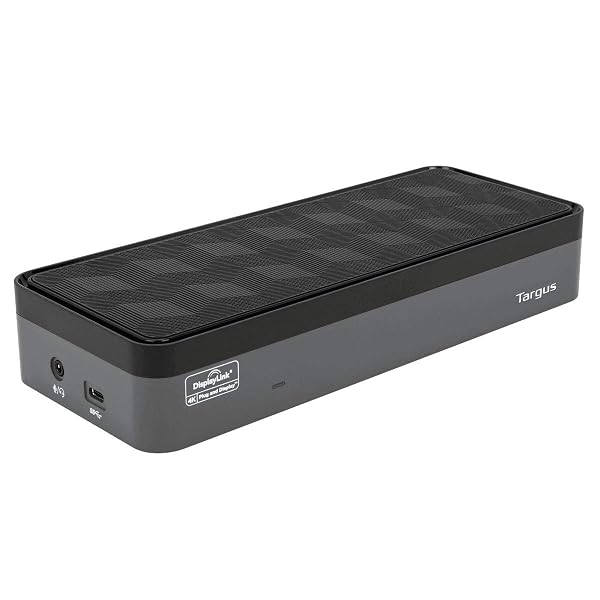
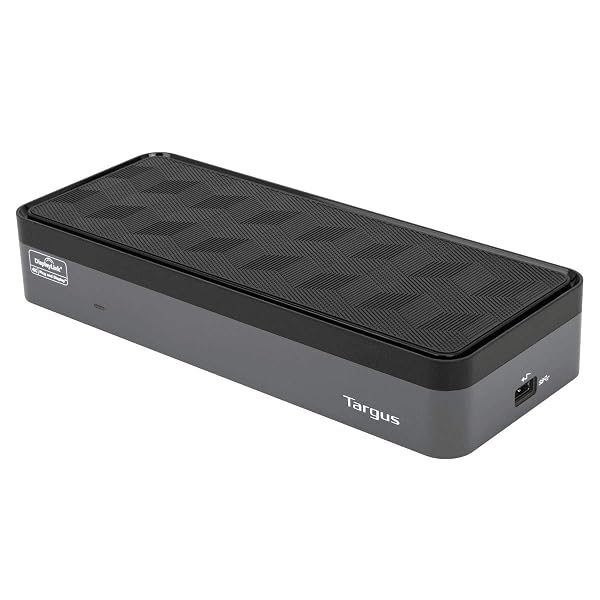
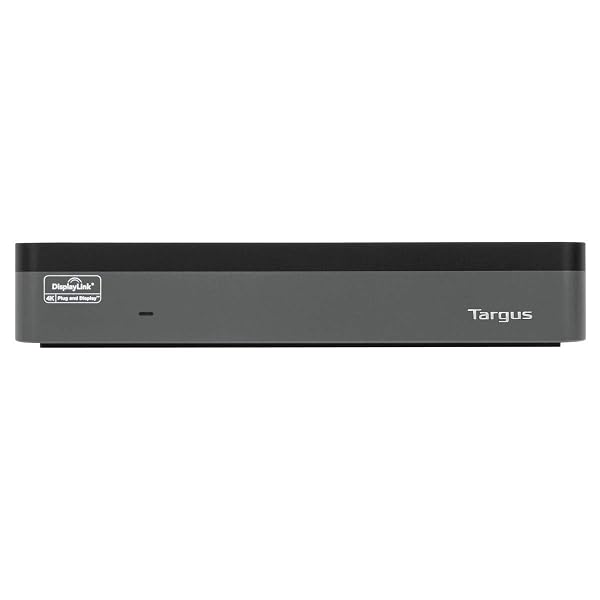
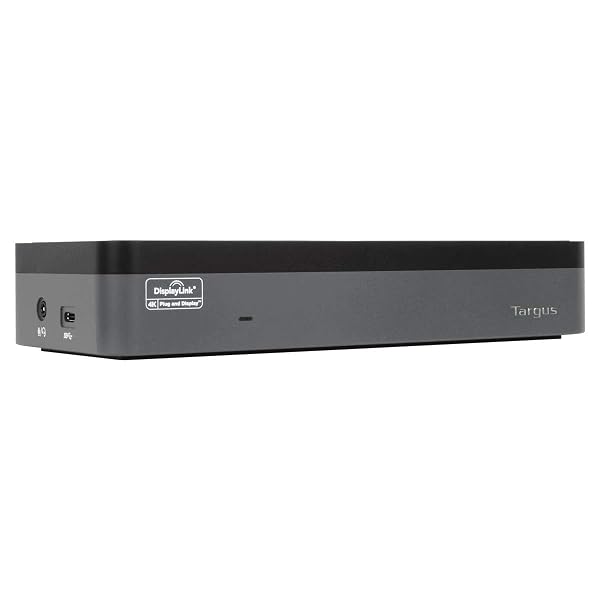
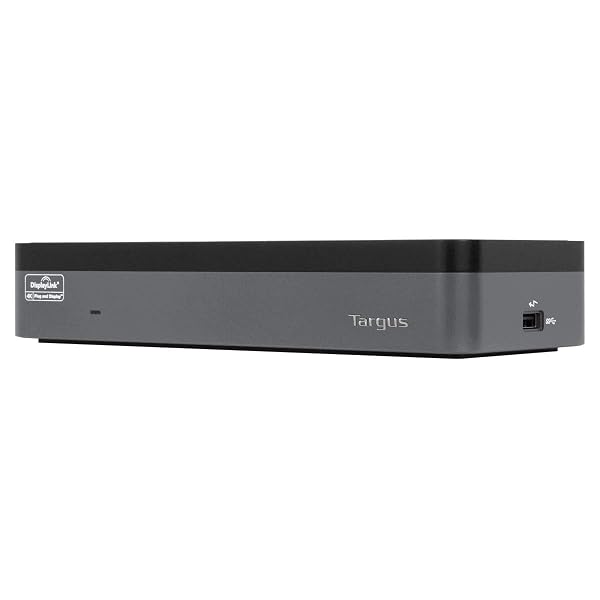
TARGUS USB-C UNIVERSAL QUAD 4K (QV4K) DOCKING STATION WITH 100W POWER DELIVERY, BLACK (DOCK570USZ)
TARGUS USB-C UNIVERS... see more >
 Tested Working
  Returns Accepted
Bidding Starts At
$45.99
Create an account to place a pre-bid
Already have an account? Log in here
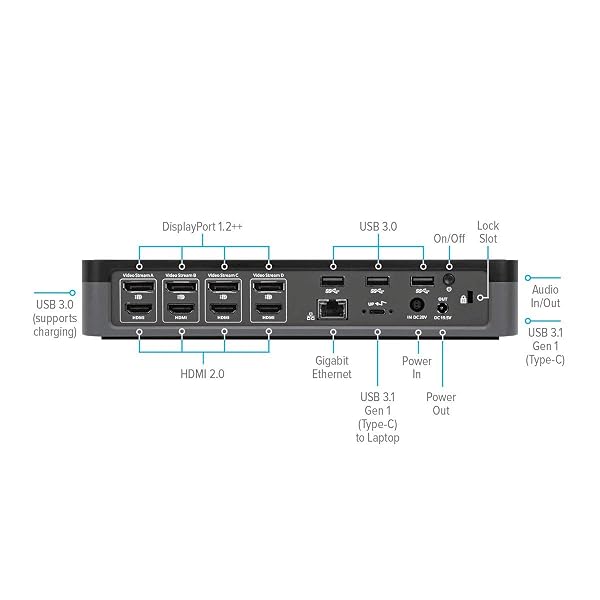
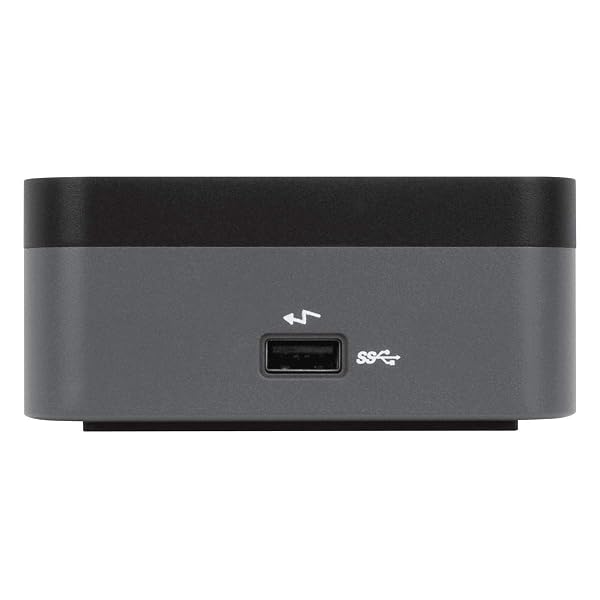
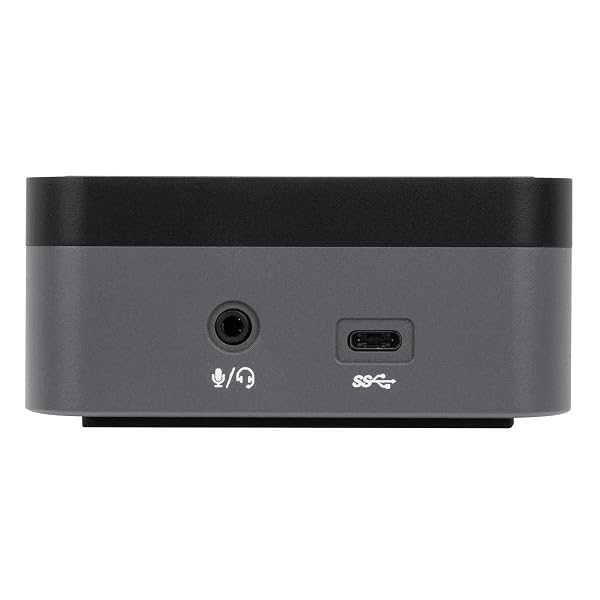
Meet the first enterprise-class universal docking station to deliver 100W of power via USB-C while supporting up to four 4K extended displays. Ideal for large enterprises – the Universal USB-C Quad 4K Docking Station with 100W Power Delivery maximizes workstation views while keeping your device powered. When it comes to choosing a USB C docking station dual monitor compatible, this dock outshines the rest. A great Windows or Mac docking station dual monitor capability will deliver the monitor quality you expect from Targus. Dual DisplayLink DL-6910 chip technology supports up to four DisplayPort (3840 x 2160 p60) or HDMI (3840 x 2160 p50) displays. The numerous additional USB ports connect essential peripherals, while the Gigabit Ethernet network ensures a reliable connection to your wired network. Charging tips and a USB-C to USB-A adapter are included to make this dock compatible with a variety of legacy laptops from major brands. These additional ports make this the dock that beats all other docks. You'll have all the connectivity you want to keep you satisfied for year. Plus when you buy a Targus product, you get our 3 year limited lifetime warranty. This means we've got you covered. With a universal docking station, you can go from laptop to desktop with a single USB connection. Thanks to the power and versatility of USB-C, you can connect your accessories, including peripherals and monitors. And with Targus, you get docking stations fully-tested for a wide variety of platforms and operating systems. You can be confident our docks will be compatible with your workstation! Not only is it compatible with your workspace, it transforms it. If you’re trying to connect to external monitors and peripherals with just your laptop, you’ll get a mess of wires that clutter your workspace. With Targus docking stations for both Mac and PC computers, your desk becomes composed and organized.
View more auctions

BOROHOUSE 5-PACK BOROSILICATE GLASS CONTAINERS WITH TEMPERED LIDS,...
BOROHOUSE 5-PACK BOROSILICATE GLASS...

SKYN ELITE – 36 COUNT – ULTRA-THIN, LUBRICATED...
SKYN ELITE – 36...

MUSCLETECH GLUTAMINE POWDER | 100% PURE L GLUTAMINE...
MUSCLETECH GLUTAMINE POWDER |...

RAZUHU CREATINE MONOHYDRATE GUMMIES 4G PER SERVING, CREATINE...
RAZUHU CREATINE MONOHYDRATE GUMMIES...

BOMBROOSTER 2 PACK UPF 50+ MENS SWIM SHIRT...
BOMBROOSTER 2 PACK UPF...
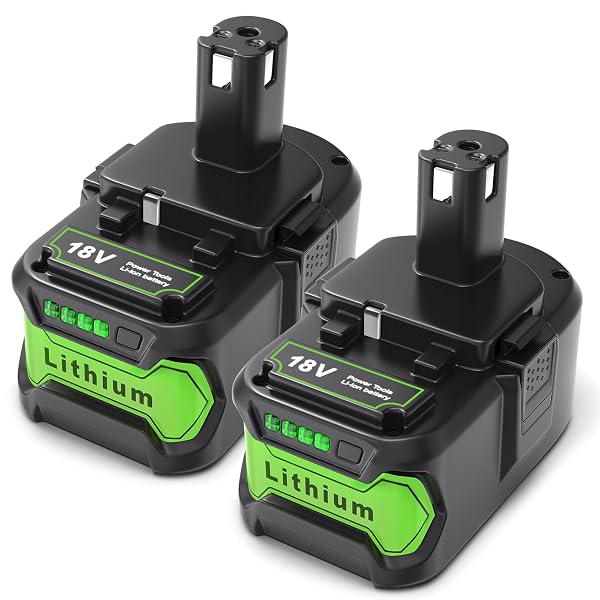
YPLFANHAND 18V BATTERY REPLACEMENT FOR RYOBI BATTERIES: 2PACKS...
YPLFANHAND 18V BATTERY REPLACEMENT...
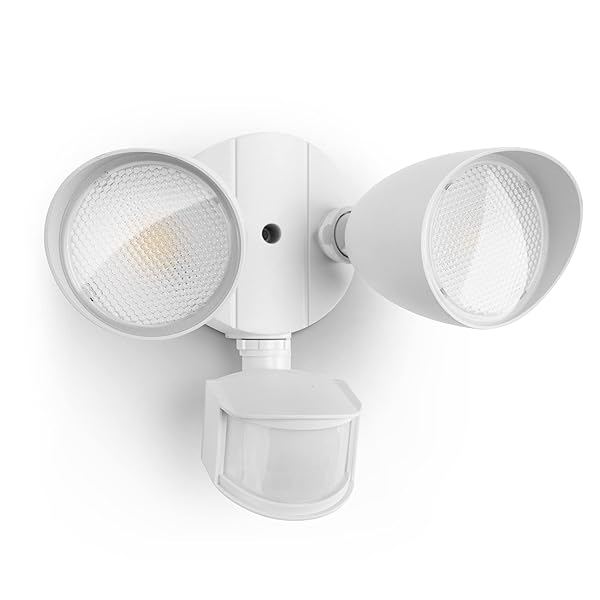
LUTEC 32W 3500 LUMEN LED SECURITY LIGHTS MOTION...
LUTEC 32W 3500 LUMEN...

CLEARBLUE MENOPAUSE STAGE INDICATOR, 5 CT
CLEARBLUE MENOPAUSE STAGE INDICATOR,...

DULCOLAX STIMULANT LAXATIVE MEDICATED SUPPOSITORIES, PREDICTABLE & EFFECTIVE...
DULCOLAX STIMULANT LAXATIVE MEDICATED...

AMAZON BASIC CARE CLEARLAX POLYETHYLENE GLYCOL 3350 POWDER...
AMAZON BASIC CARE CLEARLAX...
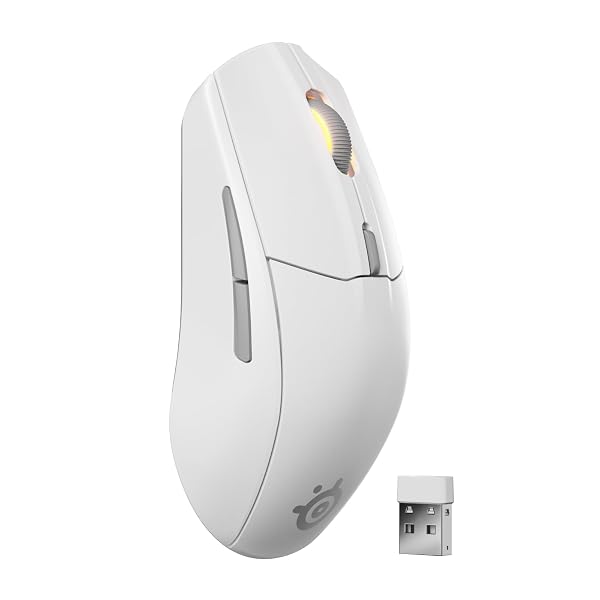
STEELSERIES RIVAL 3 WIRELESS GEN 2 GAMING MOUSE...
STEELSERIES RIVAL 3 WIRELESS...

PETARMOR PLUS FLEA AND TICK PREVENTION FOR DOGS,...
PETARMOR PLUS FLEA AND...

HYDROGEN WATER BOTTLE, H2 CERTIFIED SPE/PEM TECHNOLOGY, UP...
HYDROGEN WATER BOTTLE, H2...

PENNINGTON SMART SEED SUN AND SHADE GRASS MIX...
PENNINGTON SMART SEED SUN...
PENNINGTON SMART SEED SUN AND SHADE GRASS MIX...
PENNINGTON SMART SEED SUN...
PENNINGTON SMART SEED SUN AND SHADE GRASS MIX...
PENNINGTON SMART SEED SUN...
PENNINGTON SMART SEED SUN AND SHADE GRASS MIX...
PENNINGTON SMART SEED SUN...

ANLEWO HYDROGEN WATER BOTTLE GENERATOR WITH SPE/PEM TECHNOLOGY,...
ANLEWO HYDROGEN WATER BOTTLE...

GERBER OATMEAL AND BARLEY APPLE CINNAMON CEREAL, TODDLER...
GERBER OATMEAL AND BARLEY...
GERBER OATMEAL AND BARLEY APPLE CINNAMON CEREAL, TODDLER...
GERBER OATMEAL AND BARLEY...
Ordered this docking station as the reviews were mostly good and I was looking to be able to hookup another monitor to have 4 in total. I ordered this used-like new and have no regrets, it was very well packaged and arrived quickly. Setup was easy and I had all my monitors up and running in minutes without issue. I do data archiving for my job and the more screens the better. If you’re on the fence about ordering this docking station, don’t be. Very happy with my purchase and would order again if ever needed.
No complaints which says a lot. I went through multiple different types. All claim to be the best & easy plug n play but this is by far my favorite. Operating 5 monitors, color printer, label printer, HD streaming camera, web interface phone, etc without a single issue.
I gave the Targus 570USZ Dock 5 Stars since I bought my first one over a Year ago after I went through 4 other Docking stations and most of them wouldn't support 3 - 4K 200hz screens without having connectivity issues or poor picture quality, let alone running 4 - 4K 200hz screens and having my laptop as a fifth monitor for watching my emails or Teams meetings!!! After running this setup at home with 4 - 34" curved ultrawide screens for around a year and a half, I decided I wanted this setup using 4 - 30" Ultrawide Curved screens and my Laptop at work as I was so used to multi-tasking with it and having NO ISSUES whatsoever!!! I've had many compliments on this setup and have had few try to copy it and then ask "What Docking station are you using to do that?!?!?" Then I point them in the direction of the Targus 570USZ to help them complete their mission. I still don't know of anyone who's had an issue with this Dock yet, and I charge my phones and tablets as well as my Laptop, with it while working all the time. No worries with this Dock, it will work for what you need, unless you need 6 monitors! But they probably have that in the works currently!
Let me start by saying this is the dock to end all other docks. This thing is a beast it is absolutely superior to all the other docks I have ever used. It displays 4 monitors in full 4k (if 4k is supported by monitors and PC) with no issues or degradation of one screen. My company laptop only has usb and ONE Display port. NO ISSUES. This docking station can use A single USB connector to the dock and the dock takes ALL THREE (up to four) Monitors and displays them effortlessly. Its magic. Even though my personal desktop can handle 3 monitors plugged directly to it I STILL use docking station because it is SO much easier then disconnecting every wire going between work and PC also all my peripherals can plug directly into docking station so i never have to move them. I am blown away.... seriously. A few issues1. My company does not and will not approve the drivers / software for dock --- this is OK though because dock works without needing to download software. Just takes a big of aggravation to set up display settings.2. LONGER CABLES ARE NEEDED!!!!USB/USB-C cable that is included to run between dock and PC for monitors is WAY to short. Contacted Targus and they do not suggest or sell a longer one. THIS IS A MAJOR ISSUE and has prevented me from using the Targus bracket to mount behind monitor.PC charging cable that is included so the dock can charge PC's is WAY to short. Again I Contacted Targus and they do not suggest or sell a longer one. This sucks but is avoidable because I can just use the devices charging cables.... but defeats the purpose of this feature and cable management.This would be PERFECT if they addressed the issue with longer cables over all i give this a 8/10 for those two issues
Agree with others no other docking station can be this docking station I am running 4 monitor without any issues using a thunder bolt usb C port on my laptop which is fully functional USB c port with no issues dell docking stations had my monitors flicking black every 30 mins. No longer an issue I am running 2 ultra wides and another monitor no issues
The Targus DOCK570USZ looked like a great all‑in‑one dock, but unfortunately, DisplayLink is not clearly advertised in the specs, and once I got it and connected it, I heard the same type of high‑frequency interference in my home studio setup that I have from using cheaper docking stations in the past.I tested different cables, outlets, and configurations, and the noise never went away. The dock works for general office tasks, but it’s not electrically quiet enough for anyone using an audio interface or studio monitors at home.This docking station is listed as "enterprise" grade, but that's clearly NOT the case if you evaluate design standards for consumer and enterprise grade products.Bottom line, if you have any kind of home studio or audio gear, this dock will cause problems that can't be remedied. Any docking station that uses DisplayLink will cause these issues.I am returning this item.
I've had this dock for about 3 weeks, and I haven't noticed any major issues. This is also my third dock. I've tried to run 3 1080p/4k monitors on 2 other docks, and there was weird lag, glitching, or screen flickering issues on all of them. Keep in mind, I'm using a M2 Macbook Pro. This is the best design for input/outputs, and it's performed the best. I was thinking multiple monitors weren't a good idea for macbook since I've been using a PC/dedicated graphics card output for my monitors prior to this; however, this dock so far hasn't had any issues. I hope it stays that way. If you can afford this dock and the other docks have let you down... get this dock... and get Rectangle Pro because that makes managing multiple monitors super easy (especially if you're coming from PC).
I have 2 laptops, Personal and Work, with 3 27-inch Monitors I use and some external hard drives. Was looking for a way to easily change between the Computers and this device was perfect. Both my laptop's are have a single type-C port. I have all three monitors (using HDMI connectors), an external hard drive, a mouse/keyboard USB, headphones, a flash drive, and iPhone charger all plugged into this docking station and they all work perfectly. When I want to switch between work and personal computer I just remove the one cord from the one USB-C and connect it into the port of the other laptop. That simple. I personally did not need to download software or anything for it to work either (Both laptops are Windows 11 based, one is a Lenovo, the other is an HP). This was worth every penny. Literally just need to manage one cord now to manage setups between laptops.*** NOW, if Targus could find a way to hook up both computers to their device at the same time, and manage the primary computer being used by the press of a button on that device, I would pay double for that***
Targus is the tank of docking stations. I've had to setup or troubleshoot so many coworkers docking stations in my career and never once had an issue with a Targus.It's plug-and-use. You plug your cords it, it powers on, it works immediately. Mine worked without a single issue for ~10 years. Both this Targus and my last Targus ten years ago came with adapters so it can connect to any laptop.Thank your for your reliability, Targus.
Delivery was really fast. Faster than expected date. Setup made using 4x HDMI to 27inch 2k monitors. No issues faced. Worked straight after plug in. Purchased 4 units. WIll configure others for 4xHDMI on 4k monitors next. Laptop used was Dell XPS17 and XPS 15 to Prism + monitors
Work well as expected. It provided what multiple docking stations (Dell, Lenovo, Plugable) failed to do. I was finally able to get my Dell Latitude 5440 to work with four Dell UltraSharp 27 4K USB-C Monitors
I tend to add lots of technology to my home and after buying one of these I was so happy with it that I setup a second location with four monitors. Please add a second input to the next generation so that two different devices can be connected instead of the need to swap when changing.
-
Brand
Targus -
Color
Black -
Hardware Interface
DisplayPort, Ethernet, HDMI, USB 3.0, USB 3.1 Type C -
Compatible Devices
Notebook -
Total USB Ports
6 -
Product Dimensions
3.5"L x 8.15"W x 1.69"H -
Number of Ports
6 -
Item Weight
1.5 Pounds -
Total HDMI Ports
4 -
Wattage
100 -
Total Usb Ports
6 -
Total Number of HDMI Ports
4 -
Smart Home Compatibility
Not Smart Home Compatible -
Item Dimensions L x W x H
3.5"L x 8.15"W x 1.69"H -
Global Trade Identification Number
00092636329662 -
UPC
092636329662 -
Manufacturer
Tragus -
Model Number
DOCK570USZ -
Mfr Part Number
DOCK570USZ -
Item Type Name
Docking Stattion -
Unit Count
1.0 Count -
Built-In Media
UNIV DOCK570 USBC QUAD 4K 100W GRY -
Warranty Description
3 year Manufacturer -
Best Sellers Rank
#5,935 in Computers & Accessories (See Top 100 in Computers & Accessories) #415 in Laptop Docking Stations -
ASIN
B07YHYWN1X -
GTIN
092636329662 -
Recent Sales
50+ bought in past month
Buyer’s Premium
A 15% buyer’s premium will be added to the sale price of all purchases.
Store Auction Lots Condition
All items are uninspected and the condition is unknown unless otherwise explicitly stated. Items labeled as “Tested Working” have been tested by Korting and confirmed to function for their primary intended purpose at the time of testing. Packaging may be open, damaged, or missing, and items may show signs of handling or cosmetic wear. Testing does not guarantee long-term performance or completeness of accessories. Individual items are available for inspection at Korting Outlet located at 159 1st Court, Grand Rapids, Michigan 49534 during store hours.
The highest bids serve as legally binding contracts, and all sales are considered final. Items are sold on an “as is” basis, without any guarantees, warranties, or the possibility of refunds, whether written, expressed, or implied. The operational condition of an item may not be known or listed in the item description. While we may provide information on the condition of some items, including items marked as “New,” such information is not guaranteed.
All items are sold with all faults and without any warranty, whether expressed or implied, regarding merchantability or fitness for a particular purpose. The sale is conducted on an “as is, where is” basis with all faults. Buyers are strongly encouraged to physically inspect items before placing bids during the inspection period. Once submitted, bids cannot be withdrawn before, during, or after the auction for any reason.
The buyer acknowledges that these terms, along with other terms outlined below, can only be amended or revised in writing, signed by the auctioneer. Any representations made by Korting or its agents do not alter these “as is, where is with all faults” terms. Descriptions provided on products or through advertising, including condition labels such as “New,” are not guaranteed, and buyers rely solely on their own inspection. While information in sale advertising is believed to be accurate, Korting assumes no responsibility for errors or omissions.
Auction Closing Times
Posted closing times are in Eastern Time and may be extended through dynamic bidding. Dynamic bidding extends the auction close time until there are five minutes without bidding activity. Korting reserves the right to close early or extend auctions at its discretion.
Payment
Payments will be processed through Stripe.
Refund Policy
Due to the nature of liquidation merchandise, returns are accepted only under the following circumstances:
- Wrong item received
- Major undisclosed damage that significantly affects functionality or value
- Item arrives nonfunctional or dead on arrival (unless listed as untested, for parts, or salvage)
- Missing critical components necessary for basic operation that were not disclosed in the listing
- Counterfeit items or items materially different from the listing description
The following conditions are not eligible for return or refund:
- Buyer’s remorse or accidental purchases
- Minor cosmetic wear, scratches, dents, scuffs, or signs of prior handling
- Damaged, worn, or missing retail packaging
- Compatibility issues with buyer equipment, software, or intended use
- Missing non-essential accessories, manuals, inserts, cables, or packaging materials unless specifically stated in the listing
All return requests must be submitted within 72 hours of delivery and include clear photos and/or video documentation of the issue. We reserve the right to deny returns that do not meet the above criteria.
Sales Tax
All orders are subject to the 6% Michigan sales tax. Tax-exempt buyers must have a current tax-exempt certificate on file before sales tax can be removed from an invoice.
Failure to Pay or Remove Items
Korting reserves the right to charge a 15% non-refundable restocking fee for items not paid for and picked up within seven days of the auction closing. Such items will be considered abandoned and forfeited to Korting. Korting may resell any abandoned or forfeited items.