
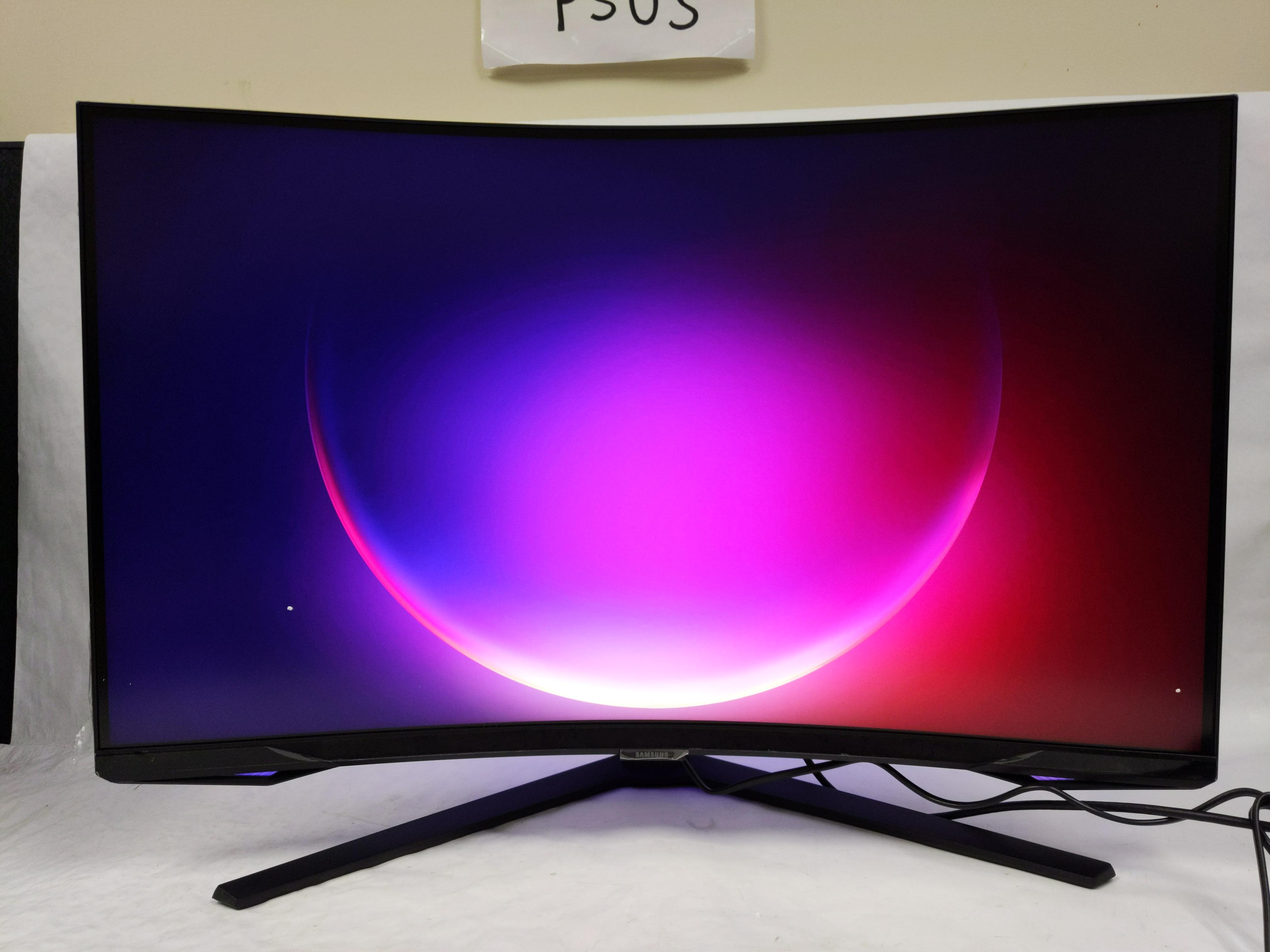
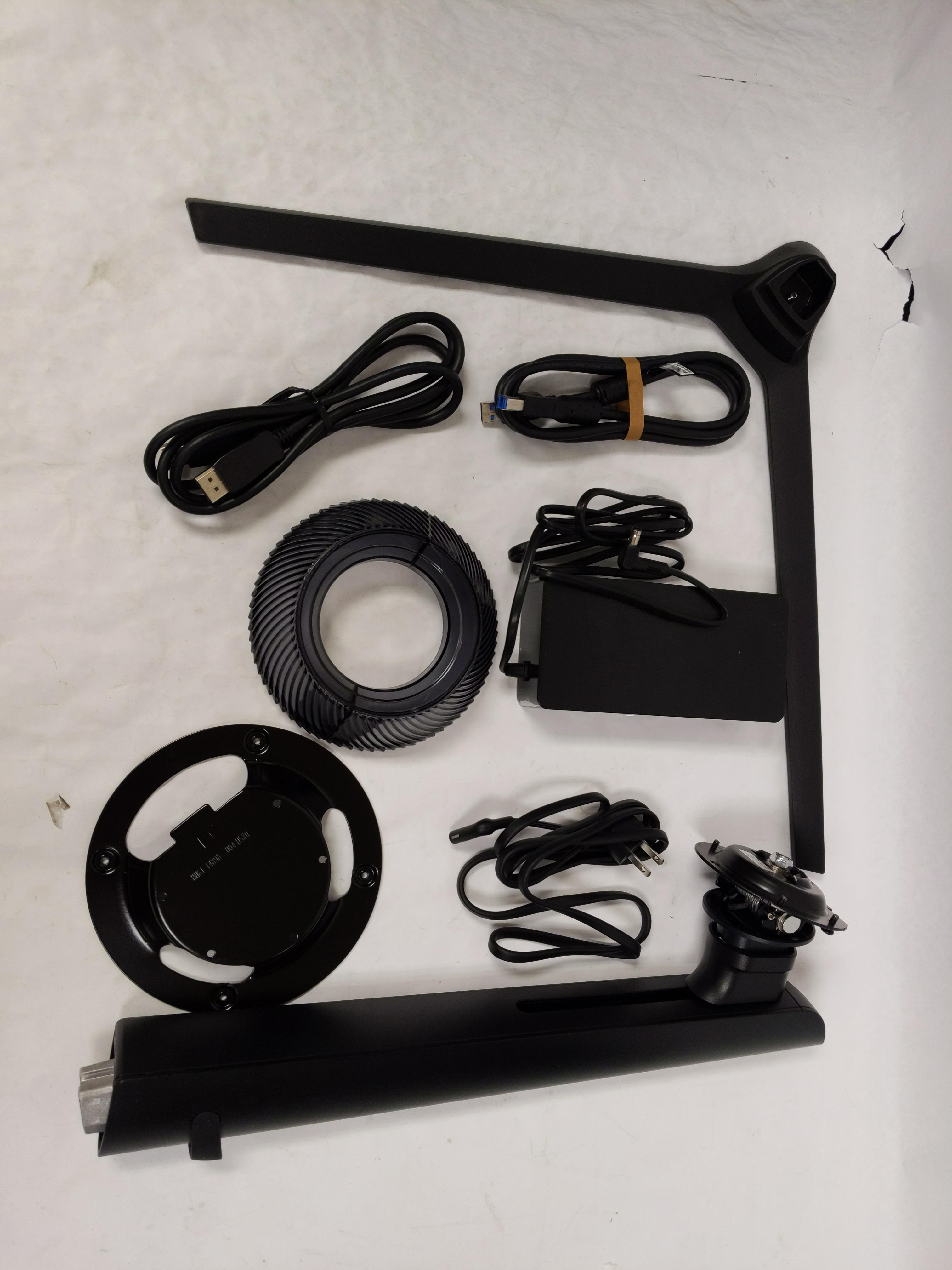
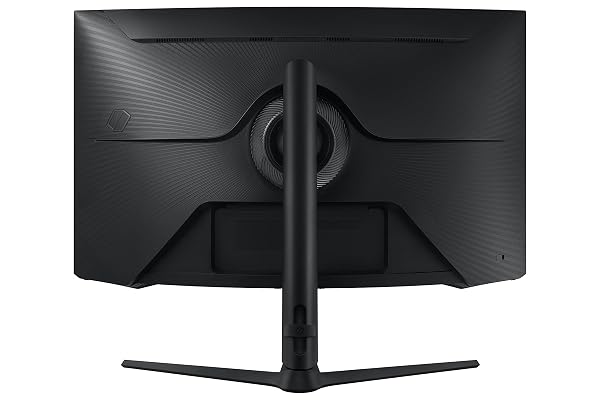
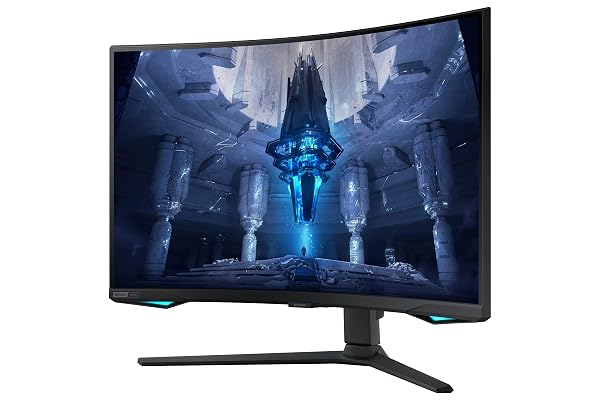
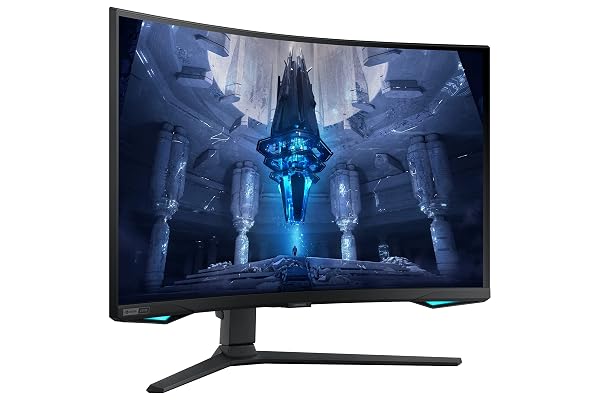
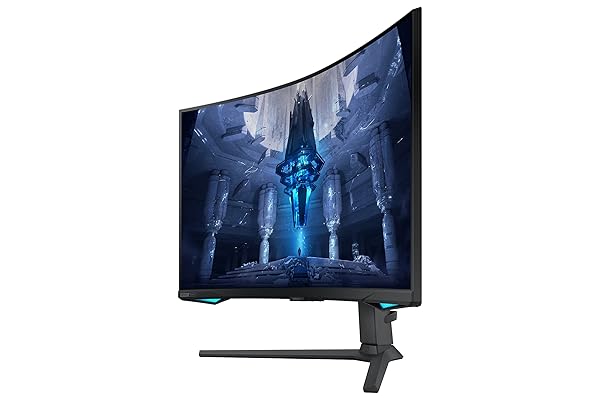
CONDITION: Tested Working
Item has been tested and confirmed working for its main function. Packaging may be open or missing and item may have minor cosmetic wear.
Returns Accepted
We accept returns under specific cicumstances.
See return policy for details
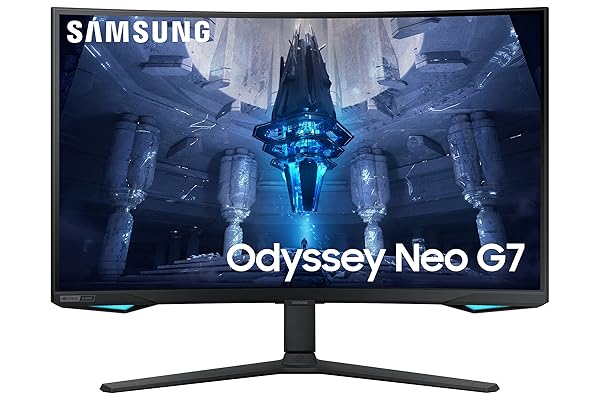
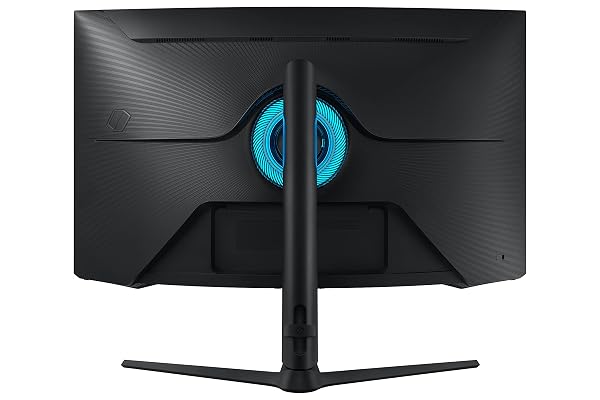
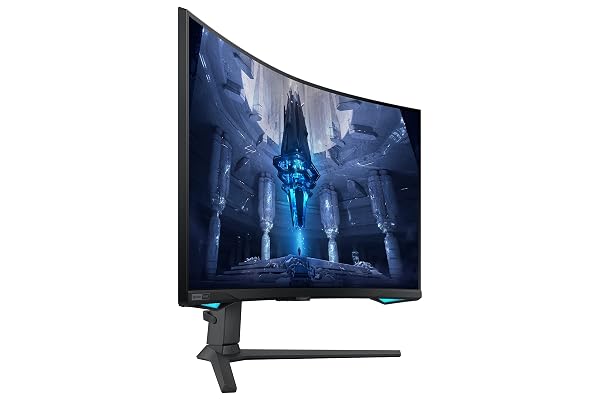
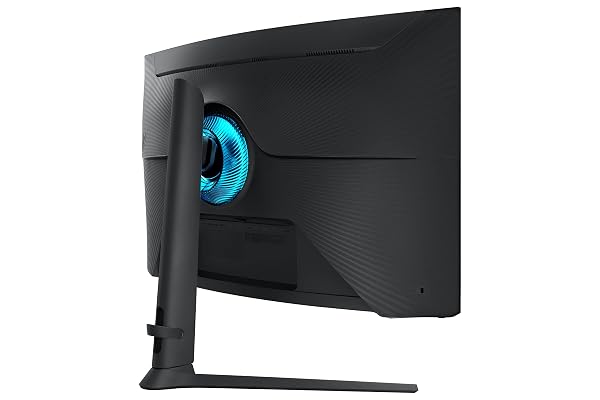
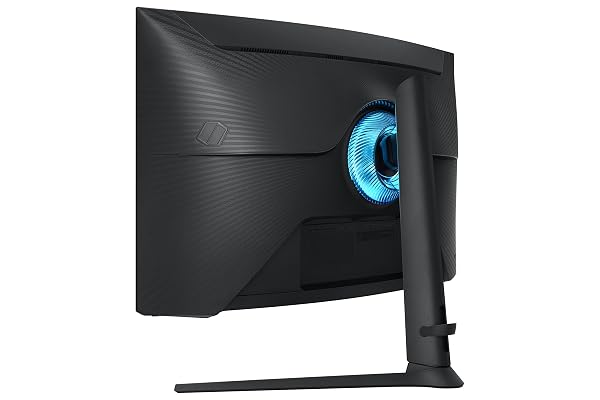
SAMSUNG 32″ ODYSSEY NEO G7 4K UHD 165HZ 1MS G-SYNC 1000R CURVED GAMING MONITOR, QUANTUM HDR2000, AMD FREESYNC PREMIUM PRO, ULTRAWIDE GAME VIEW, DISPLAYPORT, HDMI, HEIGHT ADJUSTABLE STAND, BLACK
SAMSUNG 32″ OD... see more >
 Tested Working
  Returns Accepted
Current Bid
$184.99
No bids yetThis auction has ended.
Quantum Matrix Technology, HDR 2000 and UHD resolution come together for a crystal clear picture. The G-sync compatible monitor has 165Hz refresh rate and 1ms response time for smooth game play. 1000R curved design supports eye comfort and gaming immersion. Top the leaderboard with the world’s first 4K gaming monitor, along with Nvidia G-Sync and FreeSync Premium pro. Gaming escapes beyond the screen with CoreSync technology that matches your game's on-screen colors for world-blending immersion. The distraction-free matte display absorbs, not reflects, artificial and natural light, keeping you laser-focused during the toughest battles and hardest levels. Find your winning position. Swivel, tilt, pivot and adjust the height until you're set up for victory. With ultrawide game view, discover hidden gems or flank enemies in full stealth with the ultra wide 21:9 aspect ratio. Power on for instant play. With Auto Source Switch+, your monitor detects when connected devices are turned on and instantly switches to the new source signal. This helps you get to your game action faster without flipping through multiple input sources.
View more auctions
PICLAFE UNIVERSAL MUFFLERS SINGLE CHAMBER 3″ INLET 3″...
PICLAFE UNIVERSAL MUFFLERS SINGLE...

BOROHOUSE 5-PACK BOROSILICATE GLASS CONTAINERS WITH TEMPERED LIDS,...
BOROHOUSE 5-PACK BOROSILICATE GLASS...

ROBOTIME BABY WALKER PUSH TOY, ADJUSTABLE HEIGHT &...
ROBOTIME BABY WALKER PUSH...
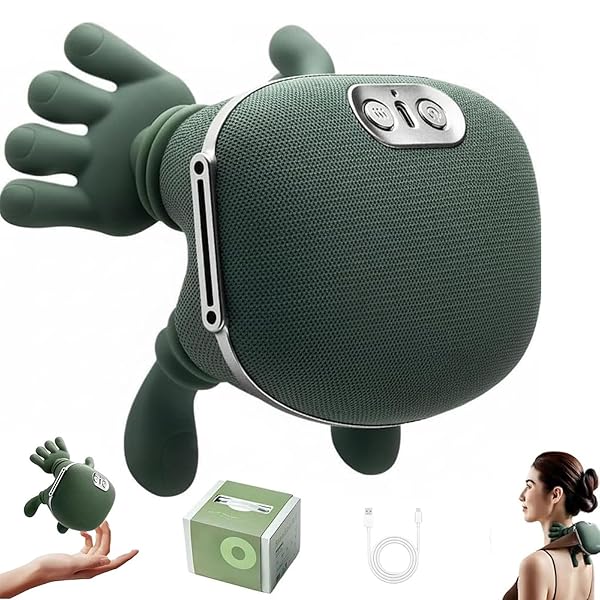
RERCARRE NECK MASSAGER WITH HEAT FOR PAIN RELIEF...
RERCARRE NECK MASSAGER WITH...

AVIEUS GRILL PREP AND SERVING TRAYS | SET...
AVIEUS GRILL PREP AND...
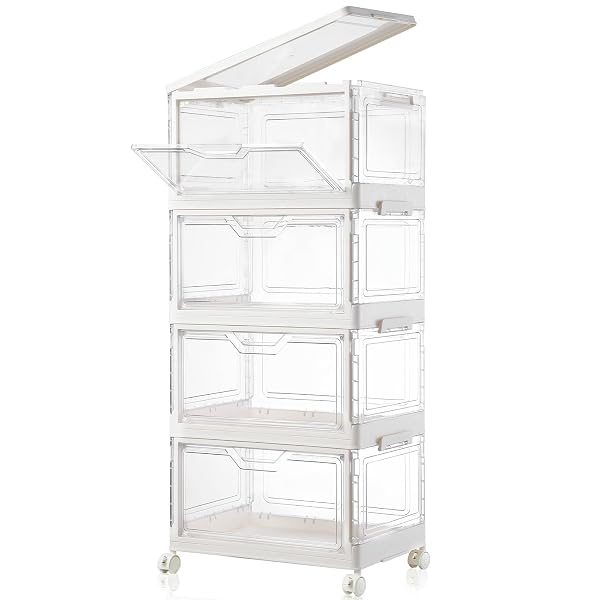
FREEBAT COLLAPSIBLE PLASTIC STORAGE BINS WITH WHEELS, CLEAR...
FREEBAT COLLAPSIBLE PLASTIC STORAGE...
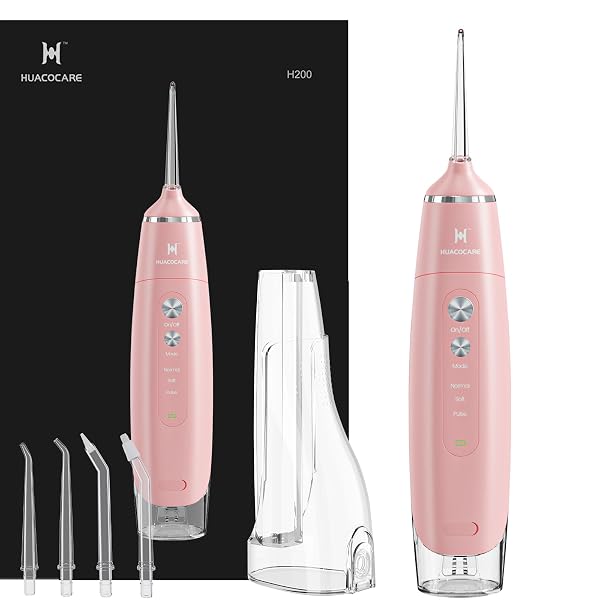
WATER FLOSSER EQUIPPED WITH TWO WATER TANKS FOR...
WATER FLOSSER EQUIPPED WITH...

LUXSPIRE DRESSER WITH HANGING RACK, REVERSIBLE DRESSER FOR...
LUXSPIRE DRESSER WITH HANGING...
WATER FLOSSER EQUIPPED WITH TWO WATER TANKS FOR...
WATER FLOSSER EQUIPPED WITH...

FRITO-LAY FUN TIMES MIX VARIETY PACK, 40 COUNT
FRITO-LAY FUN TIMES MIX...
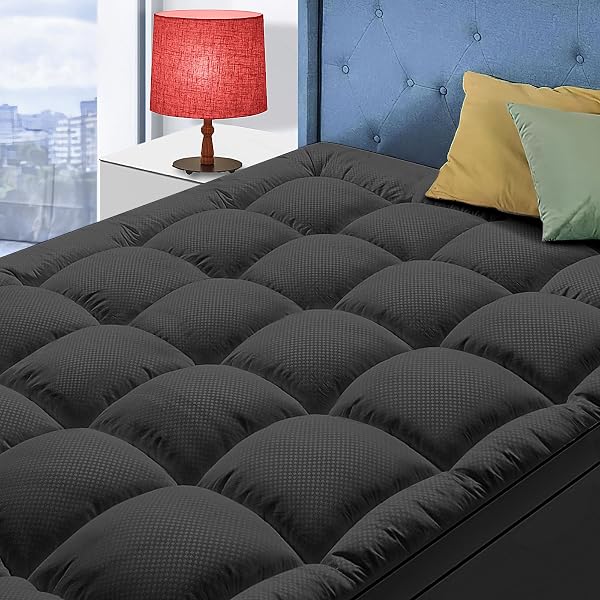
QUEEN SIZE MATTRESS TOPPER FOR BACK PAIN, COOLING...
QUEEN SIZE MATTRESS TOPPER...
QUEEN SIZE MATTRESS TOPPER FOR BACK PAIN, COOLING...
QUEEN SIZE MATTRESS TOPPER...
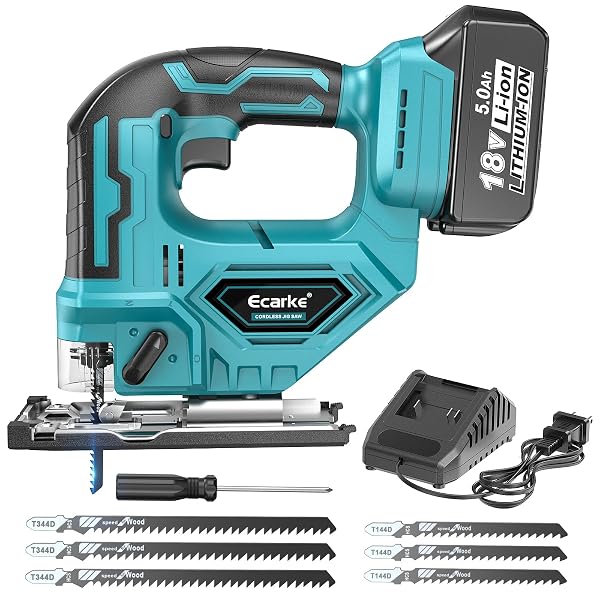
ECARKE JIGSAW COMPATIBLE WITH MAKITA 18V, BRUSHLESS CORDLESS...
ECARKE JIGSAW COMPATIBLE WITH...

PALMER’S COCOA BUTTER FORMULA DAILY SKIN THERAPY COCOA...
PALMER’S COCOA BUTTER FORMULA...

ACCORDION CAT TOY SCRATCHER – CAT TOYS FOR...
ACCORDION CAT TOY SCRATCHER...
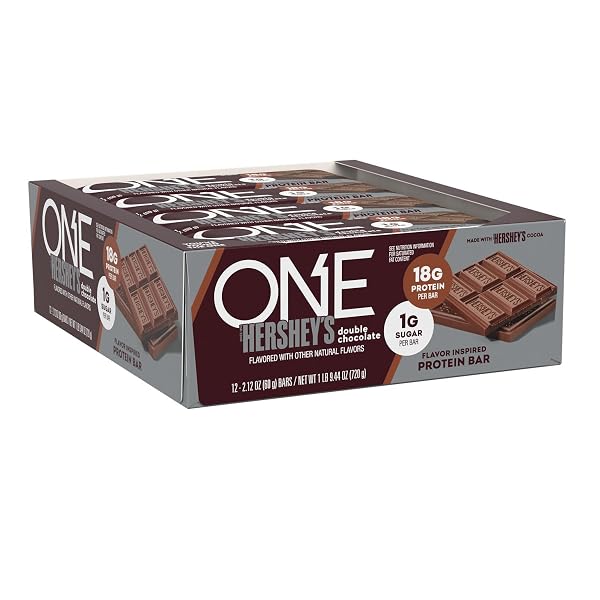
ONE PROTEIN BARS, NEW HERSHEY’S DOUBLE CHOCOLATE, GLUTEN...
ONE PROTEIN BARS, NEW...

GREENIES REGULAR NATURAL DENTAL CARE DOG TREATS, 36...
GREENIES REGULAR NATURAL DENTAL...
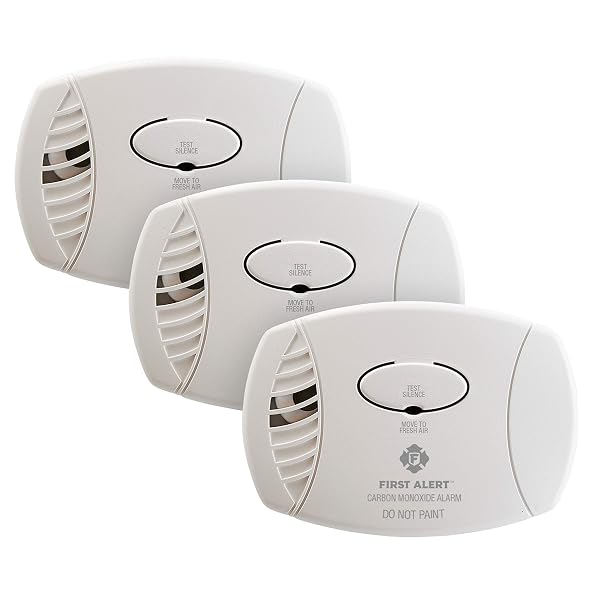
FIRST ALERT PLUG-IN CARBON MONOXIDE DETECTOR, 3 COUNT...
FIRST ALERT PLUG-IN CARBON...

GARGEER HIP & JOINT MOBILITY HEALTH SUPPLEMENT. RICH...
GARGEER HIP & JOINT...
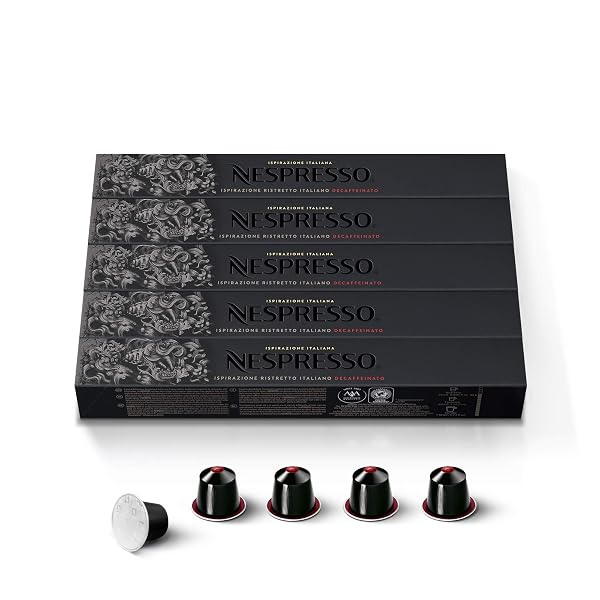
NESPRESSO CAPSULES ORIGINAL LINE, RISTRETTO DECAFFEINATO, DARK ROAST...
NESPRESSO CAPSULES ORIGINAL LINE,...
I usually wait about 30 days before writing a review but I know many people are looking at this monitor, the New Alienware OLED, Neo G8, and LGs New 32GQ950. So I figured I'd go ahead and give my 2 week review now and update later. (If I remember)First, make sure you have a high quality cables if your going to use this for PS5/XBOX. I recommend "Cable Matters Active 8K @60Hz Fiber Optic HDMI Cable" and for PC I recommend the one that came with it or "Startech.com 5m VESA Certified DisplayPort 1.4 Cable" Both I bought on Amazon. Crappy cables can result in a bad experience (I learn that lesson long ago)TLDR: Great Monitor, Had to return first one because 4 dead pixels, second monitor zero issues. Don't be afraid to return/exchange if panel issue due to Samsung hit or missing QA. Curve is not bad, if your use to an ultra wide. HDR looks great. Neo G7 is more realistic with 165hz 4k than Neo G8 240hz. LG 32GQ950 is flat but only has 32 local dimming zones and also IPS vs VA. (VA Panel better blacks)I've bounce back between the Neo G7 and Neo G8. The only difference a different screen finish and high refresh rate. I've read the Neo G8 screen finish makes black look deep while other reviews say colors look a bit washed, and the high 240 hz can cause scanline issues. (This is my first Samsung monitor so I had to read a lot about the previous models and this scanline issue) So with those two negatives, and knowing 4k gaming require alot of horsepower to drive, I landed on the Neo G7 because 4k 165hz was more realistic to hit with a RTX 3090, and the refresh being at 165hz will lower chance of having scanline issues. (Research showed that on other Samsung monitors lowering the refresh rate fixed the scanline issues)Received the monitor and perform the dead pixel test. Didn't see any, great! Used the monitor for 2 hours, (Playing PS5 Returnal, Got a game backlog leave me alone!) then perform a pixel test again. Notice I had 4 dead pixels not stuck pixels, 2 in the top left and 2 in top right. (Dead = No light at all) Called Amazon and request a replacement because at the time the monitor was on sale for $1000. Second Monitor, same test, but this was the weekend so I used the monitor for 12+ hours, for PC, PS5 and Switch everyday. PC games, with medium/high setting, I'll usually see 120-147 hz.I saw a review talking about HDMI 2.1 not being on this monitor. It is however Samsung named it HDMI 2.0(Up Arrow) in the menu. Recently the HDMI Standard cause a rift with the HDMI name scheme so 2.1 can be label 2.0. Just look for how much bandwidth the HDMI port can handle to confirm 4k 120hz.The Curve on this screen is not bad at all, it just comes a little bit more at you than an ultrawide.Scanline, No issues/seen any scanlines at 165 hz on PC.Windows HDR setting I place the SDR brightness at 40-45. It's bright enough for me and I'm in a slightly bright room. If you using a HDMI cable for your PC versus a Display port, in the NVIDIA control panel you can enable 12 bit color. I really didn't see too much difference but that's me. I played Back 4 Blood on PC for the HDR experience and there were ALOT of details in the environment I did not notice until i got this monitor. Samsung say this monitor can hit 2000 nits, but that's only in a special use case and Windows Display Setting shows the Monitor brightness is 1015 nits that is for my monitor, seen some review were theirs is 1050+ and that's for the Neo G7 AND Neo G8.Going into my 3rd week with the monitor and no major issues at all. A few small issues i have with the monitor is the following:- The Menu buttons (yes buttons not joystick) are stiff. You need to push the buttons with a good amount of force and the monitor will shake.- Ultra wide and Low Input Mode require Adaptive Sync to be disable to use- This Monitor has a Auto Input Source option (Off by default) that'll switch to a source that recently was turn on (Ex. PS5) which is great, but it does not switch BACK to PC input because it's not creating a new handshake.Overall, this monitor is great and I do recommend it over the Neo G8 and the alienware. I know the alienware is OLED and will have better black level/colors, BUT i think it still too early for OLED for PC with all static icons. So burn in is still a risk factor. I don't want to throw words like "Colors POP" or "SUPER BRIGHT". The specs on the monitor already point you in that direction. The monitor checks all my box for 4K monitor. (Min 32", Proper HDR, 120hz Support for Console, 165hz for PC) I don't think I can go back to 1440p IPS panel. The only thing that's uncertain is the lifespan of the monitor, Samsung seems to have a rocky QA record on monitors, but I'm willing to give them a try. I also recommend holding off and buying this monitor when it's back on sell for $1000.
This is a fantastic monitor for the price. Most 4K OLED monitors cost double what I got this for (~$450 open box but came basically new). I wanted an OLED but it was outside of my price-range and I didn’t like how text looked on the models I saw.This monitor doesn’t have those issues. It’s affordable for the specs and text looks very clear on it. I personally moved the sharpness down to 40 and it looks great to me. The monitor also gets plenty bright in both SDR and HDR. Check rtings.com for specs but it looks great to me.Speaking of HDR, games that utilize it look fantastic. I was dumbfounded how good some games looked with HDR enabled like Dirt 5, Guardians of the Galaxy, Tony Hawk’s Pro Skater, and Horizon Forbidden West. See the attached pictures!You might want to mess around with the monitor settings and in-game settings but you can make the colors really pop and get insane dark and bright highlights with local dimming set to high. And yeah, this is one of the few monitors out there with local dimming zones. It looks great, especially in well-optimized HDR titles.My only complaint is that some games with larger text seem to have a bit or blur. It could possibly just be the games (I noticed it specifically in EA’s PGA Tour, mainly). Only other complaint is the viewing angles suck, but tbh I’m always centered in front of the monitor so that’s a non-issue for me. The curve is fine, too. Overall this is a fantastic monitor and I recommend it, especially if you can get it for cheap like I did.
If you're looking for something that looks like the best thing in terms of HDR that isn't OLED and don't like the idea of burn-in, and barely noticeable bloom in HDR, don't hesitate to buy this.There are some firmware quirks that I am able to get around and I dislike how the buttons are hard to press, forcing me to lean forward and ache my back a bit as I press. I switch inputs a lot between work and PC computer so this can be annoying at times.Quirk 1: If you're using multiple monitors, make sure this is plugged into the "main" port on your GPU. Otherwise, you may experience a boot loop before logging in.Quirk 2: If the monitor is set to turn off after a certain point in Windows, I notice the PC will just crash. I haven't tested it with just this monitor connected, as I use 2 other 1440p monitors from ASUS (PG279QM and XG27AQM). I get around this by simply setting the timer to 0 in Windows Power plan edit and if I want to turn it off, I just turn it off manually.Quirk 3: Sometimes, turning off HDR while you have Local Dimming set to High will show a weird split down the middle of the screen where the left and right have different brightness levels. You can get around this by turning local dimming off -> to Auto -> off -> then High, then back to Auto. Sometimes not even in that order, just as long as you turn it off at least once. Doesn't happen all the time.Quirk 4: Rare, but sometimes the screen, in certain HDR-related scenarios when you turn it on, the screen may flash the whole screen in a sequence of Red, Blue, and Green. I'm able to get around that by toggling HDR via keyboard hot-key: Windows + ALT + B, and then turning HDR off. This is extremely rare though, maybe one out of 10 times.Nevertheless, my biggest gripe/quirk is how much force is needed to press the buttons underneath the monitor. I can get around the other quirks, but this is by far the most annoying thing about this monitor.Other than that, you'll be impressed by the HDR quality. I've gotten used to the curvature of the monitor, though it does look weird and noticeable from above if you're standing over it. Though if you're buying a VA monitor, you're going to always be looking at it from the center, as viewing angles aren't optimal on VA monitors in general.I was also able to mount this on an arm mount as well from ERGOTRON. It connects just fine using the included VESA mount.2 Year update:The bottom left button on the monitor has now stopped working, rendering the ability to exit the menu's impossible. I basically have to wait it out for the menu to go away. I am no longer buying another Samsung monitor ever again.
I was excited to get this monitor and had very high expectations. I set it up and it looked great as I started playing a game. It lasted 20 minutes until there was a bright flash of light that appeared toward the middle of the screen and it wouldn't go away no matter what I tried. I researched the issue and turns out it is a common QC problem with Samsung panels and requires a panel replacement in most cases. I decided not to test my luck again so I packed it up and shipped it back for a refund. I was not going to try for a replacement but decided to give it one more chance since it was $800 during the week of Black Friday. My 2nd monitor arrived flawless. It took some getting used to the curve but I don't even notice it during gaming. It is very noticeable though when browsing the web or doing anything other than gaming or watching movies. Isn't too bad though. The image quality with the bright HDR, deep blacks and stunning colors is where this monitor really shines. A little bit of blooming is visible at times but it doesn't bother me. I have had OLED TVs since 2018 and am very happy with the HDR and the black levels on this monitor. I have it paired with an i9-13900k and RTX 4090 FE PC and they're a gaming match made in heaven. It doesn't have official G-Sync support but you won't even know. PC games run buttery smooth with zero screen tearing. Even the PS5 looks exceptional on it and I'm replaying games I haven't touched in a while. I am glad I decided to try this monitor again because it is fantastic. I use it mainly for playing AAA titles. I personally wouldn't use it for competitive fps games as the curve may be a hinderance for those. For competitive games I use a 1080p Acer Nitro XV252Q 390 Hz monitor. Neo G7 checks off all of the boxes for anyone not wanting to go the OLED route and risking a burn in. The image quality of this display is so close to OLED that I don't feel like I compromised on anything and the colors look better than on my LG C1 OLED. 139 ppi make everything, inluding the text nice and crisp. If you can live with the curve and the hefty price tag I highly recommend that you give the Neo G7 a try for PC or next gen console gaming. I see myself enjoying this monitor for a long time without buyer's remorse no matter what new screens come out next year.
Keep in mind my rating is FULLY based on MY preferences in what the monitor is used for.**5 for now since it suits my needs, but rating is subject to change if new issues arise.**—-------------------------------------------------------------------------------------------------------------------------Background (maybe we have common needs!):-Work: Programmer (most of the time of day)-Hobby: Creative work (photoshop, video editing, 3D) / 4k gamingI wanted a monitor that gave my work & hobby more screen real estate, sharper text, and better coloring. It is also a plus that gaming looks better and gives the chance of trying out 4k gaming.-I also have the regular G7 which will be used as a reference for comparison.—-------------------------------------------------------------------------------------------------------------------------Hardware quality:-The Neo is sturdy.-The Neo runs significantly cooler than my regular G7. Don’t know if this is an actual change they implemented or if my G7 is just getting old.-There is no core lighting(the blue flashing light) feature on the Neo which I appreciate in comparison to my G7.-monitor stand is not so great.The material used is identical to the regular G7’s, very sturdy; however…The cable management is a joke on the Neo in comparison to the G7.More importantly, the actual stand doesn’t feel like it can hold the monitor’s weight securely as it was very wobbly.This didn’t really bother me nor hinder my rating because I was going to get a monitor arm for more accessible positioning, but if I wasn’t planning to get one, I would probably drop this 2 stars.—-------------------------------------------------------------------------------------------------------------------------Color quality:Neo surpasses the regular G7 with more options for customization. Having used the G7 for the past 2 years, it is no slacker and has met my needs.-Black levels go deeper on the Neo-Contrast levels are superior on the Neo-Coloring pops more on the Neo depending on personal color setting customization-HDR is beautifulThis overall makes the color of graphics in games much more appealing to look at.—-------------------------------------------------------------------------------------------------------------------------Text quality:-more real estate to work on the Neo-noticeably sharper text on the NeoWhen text size gets smaller, 1440p text gets blurry but this is only noticed (for me at least) after experiencing 4k and transitioning between the two. Both are still perfectly readable. It’s just one of those things that once experienced, there will always be a preference for one over the other and may get annoying for some to switch between if it’s a dual monitor setup.It is important to note that if eyesight isn’t great where upscaling is a must in order to read text, there will definitely be a need to upscale text on a 4k monitor which lessens the initial goal of maximizing screen space for tasks.—-------------------------------------------------------------------------------------------------------------------------Known issue that I’ve and others I know w/ this monitor experienced experienced:-Ghosting: the Neo at the max 165hz ghost a considerable amount, but runs smoothly at 120hz.-Screen tearing: also fixed when toned down to 120hzKnown issues that only others I know w/ this monitor experienced:-Backlight: only slightly-Dead pixels-ScanlinesFor this monitor, I do not care about fps as much as it is primarily for the 4k benefit and I got my regular 240hz G7 to cover high fps games such as shooters. If this is a single monitor setup with games such as high-fps shooters in mind, consider this risk because a decrease in fps to 120hz can lead to another issue of motion blur.—-------------------------------------------------------------------------------------------------------------------------TL:DRI gave 5 because it suits my needs for programming, creative work, and experience 4k gaming.+1 sharp text+1 4k gaming+1 color quality+1 contrast quality and deeper blacks+1 screen real estate for productivityIf this were for high-fps games in mind:-1 for ghosting-1 for motion blurThe monitor arm I got was a Huanuo single arm, gas spring, which holds up to 26.4lb. Very sturdy and super easy to move around.If I wasn’t getting a monitor arm:-1 for quality of monitor stand-1 for lack of cable management of the standIf gaming and fps has nothing to do with your agenda and it’s solely for productivity, then the Neo is definitely not worth it.Hope this review helped!—-------------------------------------------------------------------------------------------------------------------------EDIT1 - August 2023Its been over 2 months and I've recently, for the past week, decided to give 165hz another chance.This time:- ghosting has stopped but...- backlight flickering startedAbout ghosting:- idk when or how it stopped, but it was usable the first week of running it at 165hz.- may be just need to give it some time?About flickering (for me):- only occurs on the sides of the monitor (not the middle)- only occurs when an application uses syncs is focused (e.g. a game); more noticeable in dark graphics.- was somewhat noticeable, but some fixes made it practically unnoticeable unless I really try to see it.- fixes to reduce flickering for me:- play applications in full screen- turn brightness up- lower black equalizer- set a cap on in game fps- fix to stop flickering completely:- turn off adaptive sync (not recommended because without it, I lag like crazy)As for 120hz, still working as perfect as ever. Just wanted to see if anything changed and was pleasantly surprised 165hz is now perfectly usable aside from a tiny bit of flickering.—-------------------------------------------------------------------------------------------------------------------------EDIT2 - April 2024Its been around 8 months since last edit and for the past month I switched back to running165hz out of curiosity and was pleasantly surprised.-flickering has stopped at 165hz, it's been running as intended since since the switch a month ago under various settings- again... I have no idea when/how the flickering stopped and am just assuming the hardware fixed itself after running more frequently. In memory, I do not recall tinkering with the settings or control panel any further after edit1 up to the switch.Happy shopping!
I bought 2 of these (one for home gaming office and one for home business office). One last year and one last week. Both work great. Because building PCs is a hobby, I have 10 PCs and their displays operational in our house (most as HTPCs). But, the subject two displays are the ones that get by far the most eyeball use.I like the Picture -- high resolution, high contrast, excellent colors. In particular, the 1000R curve fits my eyes and sitting distance perfectly. So, images are sharper and I don't get eye fatigue like I can with flat monitors. Basically, of the many monitors I own, these two are the very best.
[REVIEWING 32" ODYSSEY NEO G7 4K 1000R Curved]Coming from an dual HP M27f (1080p 60Hz, overclockable to 75Hz), this monitor is a significant upgrade in the visual department. Of course, its 4K HDR120Hz-165Hz. Setup was moderately easy. But there are some problems aside from that: flickering, missing modern monitor features, watching content in 1080p and lower, and Samsung warranty-antics.[QUICK WARNING]: DO NOT BUY A 4K MONITOR IF YOUR GPU CAN NOT AFFORD 4K @ 120 FPS!DO NOT ASSUME YOU CAN DOWNSCALE TO 1440p OR 1080p! 1440p will look like blocky 1080p, 1080p looks like 720p and so on.I highly recommend a 27" 1440p (not 32" 1440p - that's basically 1080p), the difference between 4K and 1440p is minuscule. Save yourself $500 and more money for Air conditioning and power consumption.Pros:- 4K 120Hz-165Hz G-Sync Compatible and AMD Free-Sync - it meets expectations.- True HDR! There are a lot of fake HDR tone mapping in the Amazon jungle, but this one is known for its true 1000nits HDR.- Nice monitor menu setup- Playing games at 4K, G-Sync'd vs VRR V-Sync makes games feel even more buttery-smooth. Playing a game at 75 FPS still feels like your playing at 120 FPS. V-Sync, however, will make you feel the pain.- Great viewing angles - Forget what YouTubers are saying about VA panels having horrible viewing angles. It LGTM! It's not nearly as bad as you think it is; and when it is bad its because your perpendicular with the screen.Cons:- Definitely not energy-efficient. Pulls ~20 watts in standby mode instead of the usual 7 watts or below. 70-100 watts when in non-HDR and ranging in brightness.- Lack of modern menu functionality- Eco Sensor Mode, Adaptive Brightness, and Auto Switch Source+ are not great.- Eco Sensor Mode - doesn't even work, it just darkens your screen to minimum brightness.- Adaptive Brightness - basically just decreases your brightness a little bit, regardless of what the description says.- Auto Switch Source+ - this should be named "Auto Switch Source-", it is a pain in the ass if you have multiple devices (ie: PC and PS5). It only switches when a new input signal is detected. But it does not auto-switch when the current signal has ended. So, if I turn off my PS5, it will not auto-switch. This is something my previous monitor had. Come on, Samsung!- Menu documentation for this device is not great. What is the official difference between VRR Control and Adaptive Sync? What about Eco Timer and Sleep timer? (Note: Eco Timer only times out in standby mode, whereas sleep timer will cut off display while your working on it).- The ports on the monitor is a bit undesired. No USB-C port or KVM switch compatibility but rather wastes 3 USB ports, 2 wasted: 1 for updating and the other to make the USB port work. Of course, has 2 HDMI 2.1 and 1 DisplayPort.- 1440p version has received a firmware update versus while this 4K version has not. Why, why, why!!!- (Probably usual 4K problem) - watching content in 1080p and worse look like your watching in 720p or even 480p. 1440p looks pixelated. So if you're thinking "oh, It'll be better to just get 4K and if you need, downscale to 1440p or 1080p", you will be disappointed. Get 1440p Neo G7 instead. Don't make the same mistake I made.- Also, this could potentially be fixed if you switch to AV mode (again horrible documentation). But the problem lies in the monitor using a fast upscaling method to achieve it's industry-leading fast pixel refresh rate but at the cost of making 1440p, 1080p, and lower look even worse. Wish there was an option to improve upscaling quality on the monitor.- The difference between 1080p and 4K is definitely there, but so is 1080p to 1440p. I recommend not getting 4K, it's not all of that. Your GPU, your power bill, and your Air Conditioner will thank you.- Playing games with an RTX 3090 (no ray-tracing) will vary from 75-120FPS (99% is 100 FPS) but the power consumption will pull ~320 watts; 1080p@75Hz will pull ~120-150 watts. 4K@60Hz = ~220-260 watts.- I have experience screen flickering but I have found some solutions but still come up to it from time to time.- When Adaptive Sync is on and you have two G-Sync Compatible monitors, this monitor will flicker IF YOU HAVE THE "Enable settings for the selected display model" is checked. Disable this.- You will still get rarely-occasional flickering for some reason. Simply switch inputs and it will go away.- WATCH OUT FOR SAMSUNG'S TRICK TO NOT FIND YOUR WARRANTY. AS SOON AS YOU GET YOUR DEVICE, KEEP RECORD OF YOUR WARRANTY INFORMATION AND DO NOT DISCARD. The Samsung Warranty website is not showing warranty information, when the time comes (hopefully it doesn't), they will say they cannot find your warranty and refuse to give you service.There needs to be a firmware update for this monitor.
I could not believe how much of a difference in quality there truly was in going from a lower end Asus 4k Tuf Gaming “HDR” monitor to this. The difference is so significant I can really understand and appreciate the reason this monitor cost over twice as much.You really do get what you pay for. The picture is stunning in 4k, HDR and brightness is fantastic, size and curve provides great immersion, has DP 1.4 and HDMI 2.1, and runs at 165hz, the ideal refresh rate imo. Samsung managed to tie all these features together beautifully in the g7. I honestly cannot think of a single negative thing to say about this monitor.
Absolutely incredible HDR performance and true blacks with almost zero blooming. There is no backlight bleed due to the dimming zones. A great alternative to an oled if you’re worried about burn in and like having much brighter colours and whites while still getting those near-oled true blacks.
انا شخص يحب الافضل لكن في نفس الوقت احب ادفع السعر اللي المنتج يستاهله مو اكثرالشاشة مافيها زود الالوان طافيه والانحناء غبي للعلم باني احب الانحناء لكن هذا مايصلح وحجم الشاشة كبير وتهتز بسهولةاخذ لك شاشة4k 144hz ipsافضل منها ووفر الباقي في جيبك
Belle qualité d image. Je n'etais pas certain du rayon de 1000, mais en fin de compte pour le jeu j'adore.
Got the monitor, had to return it right away as it was defective. Lost the panel lottery. The reviews are right, horrible QC on these panels. For 1300 before taxes it should be flawless. Had dead pixels and a blob in the centre left. Also flickered.
The blooming on the screen is the only thing that really annoyed me. In menu of in software with flat dark color and white text or image the blooming is all over the places ittook me a lot of time to get use to it, at least when playing or watching complex image the blooming is not as much of a problem. The color are nice the response time and the frame rate are nice too. The conception feel sturdy enough and a lot of adjustments possible with the stand
-
Brand
Samsung -
Screen Size
32 Inches -
Resolution
4K -
Aspect Ratio
16:9 -
Screen Surface Description
Glossy -
Screen Finish
Glossy -
Contrast Ratio
1,000,000:1 -
Refresh Rate
165 Hz -
Display Type
LCD -
Display Technology
3440 X 1440 -
Viewing Angle
178 Degrees -
Has Color Screen
Yes -
Picture Quality Enhancement Technology
Quantum Matrix Technology, Quantum HDR 2000 -
Item Dimensions D x W x H
12.2"D x 28.1"W x 23.9"H -
Item Weight
19 Pounds -
Display Resolution Maximum
3840 x 2160 Pixels -
Native Resolution
3840x2160 -
Voltage
240 Volts (AC) -
Is Electric
Yes -
Total Number of HDMI Ports
2 -
Total Usb Ports
2 -
Total USB 2.0 Ports
2 -
Additional Features
Adaptive Sync, Curved, Flicker-Free, High Dynamic Range -
Specific Uses For Product
Gaming -
Color
Black -
Mounting Type
Wall Mount -
Model Number
LS32BG752NNXGO -
Model Name
SAMLS32BG752NRB -
Warranty Description
1 Year Manufacturer -
UPC
887276651019 -
Manufacturer
Samsung -
Item Type Name
Monitor -
Built-In Media
DisplayPort, HDMI -
Best Sellers Rank
#127,777 in Electronics (See Top 100 in Electronics) #2,680 in Computer Monitors -
ASIN
B09ZH1Q6TT -
Response Time
1 Milliseconds -
Connectivity Technology
wired, wireless -
Hardware Connectivity
DisplayPort, HDMI, USB -
Adaptive Sync
G-Sync -
GTIN
887276651019
Buyer’s Premium
A 15% buyer’s premium will be added to the sale price of all purchases.
Store Auction Lots Condition
All items are uninspected and the condition is unknown unless otherwise explicitly stated. Items labeled as “Tested Working” have been tested by Korting and confirmed to function for their primary intended purpose at the time of testing. Packaging may be open, damaged, or missing, and items may show signs of handling or cosmetic wear. Testing does not guarantee long-term performance or completeness of accessories. Individual items are available for inspection at Korting Outlet located at 159 1st Court, Grand Rapids, Michigan 49534 during store hours.
The highest bids serve as legally binding contracts, and all sales are considered final. Items are sold on an “as is” basis, without any guarantees, warranties, or the possibility of refunds, whether written, expressed, or implied. The operational condition of an item may not be known or listed in the item description. While we may provide information on the condition of some items, including items marked as “New,” such information is not guaranteed.
All items are sold with all faults and without any warranty, whether expressed or implied, regarding merchantability or fitness for a particular purpose. The sale is conducted on an “as is, where is” basis with all faults. Buyers are strongly encouraged to physically inspect items before placing bids during the inspection period. Once submitted, bids cannot be withdrawn before, during, or after the auction for any reason.
The buyer acknowledges that these terms, along with other terms outlined below, can only be amended or revised in writing, signed by the auctioneer. Any representations made by Korting or its agents do not alter these “as is, where is with all faults” terms. Descriptions provided on products or through advertising, including condition labels such as “New,” are not guaranteed, and buyers rely solely on their own inspection. While information in sale advertising is believed to be accurate, Korting assumes no responsibility for errors or omissions.
Auction Closing Times
Posted closing times are in Eastern Time and may be extended through dynamic bidding. Dynamic bidding extends the auction close time until there are five minutes without bidding activity. Korting reserves the right to close early or extend auctions at its discretion.
Payment
Payments will be processed through Stripe.
Refund Policy
Due to the nature of liquidation merchandise, returns are accepted only under the following circumstances:
- Wrong item received
- Major undisclosed damage that significantly affects functionality or value
- Item arrives nonfunctional or dead on arrival (unless listed as untested, for parts, or salvage)
- Missing critical components necessary for basic operation that were not disclosed in the listing
- Counterfeit items or items materially different from the listing description
The following conditions are not eligible for return or refund:
- Buyer’s remorse or accidental purchases
- Minor cosmetic wear, scratches, dents, scuffs, or signs of prior handling
- Damaged, worn, or missing retail packaging
- Compatibility issues with buyer equipment, software, or intended use
- Missing non-essential accessories, manuals, inserts, cables, or packaging materials unless specifically stated in the listing
All return requests must be submitted within 72 hours of delivery and include clear photos and/or video documentation of the issue. We reserve the right to deny returns that do not meet the above criteria.
Sales Tax
All orders are subject to the 6% Michigan sales tax. Tax-exempt buyers must have a current tax-exempt certificate on file before sales tax can be removed from an invoice.
Failure to Pay or Remove Items
Korting reserves the right to charge a 15% non-refundable restocking fee for items not paid for and picked up within seven days of the auction closing. Such items will be considered abandoned and forfeited to Korting. Korting may resell any abandoned or forfeited items.